Internal linking tools: plan your links with a semantic cocoon
Internal linking tools suggest which of your pages should link to which, and with what words. They save time, but you still decide: which page matters most, and which link text names it. This guide shows the method first (the semantic cocoon: a mother page, its daughter pages, and links in both directions), then what WordPress plugins and AI tools do, then what SemChat's cocoon skill returned in our 30 October 2026 test, right and wrong.
 By Jérémy Santos Updated on 30 October 2026 Tested on his own SemChat account: first audit on 29 October 2026.
 This page is part of the guide: SEO content tool

Link your pages together, from the mother page to its daughters and their sisters. Illustration by Zéro Corvée.
You’ve published twenty posts. Each one sits alone: none leads to the others, and your most useful page gets almost no links. Internal links fix that, and they cost nothing.
This guide is part of our series on SemChat’s content features, listed on our SEO content tool page. It covers how to plan your links, what internal linking tools do for you, and what they don’t. On 30 October 2026, I asked SemChat, in French, to build a semantic cocoon for plugkit-avis.com on its main topic. It picked its Semantic cocoon skill on its own and returned, in 4 minutes, a map of the site’s links and a page-by-page link plan. The plan is solid, but two findings were false, as I checked on the live site. Cost: 4 points of the Starter plan’s monthly quota. The links to SemChat on this page are affiliate links.
What internal linking does for your SEO
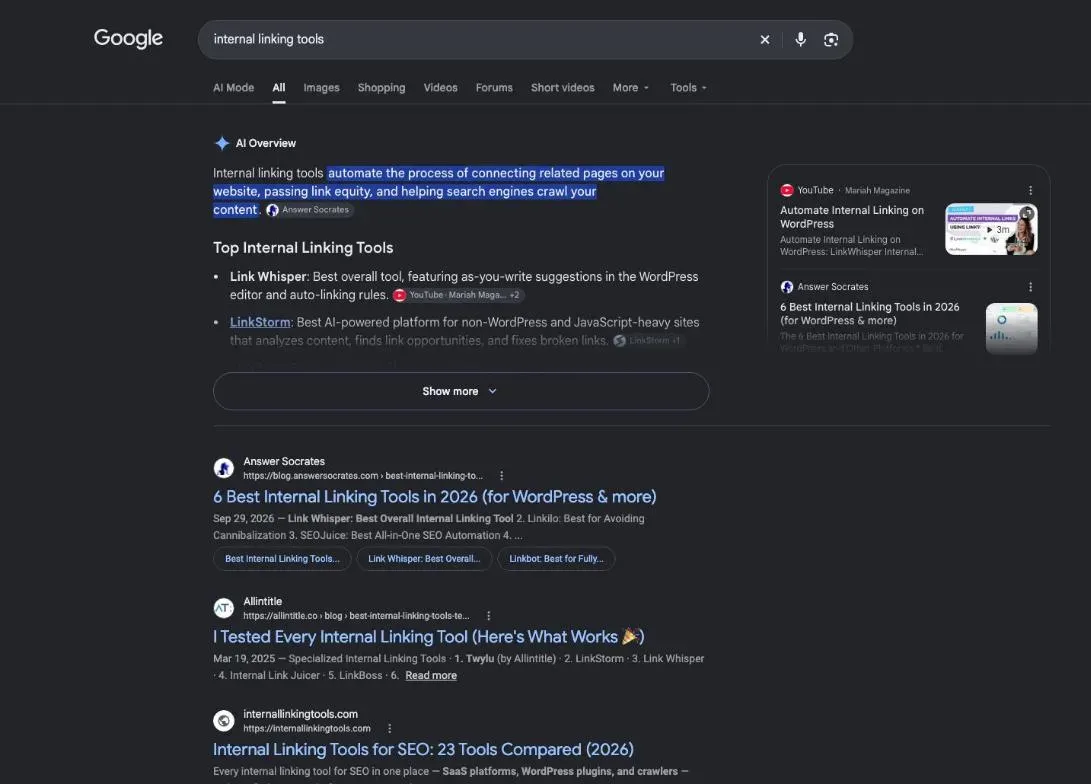
An internal link goes from one page of your site to another page of your site. Google states why it matters in the first line of its page on links: it “uses links as a signal when determining the relevancy of pages and to find new pages to crawl” (read 30 October 2026).
It adds that “paying more attention to the anchor text used for internal links can help both people and Google make sense of your site more easily and find other pages on your site”. The full definition, with menus, footers and click depth, is on our internal linking SEO page.
Signs your internal links need work
- A page you care about gets no link from any other page. Google’s rule: “Every page you care about should have a link from at least one other page on your site.”
- Your links say “click here” or “read more”.
- Two of your pages answer the same question and compete for the same search.
- Your best page is buried several clicks deep.
The semantic cocoon: mother page, daughter pages, sister pages
The semantic cocoon is a way to organise those links, popular in France and rarely named in English. Picture a family. The mother page covers a broad topic. Each daughter page answers one narrower question. Daughters of the same mother are sisters. On this site, the method comes down to four written rules:
- the mother links to each daughter, each daughter links back to its mother, and sisters link to each other, always both ways;
- a mother has 15 daughters at most;
- every page sits 3 clicks at most from the home page;
- a cocoon goes live in one block, never a daughter without its mother.
- Mother page the broad topic, linked to each daughter
- Daughter page links to its mother and its sisters
- Sister page links to its mother and its sisters
- Another sister page links to its mother and its sisters
Anchor text that names the target page’s keyword
Google defines it this way: “Anchor text (also known as link text) is the visible text of a link.” On this site, the anchor is always the main keyword of the target page, or a close variant. Your reader knows where the link goes, and so does Google.
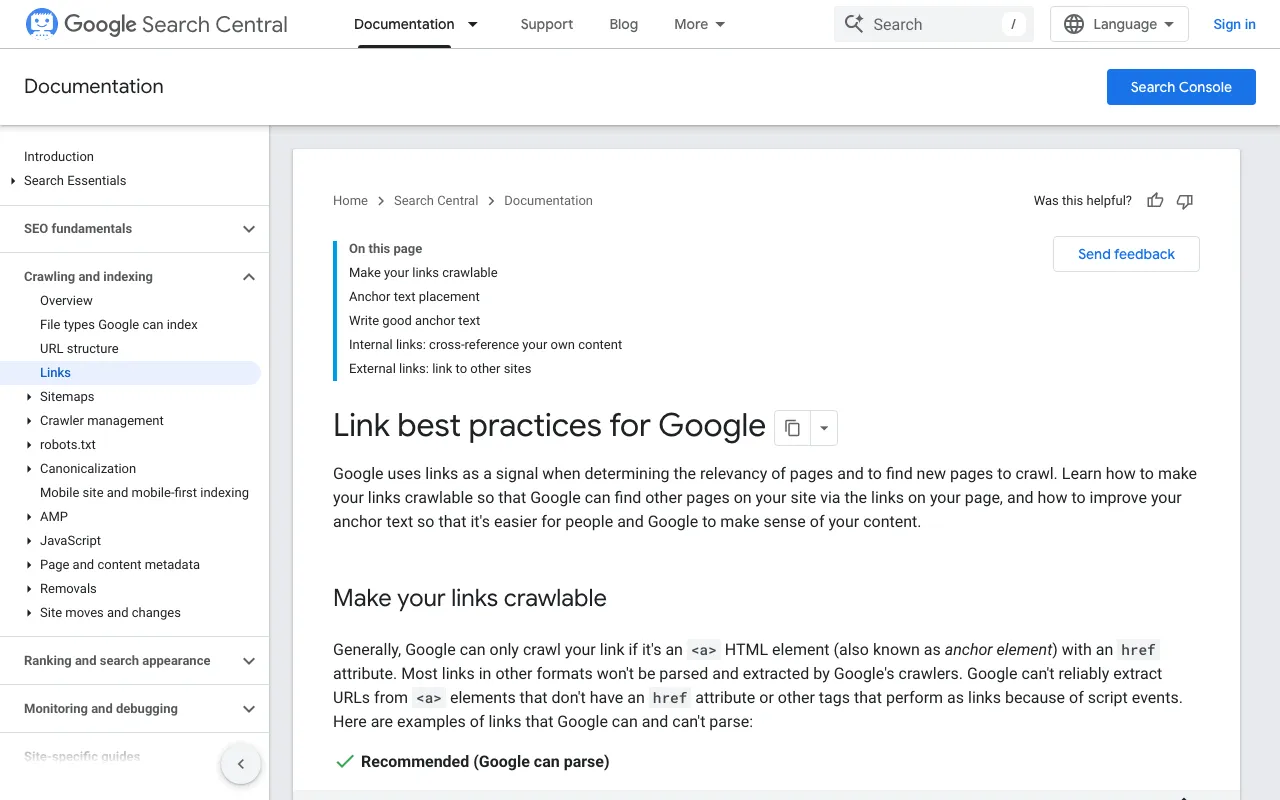
Google files “Click here” and “Read more” under “Bad (too generic)”. Its test: “Try reading only the anchor text (out of context) and check if it’s specific enough to make sense by itself.”
The opposite mistake exists too. Google asks you to “resist the urge to cram every keyword that’s related to the page that you’re linking to”, and reminds you that keyword stuffing breaks its spam policies. One keyword, the target page’s, not a list. And never the same anchor for two different pages.
Keep priority pages close to the homepage
The 3-click rule above serves this purpose. Your most important pages should be reachable from the home page or its main sections, not hidden behind five layers of menus. If a page matters for your business, link to it from a page that already gets visits.
A real example: how this site links its pages
The page you’re reading belongs to a cocoon. Its root is our SemChat tutorial. Under it, four families: audits, content, links, strategy. Under each family, one page per SemChat skill.
- SemChat tutorial the mother page of the cocoon
- Audits
- Full SEO audit
- Technical audit
- On-page audit
- EEAT audit
- Accessibility
- Content
- Content brief
- Content refresh
- Topic cluster
- Internal linking
- Keyword clustering
- Links
- Backlink audit
- Link building campaign
- Strategy
- SEO strategy
- Competitor analysis
- Local SEO
- Site launch
- Indexing
- Audits
This page is a daughter of the Content family. Its first link, above, goes to its mother, on her keyword. Its sisters get a link where the topic calls for them, further down. On 30 October 2026, this cocoon is still in review: its effect on rankings isn’t measured (missing data, planned source: Search Console, after publication).
How to improve internal linking, step by step
Link with purpose, inside the main content
- List your topics: one question per page, never two pages for the same one.
- Pick the mother: the page that covers the broad topic.
- In the mother, add a short section per daughter, with a link on that daughter’s keyword.
- In each daughter, make the first link of the text point to the mother.
- Link sisters when it helps the reader: a price page can point to a page on cheaper options.
Plan the links before you write. Our content brief generator page shows how to put them in the brief, and our keyword clustering tools page shows how to decide which pages to create in the first place.
Google also asks you to give each link some room: “Don’t chain up links next to each other; it’s harder for your readers to distinguish between links.” How many links per page? “There’s no magical ideal number of links a given page should contain. However, if you think it’s too much, then it probably is.”
Check your links on a regular schedule
Google Search Console, which is free, has a Links report. “It shows a sample of internal and external links to help you understand your site’s overall link profile” (Search Console Help, read 30 October 2026). A sample only: “Tables are limited to 1,000 rows.”
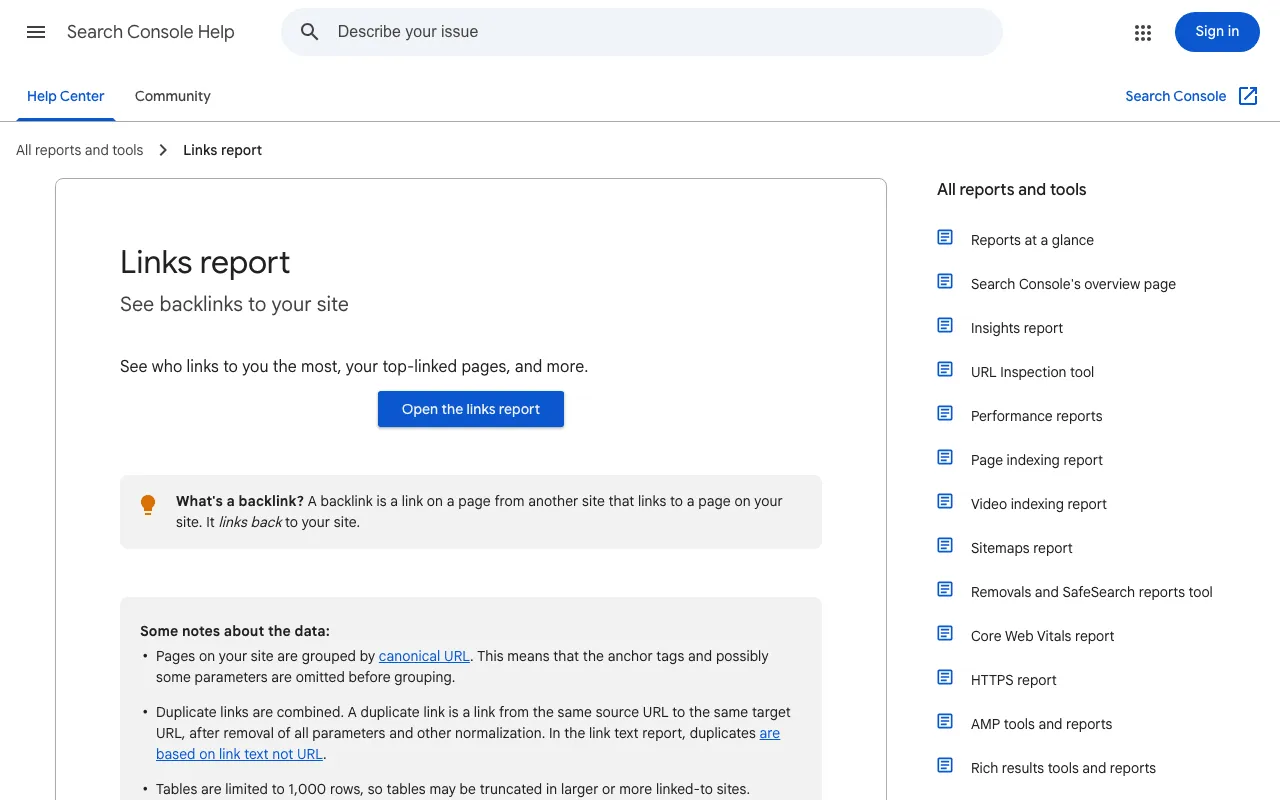
In the Internal links table, look at Top linked pages. The help page’s advice: “Confirm that the core site pages (home page, contact page) are properly linked within your site.” Then read the bottom of the table: the pages with the fewest links. When you update old posts, add links to your newer pages; our page on how to update old blog posts covers that step.
To check the whole site, a crawler follows every link. Screaming Frog SEO Spider says “Download & crawl 500 URLs for free”, and its page lists an analysis of internal links, link counts and crawl depth (fiche of 30 October 2026). Not tested for this page.
Internal linking tools or plugins: what each one does
An internal linking tool reads your pages and suggests links, sometimes with the anchor. None of the tools below was tested for this page: what follows comes from their dated fiches only.
WordPress plugins that suggest internal links
- Rank Math: internal link suggestions in its free version (fiche of 29 October 2026).
- Yoast SEO: internal linking suggestions and a list of orphaned content, in Premium (fiche of 30 October 2026).
- AIOSEO: its Link Assistant, from the Pro plan, with one-click suggestions and an orphaned posts report (fiche of 29 October 2026).
- SEOPress: internal link suggestions and a broken link checker, in PRO (fiche of 30 October 2026).
AI internal linking tools: suggestions you still approve
Surfer goes further and places links itself, from its Pro plan: “Internal Linking scans your domain, finds the most optimal anchor, and inserts internal links automatically” (fiche of 29 October 2026).
A tool suggests; it doesn’t know which page brings you clients. Read each link before you keep it: does the anchor name the target page’s keyword, and does the target page exist?
Common internal linking mistakes to avoid
- The orphan page: published, but linked from nowhere.
- The broken link: it leads to a deleted or moved page.
- Chained links: several links side by side, with no text around them.
- Menu-only links: they say nothing about how two neighbouring pages relate.
- The duplicate: two pages on the same question, competing for the same search.
SemChat’s semantic cocoon skill: tested on 30 October 2026
SemChat is an SEO assistant you talk to: you type a sentence, it reads your site and search data, then it answers. Its list of skills, checked in the app on 29 October 2026, includes “Cocon sémantique” (semantic cocoon), described as “façon Bourrelly” (in the style of Laurent Bourrelly, the French SEO consultant who publishes its definition on his blog). We tested it on 30 October 2026, on the Starter plan.
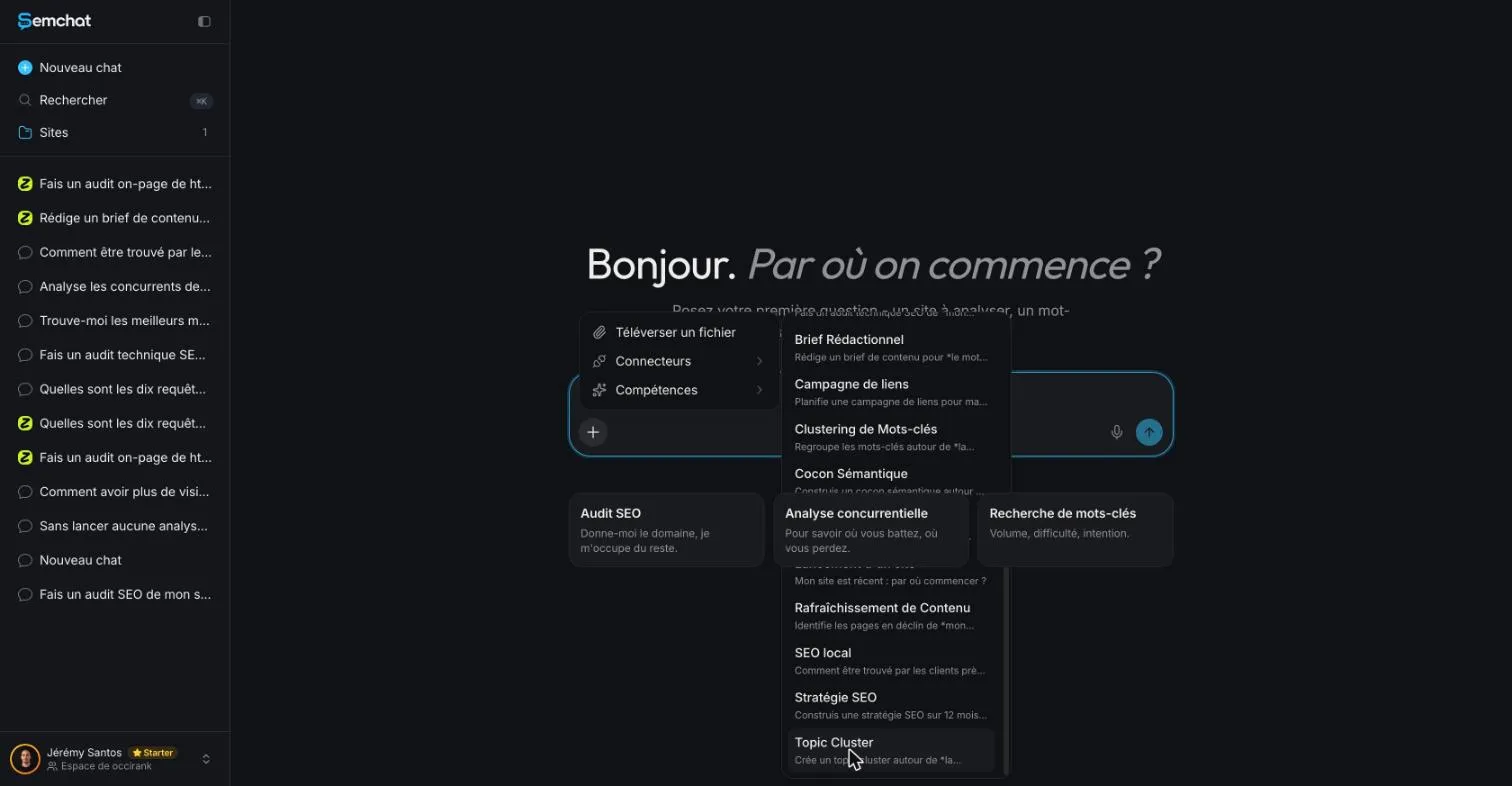
The sentence, typed in French with the interface in French: “Construis un cocon sémantique pour plugkit-avis.com sur son sujet principal.” (build a semantic cocoon for plugkit-avis.com on its main topic). SemChat picked the right skill on its own, Cocon Sémantique. Then it ran, in order:
- its stored site analysis;
- a crawl of the whole site: 194 pages, a technical score of 99 out of 100, no orphan page, 3 clicks at most from the home page;
- a map of the site: 5,486 links, a link density of 12.15%;
- the domain’s Google rankings (89 results);
- search volumes for 11 keywords;
- 4 Google searches.
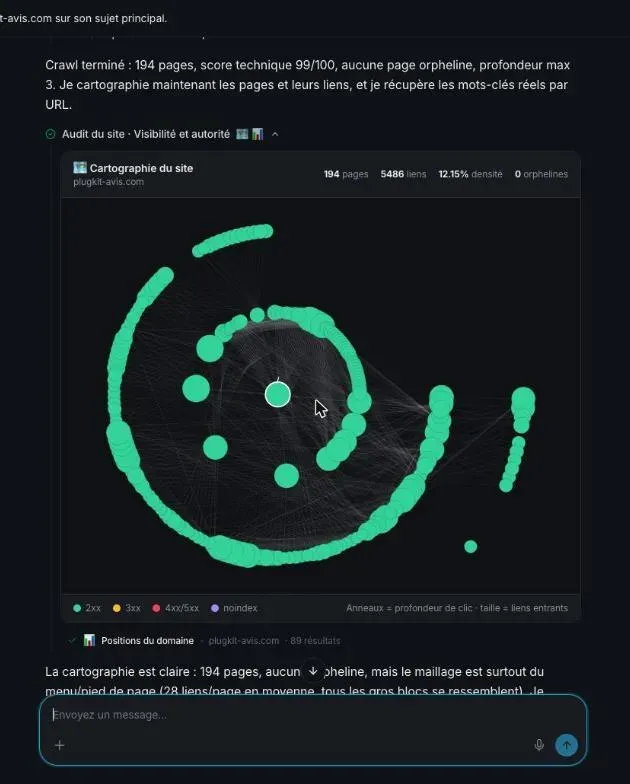
Its diagnosis fits in one sentence: the site is technically clean, but almost all its links come from the menu and the footer (28 links per page on average), not from links in the text between pages on the same topic. That’s exactly what this guide teaches you to fix.
The main output is a document, “Cocon sémantique : plugkit-avis.com,” in 7 parts:
- the diagnosis;
- 4 silos, 1 satellite group and a trust block;
- a description of each mother page;
- the list of links to add, each with its source page, target page, anchor and direction (down to a daughter, up to the mother, or across to a sister);
- moves and redirects;
- the work order, in 3 batches;
- baseline measurements, to repeat 6 weeks later.
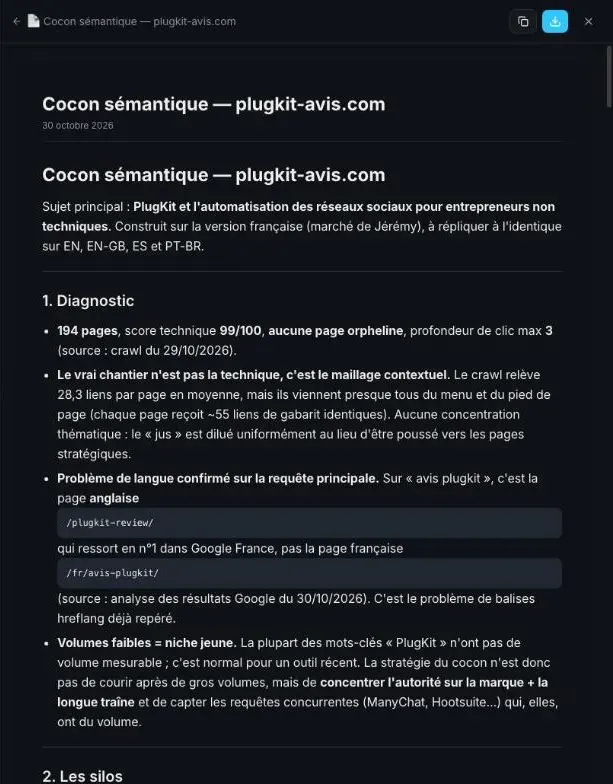
The document opens in the right-hand panel of the chat, and SemChat offers to export it as a PDF.
What it got right: every link has a direction and an anchor that describes the target page, “never click here.” It changes no address. It sets apart the 11 pages about posting times, which are off the site’s topic. And its mention of an 18-lesson free course is correct: the site’s course page does announce 18 lessons (checked on 30 October 2026).
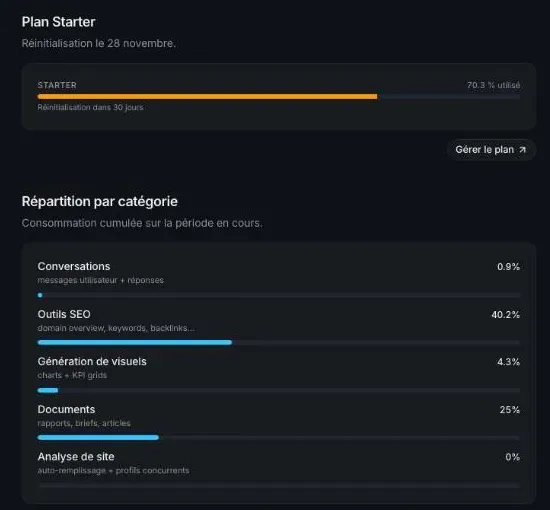
Cost: the Usage tab of the Starter plan went from 66.3% to 70.3%, so 4 points of the month’s quota for this test.
The neighbouring skill: a topic cluster document titled as a cocoon
The neighbouring skill, Topic cluster, ran on 29 October 2026, on plugkit-avis.com, my other site. It filed its plan in a document titled “Cocon sémantique créé” (semantic cocoon created). The two tests show the difference: Topic cluster suggests a pillar page and its articles; Semantic cocoon starts from the whole site and its real links, and gives each link a direction and an anchor.
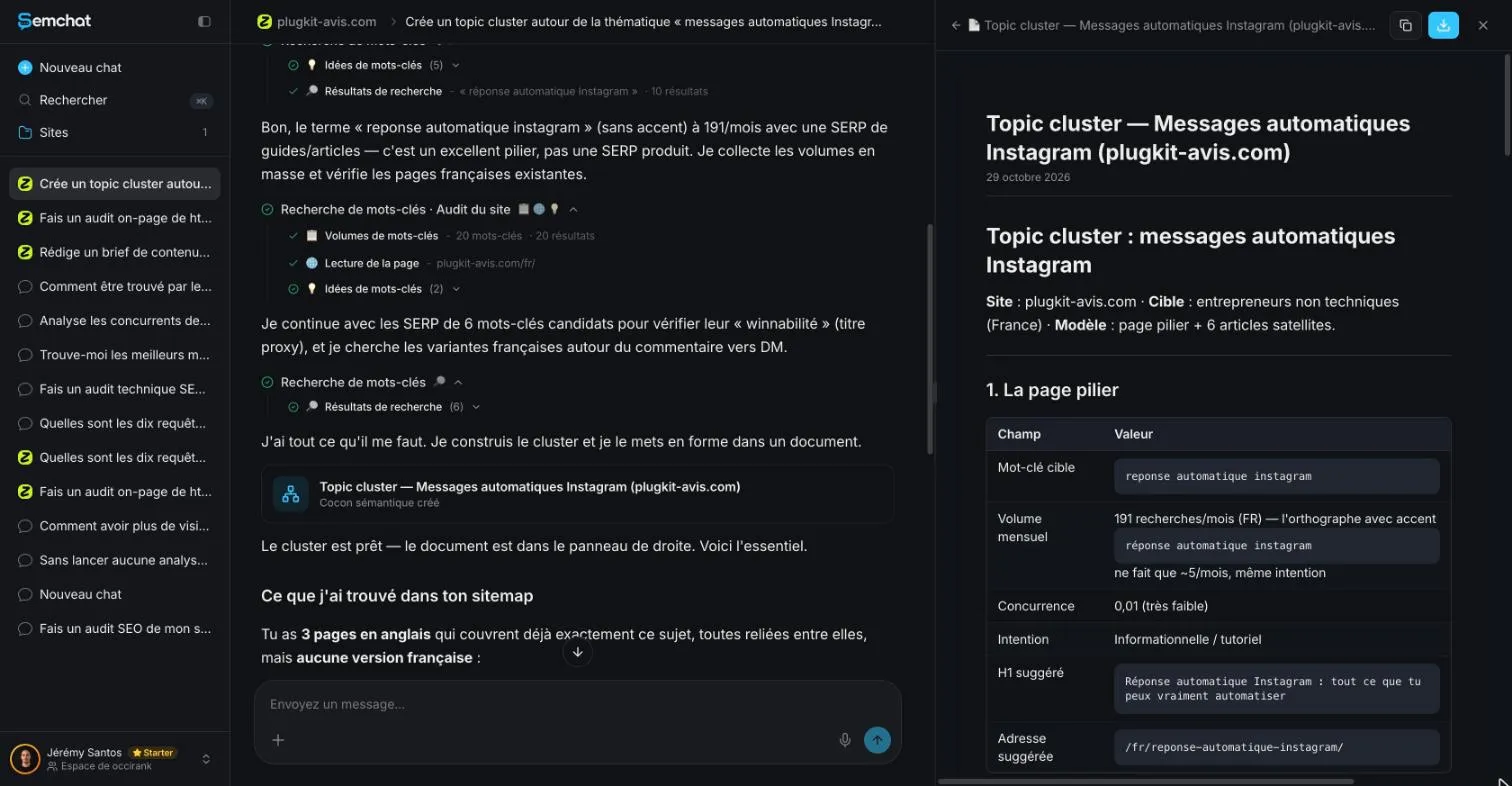
That Topic cluster test gave a plan with the right shape: one pillar page, six articles, a link from each article to the pillar. Checked the same day, though, it had read only English pages, 3 of the 6 articles already existed, the pillar address it suggested returned a 404 error, and the link texts were full sentences. The full test is on our topic cluster tool page.
The checklist against the cocoon skill’s plan
The neighbour’s misses gave us the checklist:
- pages read: the sitemap in the right language, every page on the topic;
- pages proposed: none that already exists under another address;
- addresses: every link leads to a live page, not a 404 error;
- anchors: the target page’s keyword, not a sentence;
- structure: mother and daughters linked both ways, sisters linked, 15 daughters at most per mother.
Here is the 30 October 2026 plan against that list, checked on the live site the same day:
- pages read: better than Topic cluster. It crawled the whole site (194 pages) and built its cocoon on the French version;
- pages proposed: false. Its “only new address,” a page on the best time to post on Instagram, marked “to create,” already exists: it loads normally, it’s indexable, and its title reads “Meilleures heures pour poster sur Instagram : 4 études”;
- existing links: false. It says no link in the text joins the PlugKit review to the pricing page. In fact the review already links the pricing page in its text, and the promo code page 7 times;
- addresses: it changes no address. I didn’t check every other address in its link list one by one: missing data;
- anchors: good, words that describe the target page, no more sentences;
- structure: links up to the mother, down to daughters and across to sisters, as asked; the largest silo has 15 pages. But it says it groups “your 194 pages into 4 silos,” when its silos hold 26 (2 + 7 + 2 + 15), plus 11 satellite pages.
Same lesson as for the other skills we tested: before you add a “missing” link or create a page “to create,” open the live page. The full test of the tool is in our SemChat review, and its plans are on our SemChat pricing page.
Internal linking tools save you the search for links, not the decision. Keep the method: a mother, her daughters, links both ways, the target page’s keyword in every anchor, and no page left alone. Start today with your most important page: find two pages of your site that should link to it, and add those two links.
Frequently asked questions
Does internal linking improve SEO?
It helps Google find and understand your pages. Google “uses links as a signal when determining the relevancy of pages and to find new pages to crawl” (Link best practices for Google, read 30 October 2026). A link alone doesn't promise a ranking; a page nobody links to is simply harder to find.
What does an internal link look like?
It's a clickable piece of text on one page of your site that opens another page of the same site. Google calls that text the anchor text: “This text tells people and Google something about the page you're linking to” (Link best practices for Google, read 30 October 2026). A good one names the topic of the target page, never “click here”.
How do you make an internal link in HTML?
Use an a element (the anchor element) with an href attribute that holds the address of your page, and put the link text between the opening and closing tags. Google's rule: “Generally, Google can only crawl your link if it's an <a> HTML element (also known as anchor element) with an href attribute” (Link best practices for Google, read 30 October 2026). In WordPress, select the words and click the link icon: the editor writes that code for you.
Can SemChat build my internal links for me?
It can draft the plan, not place the links. Tested on 30 October 2026, its semantic cocoon skill returned, in 4 minutes, a map of the site's links and a document listing each link to add, with its direction and anchor. But it called a link missing that already existed, and a page “to create” that was already live: check every suggested link before you add it.
Let your AI do the chores of getting found online.
10% off your subscription, for life with my link, if you subscribe within 2 weeks of signing up. No code. All about the SemChat promo code
Affiliate link: it costs you nothing extra.
Verified sources
- Google Search Central: Link best practices for Google (anchor text, internal links) (30/10/2026)
- Search Console Help: Links report (30/10/2026)
- Rank Math: pricing grid (internal link suggestions in the free version), fiche of October 29, 2026 (29/10/2026)
- Yoast SEO Premium: internal linking suggestions and orphaned content, fiche of October 30, 2026 (30/10/2026)
- AIOSEO: Lite vs Pro table (Link Assistant from Pro), fiche of October 29, 2026 (29/10/2026)
- SEOPress: pricing (internal link suggestions in PRO), fiche of October 30, 2026 (30/10/2026)
- Surfer: Content Editor (automatic internal linking), fiche of October 29, 2026 (29/10/2026)
- Screaming Frog SEO Spider: tool home page (internal linking analysis, free version up to 500 URLs), fiche of October 30, 2026 (30/10/2026)
- SemChat pricing (Free plan at €0, every feature in every plan) (30/10/2026)