Google Business Profile SEO: your shop window on Google
Google Business Profile SEO is about one free listing: the box that shows your business on Search and Maps, with your address, hours, phone, photos and reviews. Google ranks those listings on relevance, distance and prominence, and nobody can pay for a better spot. Here's what your profile does and where to start.

 By Jérémy Santos Updated on October 30, 2026 Tested on his own SemChat account: first audit on October 29, 2026.
 When someone nearby searches for “plumber” or “bakery,” Google can show local businesses before websites: a map, a few names, their hours and their stars. Google Business Profile SEO is the work of getting your business into that box and keeping it there. This page covers what your profile is, how Google ranks it and where to start, based on Google’s help pages read on October 30, 2026. Five guides below go deeper on each task. The SemChat buttons on this page are affiliate links.
Google Business Profile SEO: what your profile is and where it shows
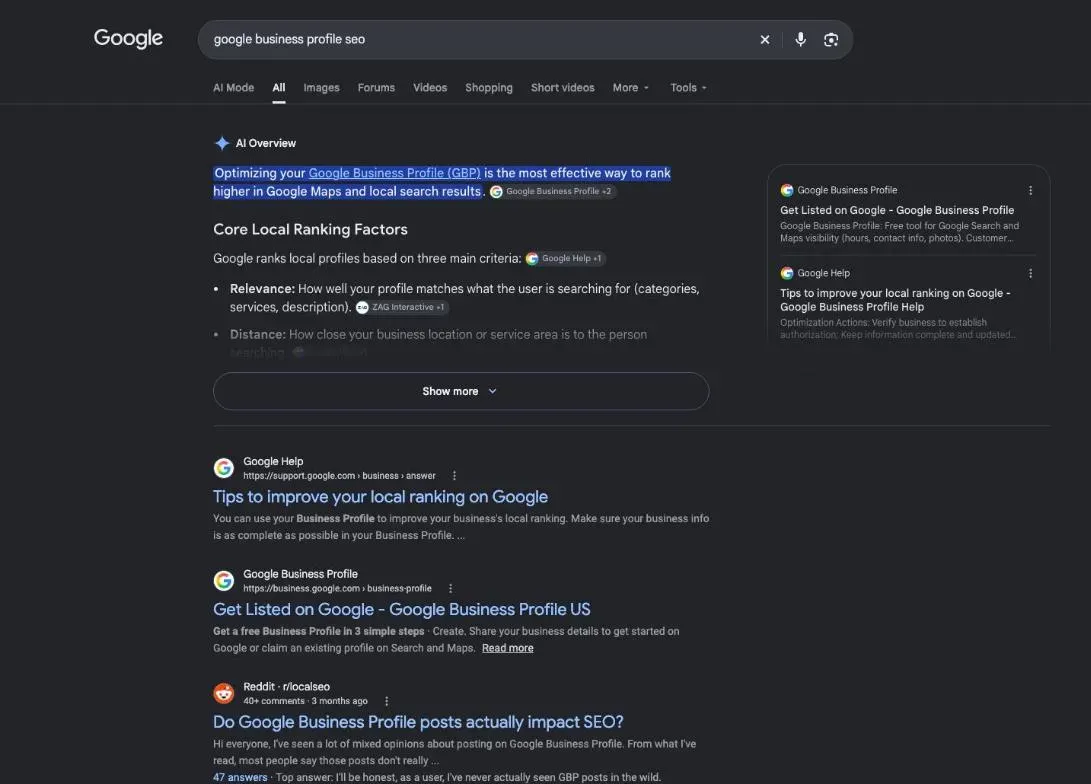
Your Business Profile is your business’s ID card on Google: name, address or service area, phone, hours, category, photos and customer reviews in one place. Google’s help describes the moment it matters: “When a customer searches for a business or place near their location, they’ll find local results on Google Maps and Search.” Its example is someone searching “Italian restaurant” on their phone.
So your profile shows up in three places:
- local results on Google Search, when people look for a type of business near them;
- Google Maps, when people look around them on the map;
- your profile itself, which opens when someone searches your business by name and wants your phone number or hours right now.
That third moment is easy to forget. A customer who already knows your name is ready to call or drive over, and your profile is what they see first.
Google My Business SEO: the old name, the same profile
If you learned it as Google My Business, nothing is lost: Google My Business SEO and Google Business Profile SEO are the same job. The tool now goes by “Google Business Profile,” the name on all of Google’s help pages.
What your profile brings a local business
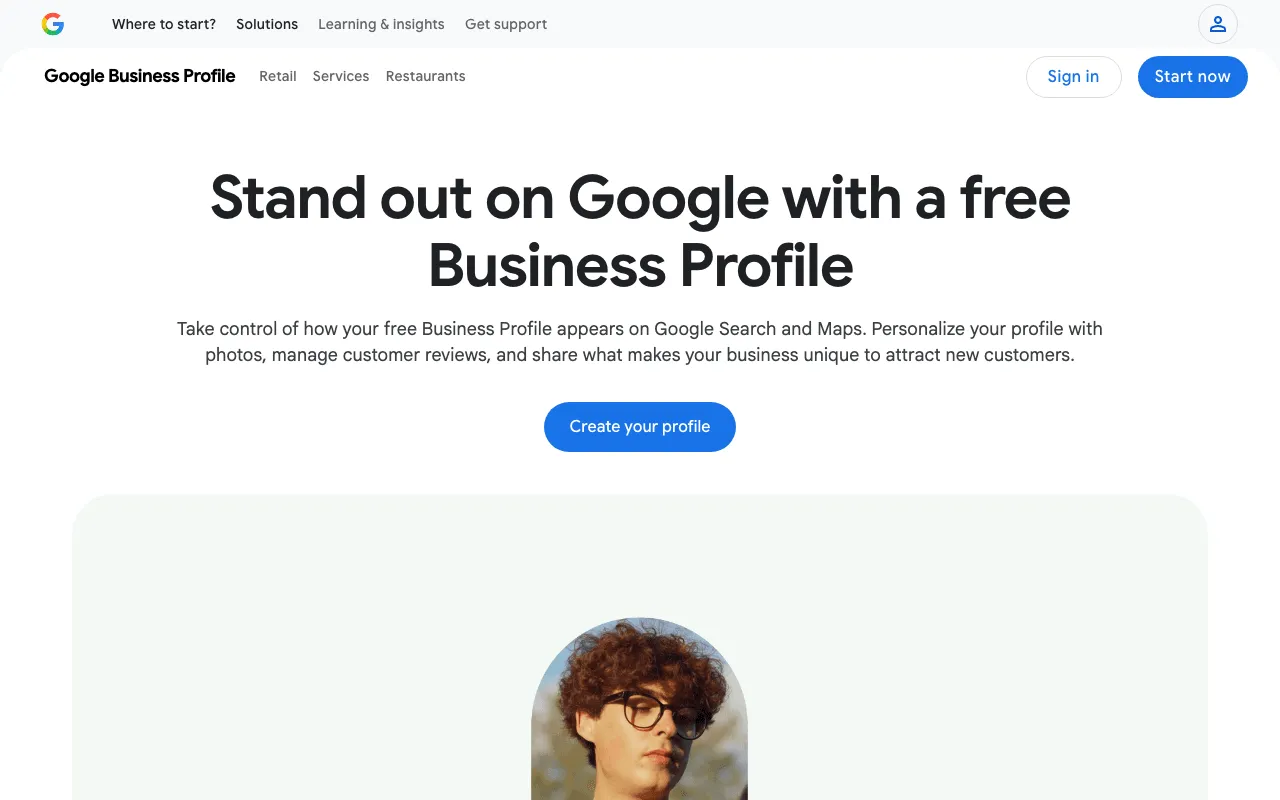
Google puts it simply: “With a Business Profile on Google, you can manage how your business shows up on Maps and Search at no charge.” Whether you have a storefront or work at your customers’ homes, a verified profile helps people find you, call you and come in. Who can have one? Google is precise: “Only businesses that make face-to-face contact with customers are eligible for a Business Profile.” That covers a shop, a salon or a restaurant, and also a plumber, a cleaner or a mobile hairdresser who travels to customers. For those service-area businesses, Google says you “should hide your business address from customers” if you work from home, and list a service area instead, no farther than about two hours of driving. What doesn’t qualify: online-only businesses with no in-person contact, and “virtual” offices that nobody staffs.
Three things your profile does for you:
- It gets you found nearby. Without a profile, you’re not even in the local ranking.
- It shortens the path to you. Call, directions and website buttons sit right on it; Google’s stats count each of them.
- It builds trust. Reviews show up next to your profile, and Google notes that “A mix of positive and negative feedback often feels more trustworthy.” You don’t need a perfect score, you need real, recent reviews.
There’s no fee to pay Google, ever: its help says “Google will never ask for payment, credit card information, or account passwords,” and that a caller asking for money to keep your business on Google “is not a call from Google.”
How Google ranks businesses in local results
Google’s help gives the three factors in its own words: “Local results are mainly based on relevance, distance, and popularity.”
- 1 Relevance How well your profile matches the search.
- 2 Distance How far you are from the person searching.
- 3 Prominence How well known you are: links, reviews.
Relevance is where your settings count: “complete and accurate info” makes you more likely to show up. Your category weighs most here; Google’s category help says “The categories you select affect your local ranking on Google,” and its example is a “Pizza restaurant” that can then show up for searches like Restaurants, Italian Restaurants or Pizza. Distance isn’t yours to change; don’t fake an address to get closer to customers. Prominence, Google says, is “based on info like how many websites link to your business and how many reviews you have.” And one line ends any sales pitch you might hear: “There’s no way to request or pay for a better local ranking on Google.”
Profile views that turn into calls and visits
Your profile has its own stats, under Performance. Google lists what it counts: the searches that showed your profile, views, direction requests, clicks on your call button, website clicks, messages and bookings when they apply. Two conditions: “Performance data is available only for verified Business Profiles,” and you must be signed in to the account that manages it. Compare the same date range month to month.
A profile also needs care after launch. Keep your hours true, and add special hours for holidays and events. If your business is seasonal, Google’s guidelines say to set your regular hours during the season and to use special hours for “holidays, temporary closures, or other events.” Google may also call or message you to confirm details like your hours; updates that come from those calls are marked “Pending” and “The review might take up to 5 business days.” That’s normal. A call asking for money is not.
Create or claim your profile first
Before you create anything, search for your business on Maps: a customer or a former owner may already have added it. Google says “You can add or claim your business at no charge.” The step-by-step is on our page about how to add your business to Google.
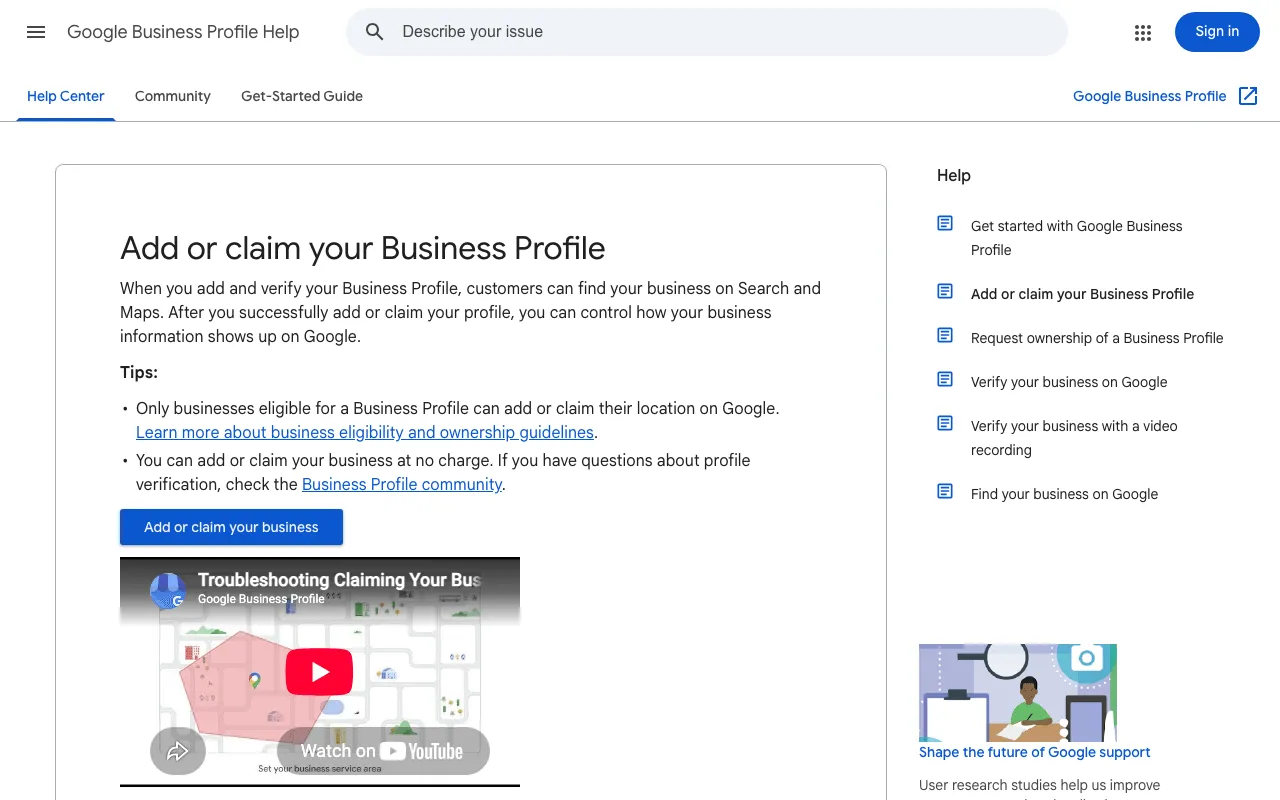
If you can’t find the “Claim this business” or “Own this business” button, Google notes that you “might already be the owner.” Try your other Google Accounts.
Common problems: suspension, duplicates, ownership
Someone else manages your profile. “If a Business Profile on Google has been verified and you’re authorized to manage the business, you can request ownership from the current profile owner.” The owner “has 3 days to respond.” With no answer, “you may have the option to claim the profile.”
Two profiles for one business. Google’s rule: “There should only be one profile per business, as this can cause problems with how your information displays on Google Maps and Search.”
A suspended profile. “We may suspend or disable Business Profiles that don’t follow our guidelines.” Check the guidelines first, then appeal through Google’s appeal tool, with evidence such as a business registration or a utility bill in the business’s name. Above all: “Do not create a new Business Profile for the same business.”
A profile that doesn’t show up. Check three things in order. Is it verified? Google says verification makes it “more likely to show up in search results.” Is the info accurate? Google warns that if it isn’t, “your Business Profile might not show up for relevant searches in your area.” And where are you searching from? Distance is part of the ranking, so a competitor closer to you can come first on your own screen.
A rejected name. Google wants your “real-world name, as used consistently on your storefront, website, stationery, and as known to customers.” Extra keywords in a name break that rule, and Google warns that breaking its name rules can get a profile suspended.
A case the help pages don’t cover. Google’s help pages point to a “contact us” form for the cases they don’t settle, for example taking over the profile of a service-area business that has no storefront. Keep your evidence at hand (registration, license, utility bill in the business’s name): it helps at every step, from verification to an appeal.
Check your local SEO with SemChat
SemChat is a chat-based SEO assistant. It doesn’t manage your profile, but it can review your website, the other half of your local visibility.
The Local SEO skill, tried on a real business site
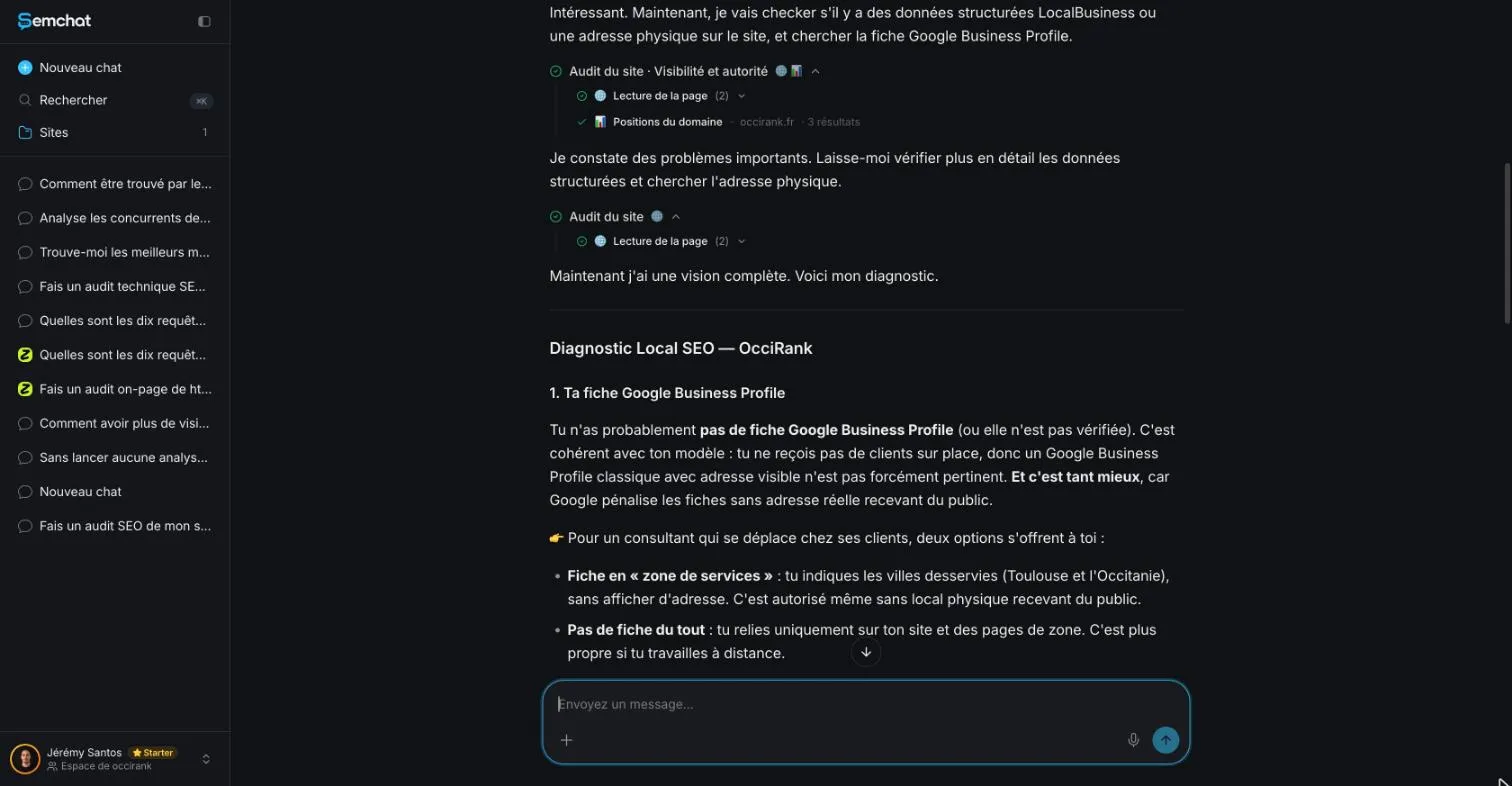
On October 29, 2026, I ran its Local SEO skill, in French, on occirank.fr, my SEO consulting business in Toulouse, France. That’s a French test with French data; I haven’t tested it on a US business. The request used 2.1 points of my Starter plan’s usage (36.4% before, 38.5% after).
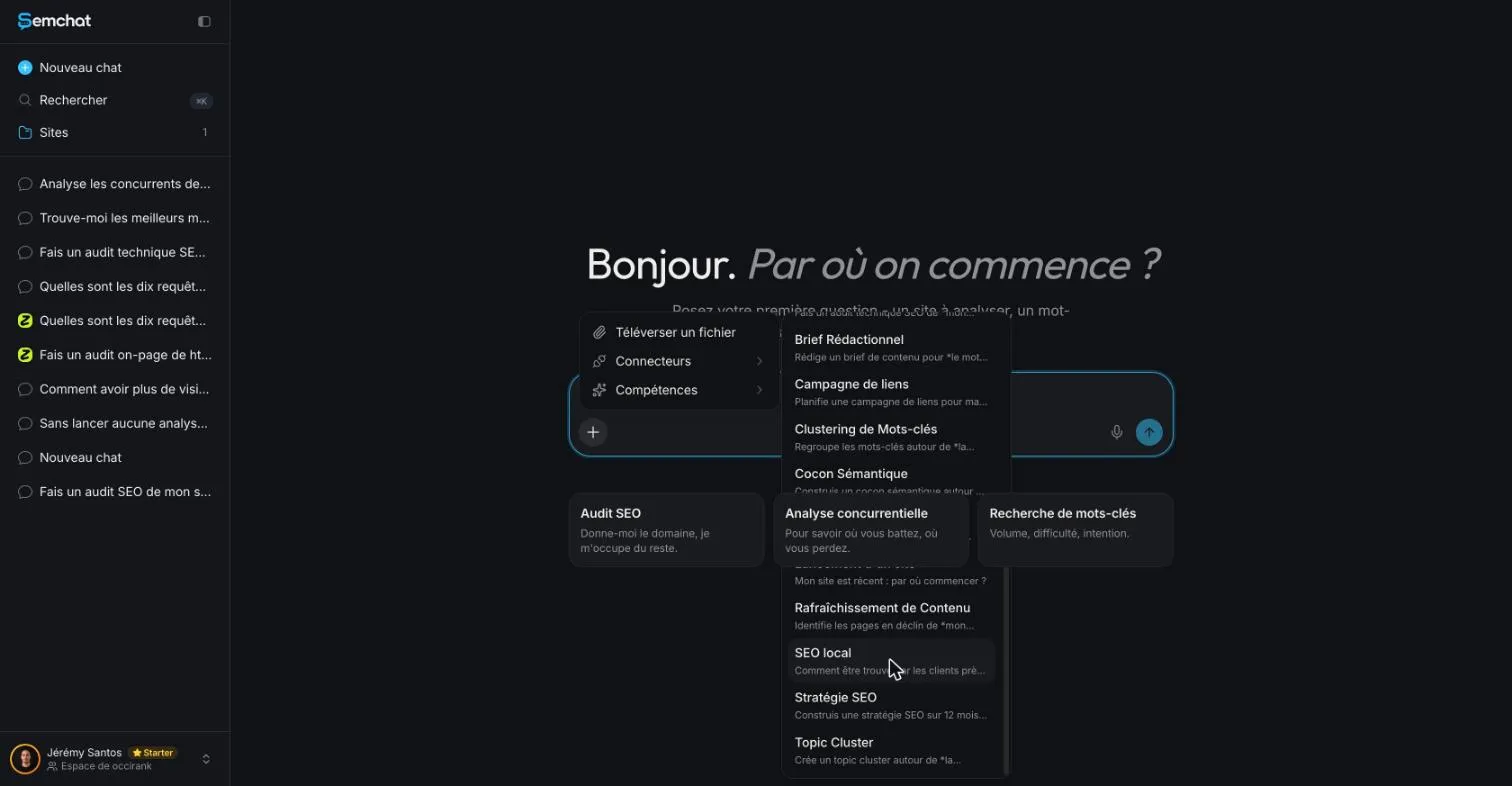
What it got right: my legal pages named another site, jeremy-santos.com, with an address reduced to “France.” True, and I hadn’t noticed.
What had to be checked behind its answer
It said, in French, that I probably had no Business Profile, without looking for one. My own check (DataForSEO SERP for “occirank toulouse,” October 29, 2026) showed a local pack of three other businesses and occirank.fr outside the top 10: right answer, but a guess. It also claimed to have analyzed every public page after reading 4 of the 16 pages in my sitemap. It missed the postal address in Toulouse that my homepage code does contain. And it suggested a location page for “agence seo toulouse” (600 searches a month by its count, 720 per DataForSEO Google Ads, France) when “consultant seo toulouse” (260 per DataForSEO Google Ads, France) fits my business better. Useful leads, every one of which needed checking.
No Google Business Profile connector: your profile stays at Google
SemChat connects to eight tools (Google Search Console, Google Analytics 4, Bing Webmaster Tools, Yandex Metrica, WordPress, Webflow, Slack and Notion), none of them Google Business Profile (checked October 29, 2026). It doesn’t read your profile, edit it or answer your reviews. The full test is in our SemChat review.
Local SEO for small business: getting found near you
Your profile is half of local search. The other half is your website: the same name, address and phone everywhere, pages that say where you work, and links from other local sites. Google itself counts “how many websites link to your business” toward prominence, so your site and your profile work together. The full picture is on our page about local SEO for small business.
Google review link: how to get it, share it and ask for reviews
Reviews feed prominence, and plenty of happy customers never think to write one. Google gives you a direct link and a QR code for that, and its rules are strict: no discounts or gifts in exchange for reviews, and no asking only happy customers. Where to find your link, how to turn it into a QR code, messages to copy and what Google forbids: see our Google review link guide.
How to remove photos from Google Business Profile: yours or a customer’s
A blurry or outdated photo speaks for you too. You delete your own photos in two clicks; a customer’s, you report to Google, which removes it only if it breaks Google’s policies. The steps on a computer and on a phone are in our guide on how to remove photos from Google Business Profile.
Google Business Profile optimization: setting by setting
Category, description, hours, attributes, photos, posts and reviews: each setting has a job, and Google sets rules for several of them, like a 750-character limit on your description and no links in it. The order to follow, in Google’s own words, is in our guide to Google Business Profile optimization.
Add business to Google: from sign-up to verification
No profile yet? A Google Account, accurate details, an address or a service area, then verification, which Google reviews in up to 5 business days. The walkthrough, with the mistakes that get a profile rejected, shows how to add business to Google.
Google Business Profile SEO comes down to a free profile kept accurate, real reviews you reply to, and a website that tells the same story.
- Local SEO for small business
- Google review link
- Google Business Profile optimization
- Add your business to Google
How to remove photos from Google Business Profile, even a customer's
How to remove photos from Google Business Profile: delete your own, report a customer's, and what to do if Google says no. Follow the steps. How to remove photos from Google Business Profile
Frequently asked questions
How do you set up a Google Business Profile?
Sign in with a Google Account, add or claim your business, enter your real name, category, address or service area and phone, then verify. Google says verification tells it you're authorized to represent the business, so it's more likely to show up in search results. The full walkthrough is on our page about how to add your business to Google.
How do you add SEO keywords to your Google Business Profile?
Not in your business name: Google wants your real-world name, as used on your storefront and website. Put the words customers use into your category choice, your description, your services and your posts. Google also warns against using categories solely as keywords.
Is Google Business Profile SEO free?
The profile is. Google writes that you can manage how your business shows up on Maps and Search “at no charge,” and that it will never ask for payment to keep your business on Google. Your time is the real cost. If you want help on the website side, SemChat has a Free plan at €0 (pricing read October 29, 2026).
Can SemChat manage my Google Business Profile?
No. SemChat connects to eight tools (Google Search Console, Google Analytics 4, Bing Webmaster Tools, Yandex Metrica, WordPress, Webflow, Slack, Notion), none of them Google Business Profile (checked October 29, 2026). It can review your website, not your profile.
Let your AI do the chores of getting found online.
10% off your subscription, for life with my link, if you subscribe within 2 weeks of signing up. No code. All about the SemChat promo code
Affiliate link: it costs you nothing extra.
Verified sources
- Google Business Profile Help: Get started with Google Business Profile (30/10/2026)
- Google Business Profile Help: Tips to improve your local ranking on Google (30/10/2026)
- Google Business Profile Help: Add or claim your Business Profile (30/10/2026)
- Google Business Profile Help: Request ownership of a Business Profile (30/10/2026)
- Google Business Profile Help: Fix suspended or disabled profiles (30/10/2026)
- Google Business Profile Help: Guidelines for representing your business on Google (30/10/2026)
- Google Business Profile Help: Understand your Business Profile performance and insights (30/10/2026)
- Google Business Profile Help: Automated calls and messages from Google to your business (30/10/2026)
- Google Business Profile Help: Verify your business on Google (30/10/2026)
- Google Business Profile Help: Manage your business category (30/10/2026)
- Google Business Profile Help: Edit your Business Profile (description) (30/10/2026)
- Google Business Profile Help: Tips to get more reviews (30/10/2026)
- Google Maps user contributed content policy: prohibited and restricted content (30/10/2026)
- SemChat pricing (Free plan, Starter plan) (29/10/2026)