SEO report template: read a real report, then reuse the model
A good SEO report template answers three questions: where your site stands, what holds it back, and what to fix first. To show you how to read one, I use a real report: the audit SemChat produced on October 29, 2026 for plugkit-avis.com, my other site. We go through it section by section, including what turned out to be wrong, and you leave with a model to copy.

 By Jérémy Santos Updated on October 30, 2026 Tested on his own SemChat account: first audit on October 29, 2026.
 This page is part of the guide: SEO checker
A long SEO report makes you feel like you have to fix everything. You don’t. You need three or four tasks for this week, and a quick check on each before you start.
The report I open here is real. On October 29, 2026, I typed one sentence into SemChat with the address of plugkit-avis.com, my review site about a social media tool. About three minutes later, I had a document called “Audit SEO complet” (full SEO audit). I read it below, section by section, with what I checked by hand. The SemChat links on this page are affiliate links: if you subscribe, I earn a commission at no extra cost to you.
What an SEO report is for
An SEO report is the written record of an audit. The audit is the exam; the report is what’s left when the exam is over.
It works in three layers:
- Findings: what works and what doesn’t.
- Proof: a number, a page, a screenshot that shows the problem.
- Actions: what to fix, in what order, and when to check again.
Without proof, you have to take the report’s word for it. Without actions, you have a diagnosis and no treatment.
Audit report or monthly report: the difference
They look alike, but they answer different questions.
- An audit report is a snapshot: the state of your site on one day, with its problems.
- A monthly report is a movie: your clicks, positions and visits from one month to the next, to see whether your fixes paid off.
The plugkit-avis.com report bridges the two. Its last section sets a starting point with numbers and dates to measure again. That’s what keeps it useful after day one.
What an SEO report template should include
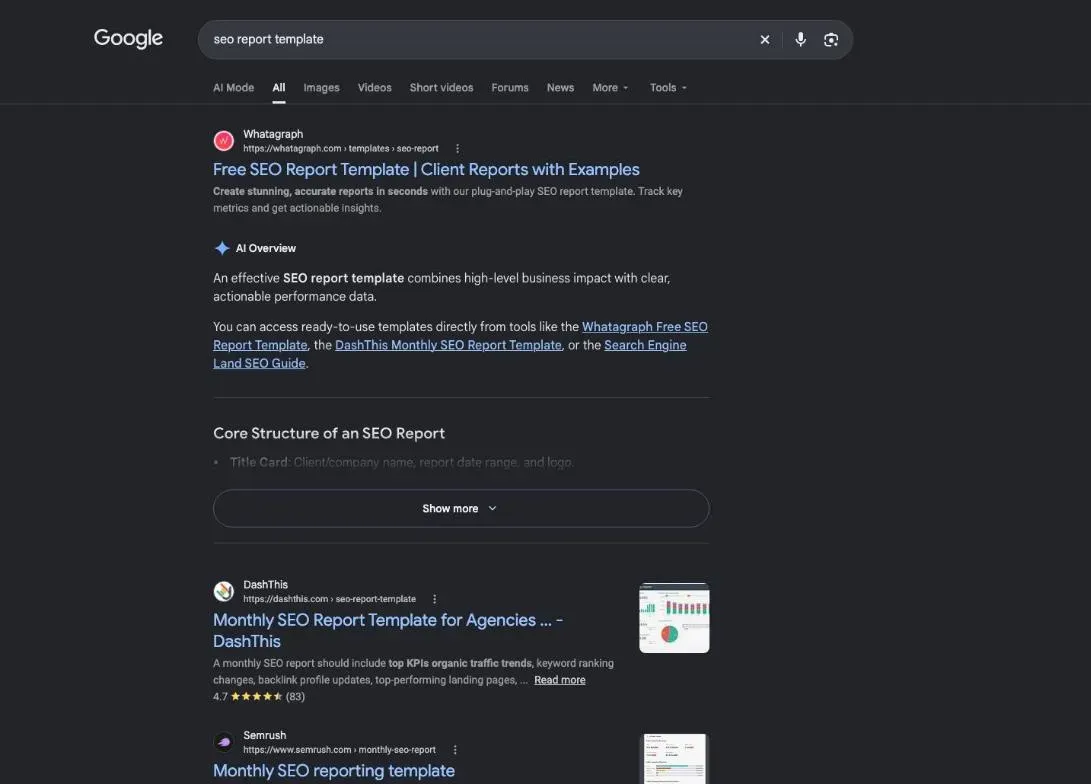
Most templates you’ll find are built for agencies that send monthly reports to clients. If you run your own site, you need something simpler. A useful SEO report template has these parts:
- A summary of three to five findings, each with a number.
- A check that Google can read your pages.
- Real data from Google Search Console, or a clear note that it’s missing.
- Technical problems: broken pages, duplicate titles, accessibility.
- Content: which pages work, which stall, which keywords to target.
- Trust and links: contact page, legal notice, sites that link to you.
- Competitors: who takes the visits you want.
- A plan of action in batches, with a priority and an effort for each task.
- A starting point and dates to measure again.
The full model, ready to copy, is further down. First, let’s see what these parts look like in a real report.
SEO report example: the real plugkit-avis.com report
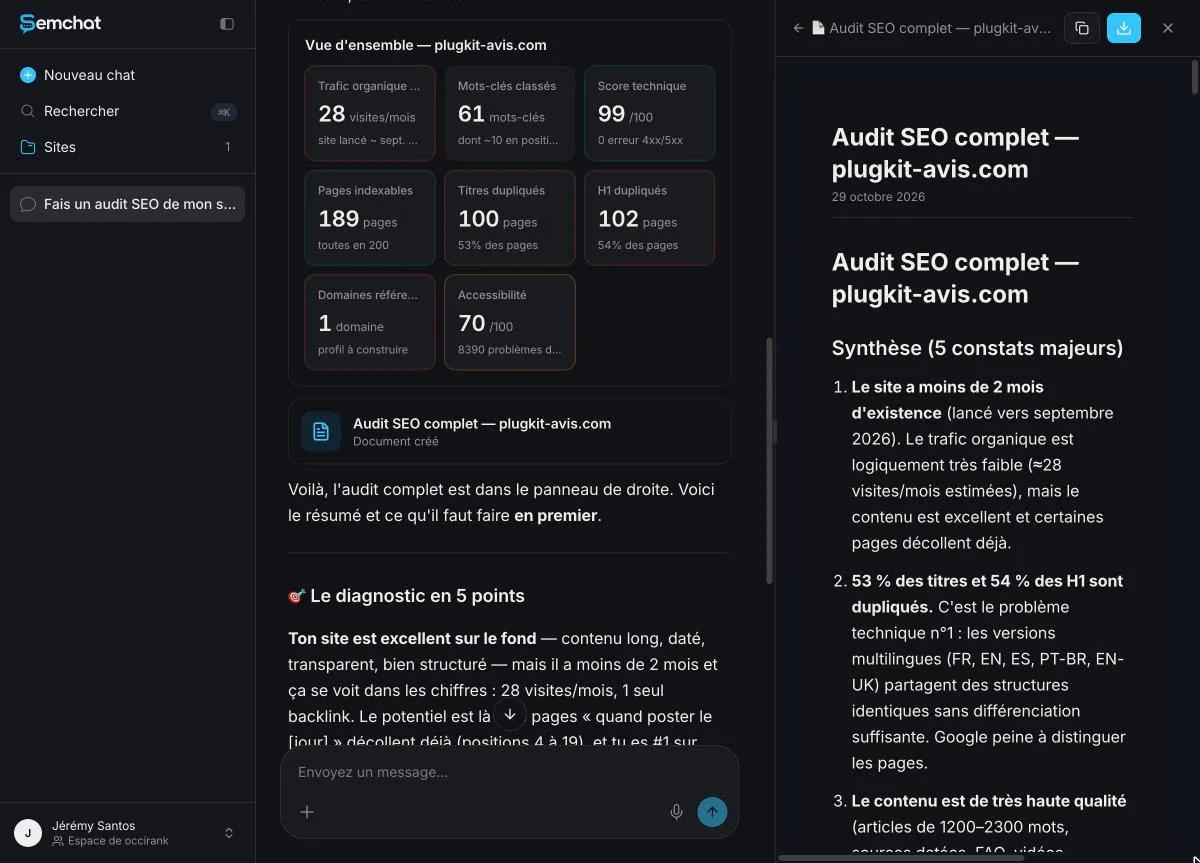
The “Audit SEO complet” document of plugkit-avis.com and its summary of findings, October 29, 2026 (French interface). Screenshot of the SemChat app (Jérémy’s account, Free plan).
Sample SEO report: how this one was produced
On October 29, 2026, on my SemChat account on the Free plan, I typed a single sentence asking for an SEO audit of plugkit-avis.com and a clear plan of action, by priority.
SemChat picked its “Audit SEO Complet” skill by itself, then ran its tools one after another on screen: page reading, a crawl of the site, domain positions (89 results), top pages (30), backlink profile, competitors (10), keyword gap against 5 competitors.
About three minutes later, it returned a grid of 8 indicators, a 5-point diagnosis, “3 actions immédiates cette semaine” (3 actions for this week), and the full document in a side panel, with a copy button and a download button.
The cost showed up right after on the Usage screen: this one audit used 100% of the Free plan’s monthly quota (Documents 39.2%, Site analysis 32%, SEO tools 28.9%), with a reset on November 28. One full audit a month, then.
The summary: a handful of key findings
The summary is the part to read first. Here are its five findings:
- The site is less than two months old, with about 28 estimated visits a month.
- 53% of titles and 54% of main headings (H1) are duplicates, blamed on the language versions.
- The content is rated very high quality, but pages are missing on searches competitors capture.
- Only one domain links to the site.
- The contact page returns a 404 error, and 8,390 contrast problems hurt readability.
Every finding carries a number. That’s what makes it checkable. “Internal linking could be improved” can’t be checked, so it can’t be fixed.
Written in French: how we translated the sections
The report is in French, like the site’s main audience. I kept its original title, “Audit SEO complet,” and translated the section names, marked as our translation: Summary, Access and indexing, Search Console (not connected), Technical, Architecture and internal links, Content, Trust, Backlinks, Competitor analysis, Prioritized plan of action, Baseline and next measurements. Numbers are copied as they appear. No sentence of the report is invented.
Reading the access and indexing section
First question of any audit: can Google even read your site? If not, nothing else matters.
The report ticks six checks, all green: the home page loads normally, no tag tells Google to skip indexing, each page points to itself as the reference address, robots.txt blocks nothing, the sitemap is declared, and the text is served in plain HTML (1,470 words on the home page). Its verdict: no blocking issue.
The next section is more interesting, because it admits a limit. Its title says “Search Console (non connecté)”: not connected. Without Search Console, Google’s free tool, the report can’t see your real clicks, impressions or queries. It says so itself: what follows rests on estimated positions. When a report works without Search Console, treat every position it quotes as a guess. To check where a page really ranks, use a keyword rank checker or Search Console itself.
Reading the technical section
The overall score, and what it hides
The report gives a technical score of 99 out of 100: 189 pages crawled, no 4xx or 5xx errors, all indexable, three clicks at most from the home page, all images in WebP. SemChat’s Health tab says the same, in a calmer voice: excellent shape, nothing urgent.
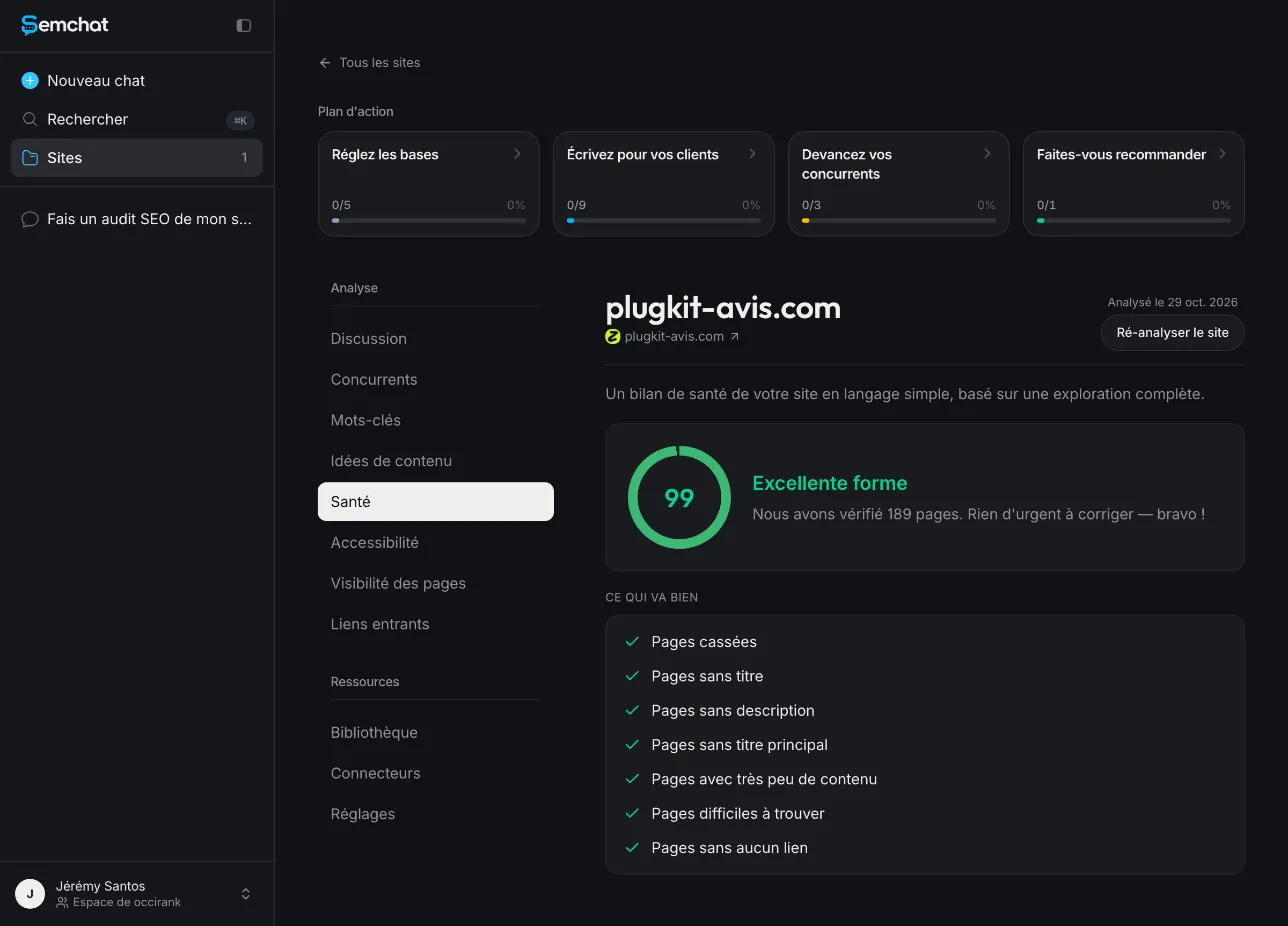
The Health tab rates the site in excellent shape, while the report finds duplicate titles, October 29, 2026 (French interface). Screenshot of the SemChat app (Jérémy’s account, Free plan).
Yet the very next section flags the site’s top technical problem. An overall score only measures what it counts: broken pages, unreachable pages. It ignores duplicates. Never stop at the grade; read the red lines. Our technical SEO checklist lists what a technical check should cover.
Duplicate titles and headings
The report counts 100 duplicate titles (53% of the site), 78 duplicate descriptions (41%) and 102 duplicate H1 headings (54%). Its explanation: the site exists in five versions (French, US English, Spanish, Brazilian Portuguese, UK English), and titles look too similar from one language to the next. The diagnosis goes further and calls them mirror pages.
Read this with Google’s documentation open. Google says localized versions of a page count as duplicates only when their main content isn’t translated (page read on October 30, 2026). French and English versions are not duplicates. US and UK English were: same text, same title. The report lumps both cases together.
What you take away: a duplicate between two translated languages isn’t a problem; a duplicate between two pages in the same language is. For that second case, Google asks you to declare the variants with hreflang, which plugkit-avis.com already did.
The accessibility score
Score: 70 out of 100. The report finds 8,390 text contrast problems (WCAG rule 1.4.3, level AA) across all 189 pages, and no level A problem. That big number often comes from one text color repeated everywhere, so one stylesheet fix can clear most of it. On October 30, 2026, we also ran SemChat’s dedicated Accessibility audit skill on the same site. It gave the same score and the same 8,390 contrast issues in under a minute, for 1.4 points of the Starter plan’s quota. Its page language finding checked out (US English on the home page, French on /fr/). But this score was still not checked with another tool: missing data, independent check of the accessibility score (planned source: one page run through WAVE or Lighthouse).
Reading the content and keywords section
Pages that work, and pages that stall
The report rates the content as excellent (articles of 1,200 to 2,300 words, FAQs, dated sources, a named author), then groups pages by type with estimated traffic. The best performer: seven pages on when to post on Instagram, about 12 estimated visits a month, best estimated position 4.
The key word is “estimated.” The same positions, repeated by SemChat in another conversation, were compared with Search Console data for September 30 to October 27, 2026: “statistiques instagram” was estimated at position 23 and actually sat at 26.1; “quand poster sur instagram le lundi” was estimated at 4 and actually sat at 9. The scale is right; the detail isn’t. Read the table as a map, and check exact positions in Search Console.
The keywords to target first
The report names one priority keyword: “manychat,” at 9,000 searches a month according to SemChat, with the site’s page at position 27. That volume was not checked anywhere else. Before you plan a month of work on it, check it in a second tool.
Why I insist: for “statistiques instagram,” SemChat gave 655 searches a month. DataForSEO, which uses Google Ads data, gave 210 (checked October 29, 2026). Three times fewer. And keep in mind these are French keywords for a French site: the same report on an American site would list English searches.
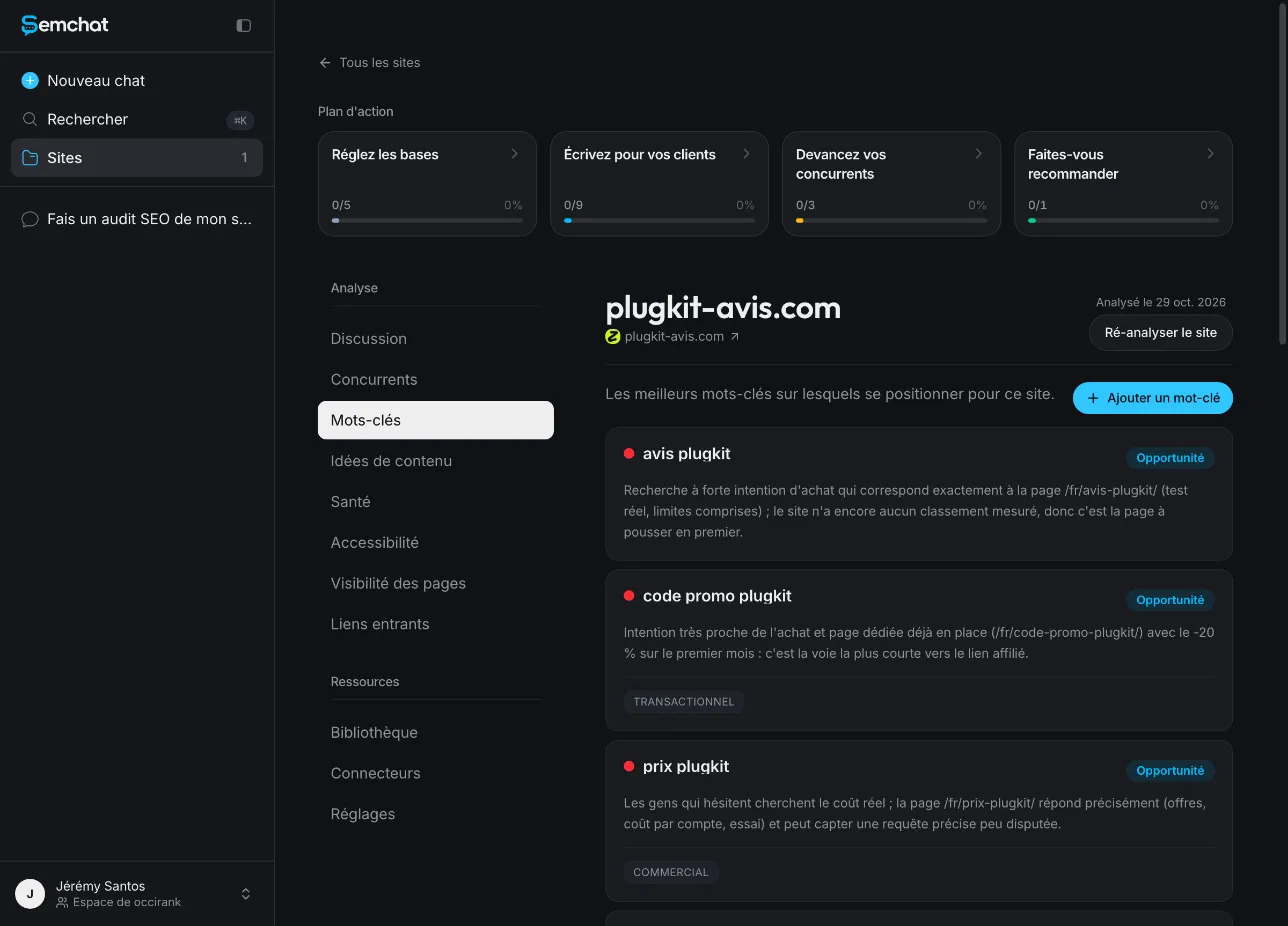
SemChat’s Keywords tab: the keywords to target, each one with its reason, October 29, 2026 (French interface). Screenshot of the SemChat app (Jérémy’s account, Free plan).
The Keywords tab of the site file does one thing better than the report: each search comes with its intent (buy, compare, learn) and the page that answers it. Keep that format for your own list: one keyword, one intent, one page. If two pages target the same search, you’ve found a task. Going through every page that way is a content audit.
Reading the trust and links sections
The trust section checks what reassures a visitor, and Google with them: about page, legal notice, real author, affiliate disclosure, dated sources. Two lines need action.
- Contact page: 404. True. I checked it with curl the same day.
- Privacy policy: “not found in the crawl.” False. The page had been live since October 24, 2026, and the site file SemChat built that same day even suggested making its title longer.
The backlinks section is short: 1 link, from 1 domain. The report calls that normal for a site under two months old and sets a target of 5 to 10 linking domains in the first 90 days. Finding, cause, numeric target: that’s the tone you want.
Reading the competitor analysis
The report lists six sites that share keywords with plugkit-avis.com. The first one, plugkit.co, is the official site of the tool plugkit-avis.com reviews. That’s the brand itself, not a rival. Tools sort by shared keywords, not by business logic, so crossing out false competitors is your job.
Then comes the keyword gap: searches competitors capture and you don’t. Among the eight listed: “dm instagram” (2,636 searches a month according to SemChat) and “setting” (9,000). “Setting” is a very broad word with no clear link to automated Instagram messages. A big volume on a vague word is worth nothing. Keep the searches that describe a need your site can meet. To study a rival’s pages yourself, see how to analyze a website.
Turn the report into tasks
A report is useless while it stays a document. It has to become a to-do list, in order.
The action plan, in batches
The report sorts 15 actions into three batches:
- Weeks 1 and 2, quick wins: create the contact page, make titles distinct, expand a 495-word comparison page, add a hub page.
- Weeks 3 to 6, content and authority: strengthen the ManyChat page, write new pages, get first links, fix contrast.
- Weeks 7 to 12, growth: chatbot and DM pages, guest posts, connect Search Console, review results by language.
Each action has a priority (P0 to P3) and an effort (S, M or L). That’s the right shape: a priority alone isn’t enough, you need to know how long it takes.
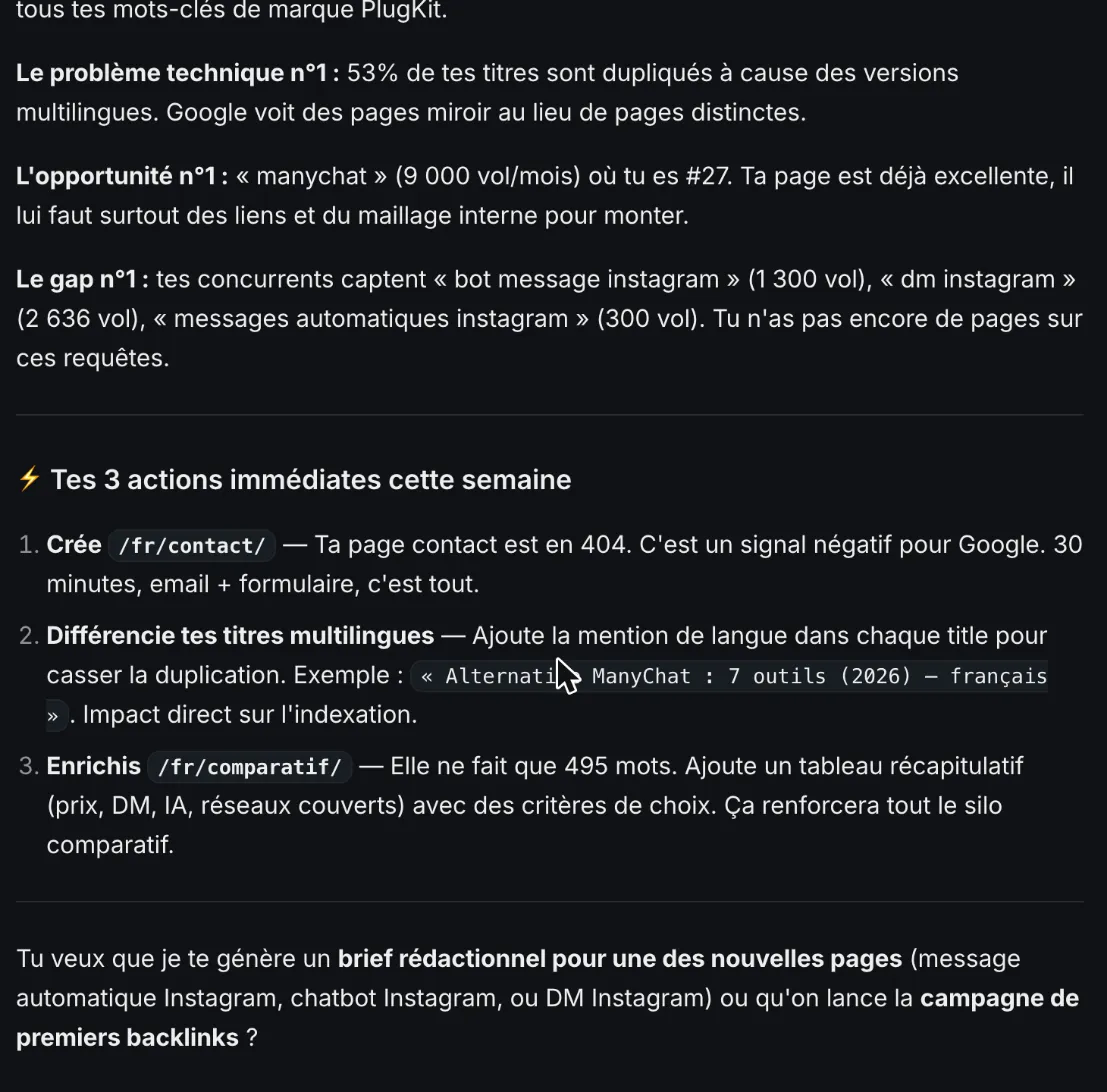
This week’s actions drawn from the report, by priority, October 29, 2026 (French interface). Screenshot of the SemChat app (Jérémy’s account, Free plan).
In the chat, SemChat cut this down to three actions for the week: create the contact page (“30 minutes,” it said), add the language to each title, expand the comparison page. One remark: the plan puts Search Console in weeks 7 to 12. I’d do it first. It takes minutes, and it makes every other line of the report checkable.
The starting point and the measurement calendar
The last section is the most skipped and the most useful. It records the baseline of October 29, 2026, according to SemChat: 28 estimated visits a month, 61 ranking keywords (about 10 in positions 1 to 3), 189 indexable pages, 100 duplicate titles, 1 linking domain, accessibility at 70 out of 100.
Then a calendar: measure again on November 12, 2026 for the titles and contact page, on December 10 for expanded content, on November 29, December 29 and January 29, 2027 for links, and every month for Search Console once connected. Without a starting point, you’ll never know whether a fix worked. The step-by-step method behind such a report is in our SEO audit checklist.
Check before you act: what was accurate
A report written by AI reads like one from a gifted intern: often right, sometimes too sure of itself. Before acting, sort each finding into one of three columns.
| Accurate | Nuanced | Wrong | |
|---|---|---|---|
| Finding | contact page returns 404 | duplicate titles, mirror pages | privacy policy not found |
| Check | curl request: 404 error | true for US and UK English, not for translated languages | page live since October 24, 2026 |
| What you do | fix it now | fix only the same-language pair | drop the line |
The details: /fr/contact/ did return 404 on October 29, 2026. /plugkit-review/ and /en-gb/plugkit-review/ had the same title that day, so the flag was useful, but calling them mirror pages was too strong. Volumes, estimated traffic and the accessibility score were not checked: label them “to cross-check.” On October 30, 2026, a new curl request showed the contact page live (code 200) and a UK title marked “UK.” Both verified findings were fixed within a day.
The template to copy, and the tools that fill it
Here is the model, reduced to what a small site needs. Copy it into a document or a spreadsheet, one row per section:
- Summary: three to five findings, each with its number.
- Access and indexing: home page, robots.txt, sitemap, noindex tags.
- Search Console: clicks, impressions, queries, or “not connected.”
- Technical: errors, duplicate titles, accessibility, speed and mobile.
- Architecture: clicks from the home page, orphan pages.
- Content and keywords: pages that work, pages that stall, keywords with intent.
- Trust: contact, legal notice, author, privacy policy.
- Links: domains that link to you.
- Competitors: real rivals only, and the searches they capture.
- Plan and baseline: tasks by batch with priority and effort, today’s numbers, next check dates.
Add one column the real report lacks: “Checked?” Write yes, no, or how you checked. If you’d rather assemble the checks yourself with free tools, our free SEO audit page goes through them, and our SEO checker page explains what each check measures.
Customize the template for your site
Drop what doesn’t apply. A site in one language skips the duplicate-language question. A shop adds product pages to the content section. A local business adds its Google Business Profile. Note what the report doesn’t cover, too: the plugkit-avis.com report says nothing about page speed or mobile display, so that line goes in your “Checked?” column for another tool, such as Google’s PageSpeed Insights.
Search Console and Analytics reports
The numbers in your monthly report come from two free Google tools. Search Console shows what happens in Google before the click; Google Analytics shows what visitors do on your site after it.
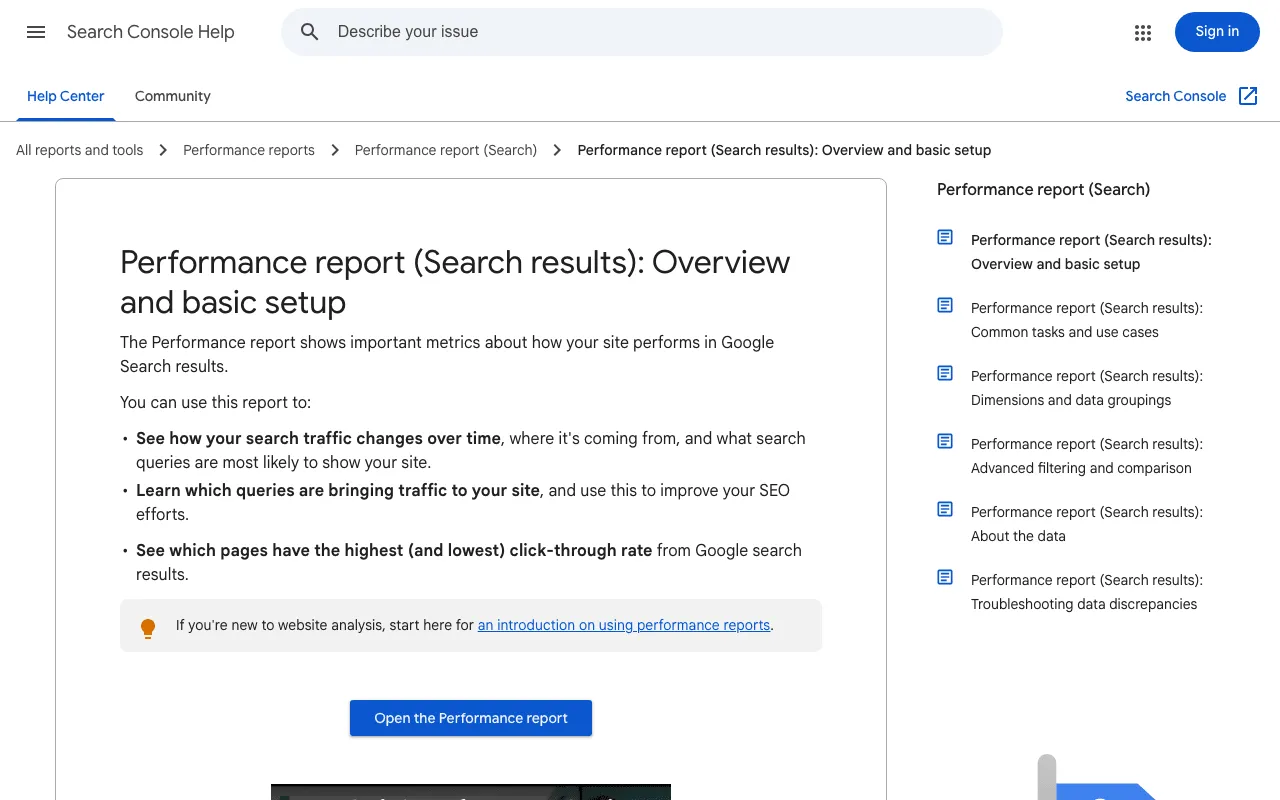
Google’s help page on the Search Console Performance report. Screenshot of support.google.com/webmasters/answer/7576553, taken October 30, 2026.
Know what each metric means before you report it. Google defines average position as “the average position of the topmost result from your site” (help page read October 30, 2026).
If you report to clients, dedicated tools fill this template for you. According to their own pages, read October 29 and 30, 2026: Whatagraph, DashThis and Swydo build automated reports for marketing agencies, with Search Console among their sources; Supermetrics moves marketing data into Looker Studio, Google Sheets, Excel or Power BI; and Semrush, a full SEO suite, sells white-label reports as an add-on. They’re built for agencies. For your own site, a spreadsheet, Search Console and one audit a month are enough. SemChat’s prices are on our SemChat pricing page, and my full test is in our SemChat review.
To sum up: read the summary first, make every finding checkable with a number, cross-check estimated volumes and positions, then keep three tasks for the week and a date to measure again. An SEO report template that gives you that has done its job.
Frequently asked questions
Is there a free SEO report template in Word?
The template on this page is free: copy its ten sections into Word, Google Docs or a spreadsheet, one row or heading per section. SemChat's audit document has a copy button and a download button; the format of the downloaded file is missing data (planned source: a supervised session in the SemChat app). Copying the text worked, tables included.
What goes into a monthly SEO report?
Fewer sections than an audit. Keep the starting point (clicks, impressions, average position from Search Console, visits from Google Analytics), compare it with the previous month, list what you changed, and set the next check date. The audit tells you what to fix; the monthly report tells you whether the fixes worked.
What does a local SEO report template cover?
The same sections as any SEO report, plus your Google Business Profile: how people find your listing, your reviews, and the searches that include your city. The plugkit-avis.com report has no local section, because that site has no physical location.
Can you trust an SEO report written by AI?
Check it before you act on it. In the plugkit-avis.com report of October 29, 2026, the 404 contact page was accurate, the duplicate titles were real but overstated, and the missing privacy policy was wrong: the page had been live since October 24. Search volumes and estimated positions need a second source.
Let your AI do the chores of getting found online.
10% off your subscription, for life with my link, if you subscribe within 2 weeks of signing up. No code. All about the SemChat promo code
Affiliate link: it costs you nothing extra.
Verified sources
- Google Search Console Help: Performance report (search results) (10/30/2026)
- Google Search Central: localized versions of your pages and hreflang (10/30/2026)
- SemChat pricing (10/29/2026)
- Whatagraph home page (10/30/2026)
- DashThis home page (10/30/2026)
- Supermetrics connectors (10/30/2026)
- Swydo home page (10/30/2026)
- Semrush pricing (report add-ons) (10/29/2026)
- plugkit-avis.com contact page (404 on 10/29/2026, 200 on 10/30/2026, checked with curl) (10/30/2026)