Technical SEO checklist: check what Google sees on your site
A technical SEO checklist is the short list of checks that tell you whether Google can find, read and store your pages: crawling, indexing, speed, mobile, HTTPS, broken pages and duplicate tags. It doesn't grade your writing. It looks for whatever stops Google from seeing it. On a small site, free tools cover almost every box.

 By Jérémy Santos Updated on October 30, 2026 Tested on his own SemChat account: first audit on October 29, 2026.
 This page is part of the guide: SEO checker
You wrote good pages, and Google won’t show them. Before you rewrite a single line, make sure Google can actually read them. That’s the whole job of a technical SEO checklist.
Everything below is tied to a real audit: the one SemChat ran on my own site, plugkit-avis.com, on October 29, 2026, which I then checked line by line. Links to SemChat are affiliate links: I earn a commission if you subscribe, and it doesn’t change what I write.
What a technical SEO checklist is, and why your site needs one
Google says its search works in three stages, “and not all pages make it through each stage.” First, crawling: automated programs called crawlers find and download your pages. Then indexing: Google stores what it understood in “a large database.” Last, serving: it picks what to show when someone searches.
A technical SEO checklist covers the first two stages and everything that slows them down: a blocked page, a broken address, a slow site, a shaky mobile version. If Google can’t read a page, the best copy in the world won’t help it.
You come out of it with a short list: what blocks Google, on which pages, and what to fix first.
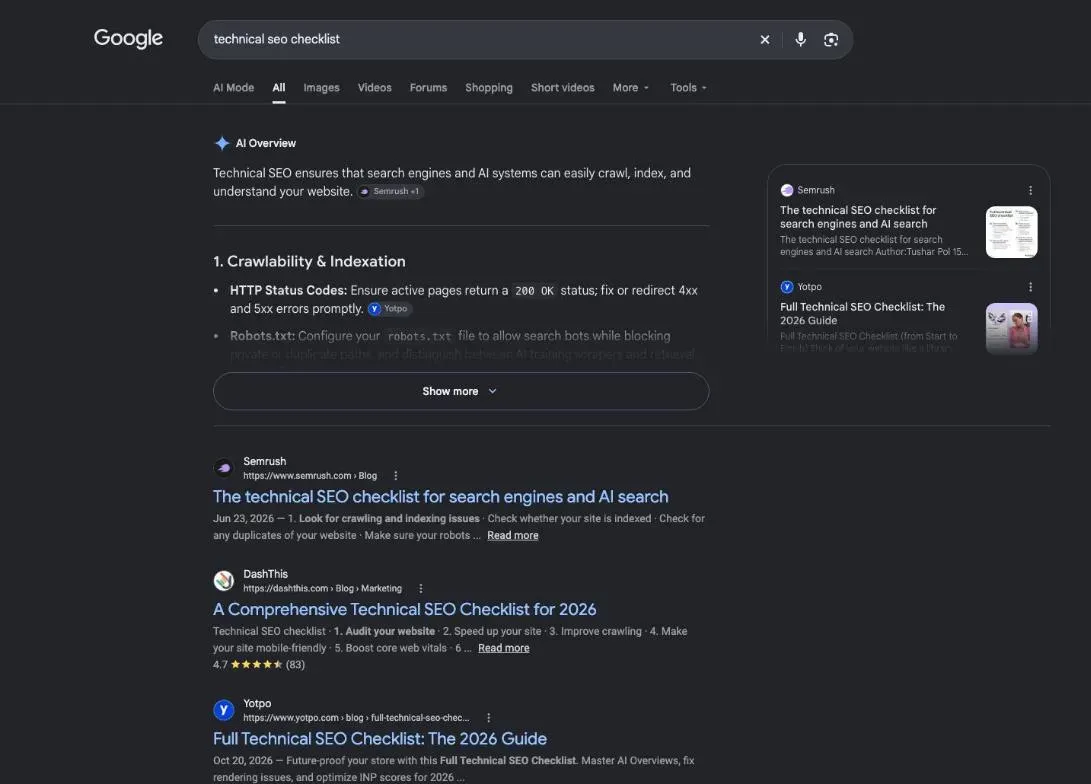
Technical checklist or full audit: the difference
A full SEO audit looks at three things: technical health (can Google read you?), content (do your pages answer what people search for?) and authority (do other sites mention you?). The step-by-step method for the whole thing is our SEO audit checklist. Your words get their own review in a content audit.
This page stays on the technical part, because the other two depend on it. If you’d like a quick score first, an SEO checker tells you where to look.
Crawling and indexing: can Google read your pages?
Start with the question that matters most: does Google find your pages, and does it keep them? A page Google crawled isn’t always a page Google indexed. It can read a page and still decide not to store it. How Google stores a page, and how to check it, is the topic of our guide to indexing in SEO.
Open Search Console’s Page indexing report. It sorts your URLs into indexed and not indexed, each with a reason, such as “Not found (404)” for a page that no longer exists, or “Crawled - currently not indexed” for a page Google read but didn’t keep. Don’t panic at the second pile: Google’s help page says “Not indexed is not necessarily bad.” Your legal notice doesn’t need to rank. Your product pages do.
When I asked SemChat for a technical audit of plugkit-avis.com focused on AI assistants (ChatGPT, Copilot, Perplexity), it read my robots.txt file line by line and showed its proof.
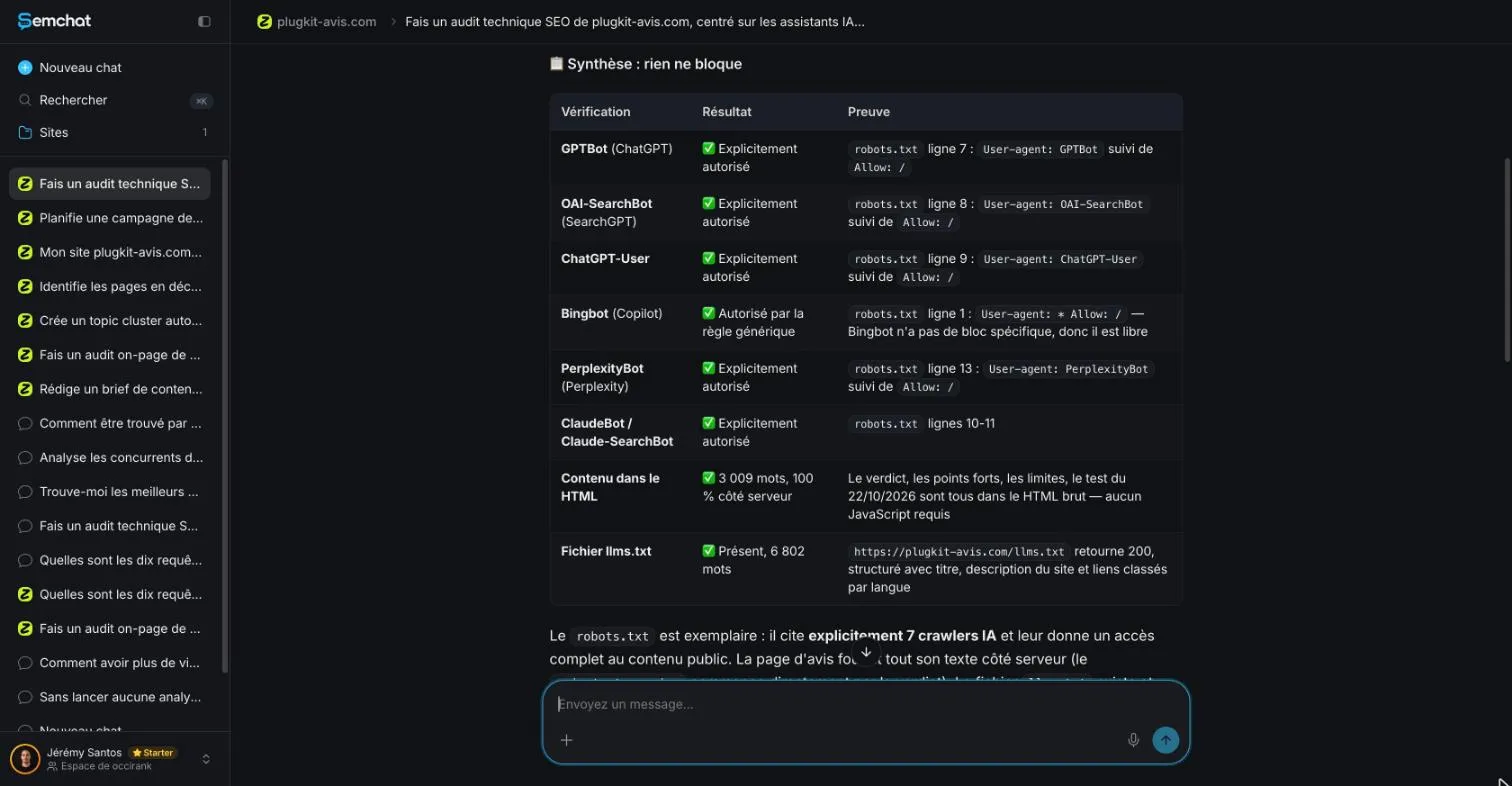
SemChat’s technical audit reads a robots.txt file line by line, with proof. Screenshot of the SemChat app, Jérémy Santos’s account, October 29, 2026 (French interface).
I checked the file myself the same day. GPTBot on line 7, OAI-SearchBot on line 8, ChatGPT-User on line 9, ClaudeBot on line 10: all correct. One slip: PerplexityBot sits on line 12, not 13.
Its “one thing to fix first,” naming Bingbot in the file, changed nothing: the general rule already allowed Bingbot, as SemChat itself wrote. Keep the method, not the verdict: every line an audit quotes can be checked. And for Google, the same reading applies to its own crawler, Googlebot.
Your sitemap and robots.txt file
A sitemap is a file listing your pages, handed to Google. Google is blunt about it: a sitemap “doesn’t guarantee that all the items in your sitemap will be crawled and indexed.” It even lists cases where you might not need one, starting with a site that’s “small,” which it puts at about 500 pages or fewer.
A robots.txt file tells crawlers where they may go. Here’s the classic trap: it doesn’t hide a page. In Google’s words, it “is used mainly to avoid overloading your site with requests; it is not a mechanism for keeping a web page out of Google.” To keep a page out, use a noindex tag.
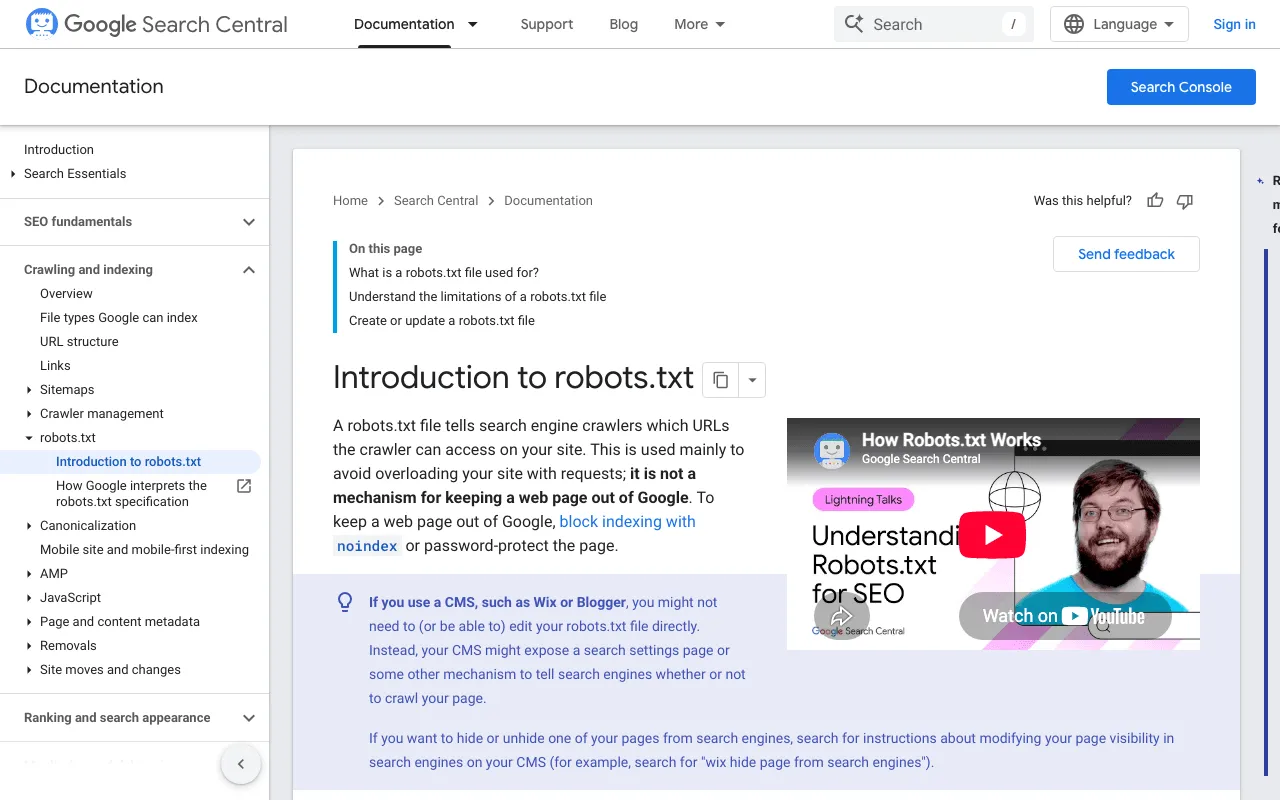
Google’s introduction to robots.txt files in Search Central. Screenshot of developers.google.com, taken October 30, 2026.
Pages that rely on JavaScript
Some sites build their text in the visitor’s browser with JavaScript. Google can often handle it, but it still recommends sending the text from the server: “server-side or pre-rendering is still a great idea because it makes your website faster for users and crawlers, and not all bots can run JavaScript.”
Here’s a quick test you can run in Chrome. Right-click your page and choose “View page source.” That’s what your server sends. If your main text shows up when you right-click and choose “Inspect,” but not in the page source, JavaScript adds it later. On plugkit-avis.com, the full audit found 1,470 words served as plain HTML and no JavaScript-only content.
Site structure and links between your pages
Google moves through your site by following links. A page nothing links to is an orphan page: Google can only reach it through your sitemap, if at all.
Not every link counts. Google explains that “generally, Google can only crawl your link if it’s an <a> HTML element” with an href attribute. A button that opens a page through a script, with no real link, can stay invisible.
Check two things here:
- every important page gets at least one link from another page, in plain text or a menu;
- your addresses read like words. Google recommends “simple, descriptive words” and suggests you “use words in your audience’s language in the URL.” Compare /technical-seo-checklist/ with /index.php?id=4827&cat=12.
Online stores have one more trap: category pages split into page 2, 3, 4. Google asks you to “include links from each page to the following page” and notes that its crawlers don’t click buttons. A “Load more” button with no real link behind it hides the back of your catalog. When I want the full picture of a site, links and content together, I follow the steps for how to analyze a website.
Page speed and Core Web Vitals
A slow page loses visitors before Google even notices. Google tracks three signals, the Core Web Vitals, and publishes its targets: “Largest Contentful Paint (LCP) under 2.5 seconds, Interaction to Next Paint (INP) under 200 milliseconds, and Cumulative Layout Shift (CLS) under 0.1.” In plain words:
- LCP: the biggest visible element shows up within 2.5 seconds;
- INP: the page reacts to a tap or click in under 200 milliseconds;
- CLS: the layout barely jumps around while the page loads.
To test a page, paste its address into PageSpeed Insights, Google’s tool. On a small business site, start with your photos: the largest image on the page is often the element the LCP measures. The audit of plugkit-avis.com found every image in WebP, a light format.
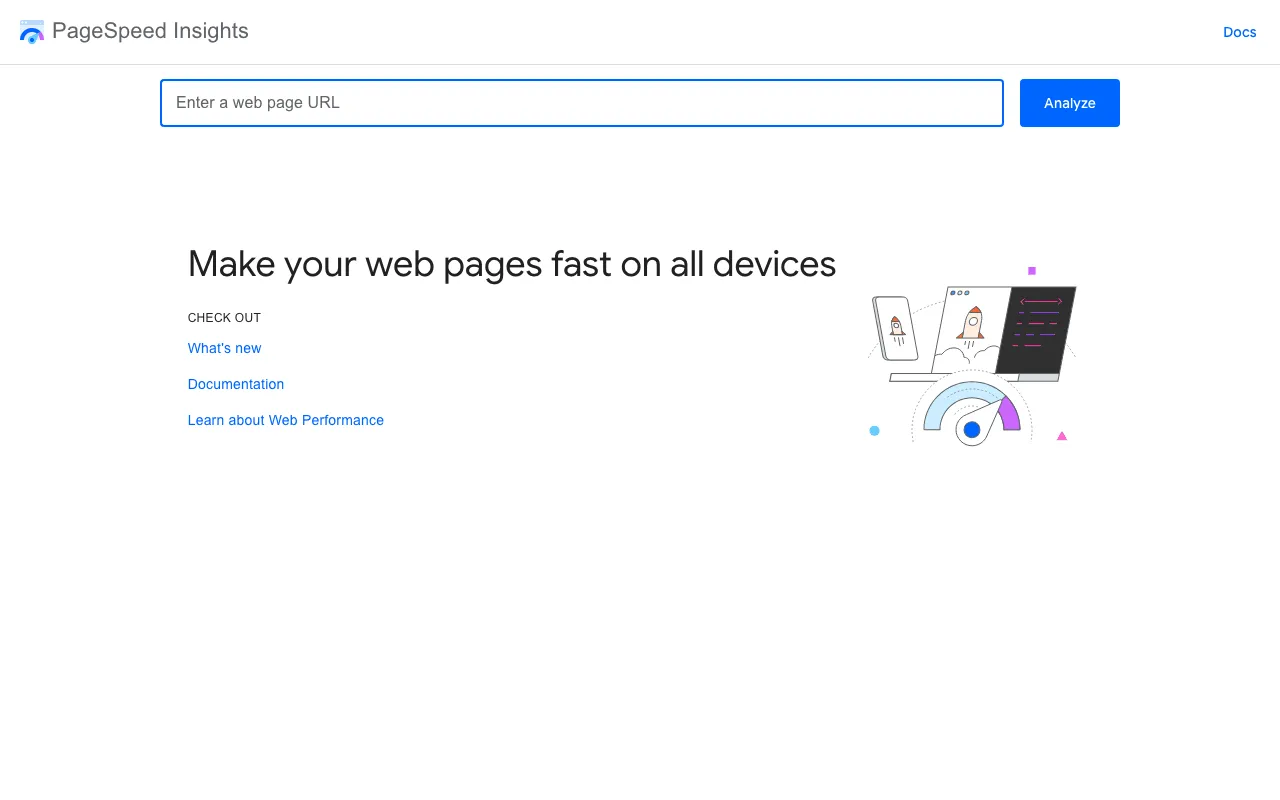
PageSpeed Insights, Google’s tool to make your pages fast on all devices. Screenshot of pagespeed.web.dev, taken October 30, 2026.
HTTPS, security and error pages
HTTPS is the padlock in front of your address: the connection between your visitor and your site is encrypted. Google lists it among page experience questions: “Are your pages served in a secure fashion?” Search Console has an HTTPS report to check it. Your host sets up the certificate. Then make sure the old http address sends visitors to the https one.
Broken pages and redirects
A broken page returns a 404 error: “page not found.” A 404 is expected for content you removed on purpose. A 404 on a page people still link to, or on your contact page, is worth fixing.
When a page moves, you add a redirect. Google sums up the two families: permanent redirects (301) “show the new redirect target in search results,” and temporary ones (302) “show the source page in search results.” A page that moved for good behind a 302 keeps its old address in Google. Any crawler shows the response code of each URL, so you can spot which are 301 and which are 302.
The best-known crawler is Screaming Frog SEO Spider, a program for Windows, macOS and Linux. Its free version crawls 500 URLs; a license costs $279 a year per user beyond that, and the pricing page doesn’t say whether tax is included (pages read October 30, 2026). It’s built for technical SEOs: it lists problems but won’t tell you in plain words which one to fix first.
Duplicate titles, tags and canonical pages
Every page carries three labels Google reads first: the title (the clickable headline in search results), the meta description (the short text under it) and the H1 (the main heading on the page). Two pages with the same title tell Google, “we’re about the same thing.”
Duplicates usually have a boring cause: a page template that copies one title everywhere, the same page served at several addresses, or language versions that aren’t declared.
For true copies, Google offers the canonical page: you pick the reference version. One reason Google gives is “to consolidate signals for similar or duplicate pages.” For language versions, the tool is hreflang: “Use hreflang to tell Google about the variations of your content.” A US page and its UK twin then become two versions of one piece of content, not rivals. That’s exactly the case my own audit flagged, further down.
Mobile, languages and structured data
Mobile first. Google doesn’t require a mobile version, but “it is very strongly recommended.” Test it on your phone: text you can read without zooming, buttons easy to tap, nothing spilling off the side.
Languages next. Each version should point to all the others, and to itself, with hreflang. One detail surprised me: Google “doesn’t use hreflang or the HTML lang attribute to detect the language of a page.” It works out the language on its own. hreflang links versions together; it doesn’t announce the language.
Then structured data. Google calls it “a standardized format for providing information about a page and classifying the page content.” A recipe lists its ingredients, an article its author, a FAQ its questions. Your page may then get a richer result in Google. On plugkit-avis.com, SemChat correctly spotted my Article and FAQPage markup; I checked on October 29, 2026.
The checks to run in Search Console
Search Console is Google’s free tool for your own site. Its overview page says its “tools and reports help you measure your site’s Search traffic and performance, fix issues, and make your site shine in Google Search results.” You prove the site is yours once, when you sign up.
Google’s Search Console overview page. Screenshot of search.google.com/search-console/about, taken October 30, 2026.
For this checklist, four reports do most of the work:
- Page indexing: which pages are in Google, which aren’t, and why;
- Sitemaps: whether Google could read the sitemap you submitted;
- Core Web Vitals: speed as your real visitors experience it;
- HTTPS: whether your pages are served securely.
The URL Inspection tool answers the question for one page: is this URL on Google? Use it after you fix something.
Common technical SEO mistakes
Most of the mistakes are already above: orphan pages, 302s that should be 301s, missing hreflang, duplicate titles. One more deserves its own spot, because it can wipe a whole site off Google.
On WordPress: the settings people forget
WordPress has a box under Settings, then Reading, called “Search engine visibility.” Its documentation reads: “Check the Discourage search engines from indexing this site box to ask search engines not to index this site.” It’s handy while you build. Forget to uncheck it at launch, and you’ve asked Google to stay away from everything.
Check it today. It’s the first box on my own technical SEO checklist.
A real example: what an audit of plugkit-avis.com found
Enough theory. On October 29, 2026, on the Free plan, I typed one sentence into SemChat (in French): “Run an SEO audit of my site plugkit-avis.com and give me a clear action plan, by priority.” About 3 minutes later I had 8 indicators, a 5-point diagnosis and 3 actions for the week. It was a full audit, not a technical one only. Its technical part is what matters here.
A near-perfect technical score, and still duplicate titles
The technical verdict was flattering: a score of 99 out of 100, 189 pages crawled, no 4xx or 5xx errors (no missing pages, no server failures), every page indexable, and every page within 3 clicks of the home page. The Health tab summed it up as “excellent shape,” nothing urgent to fix.
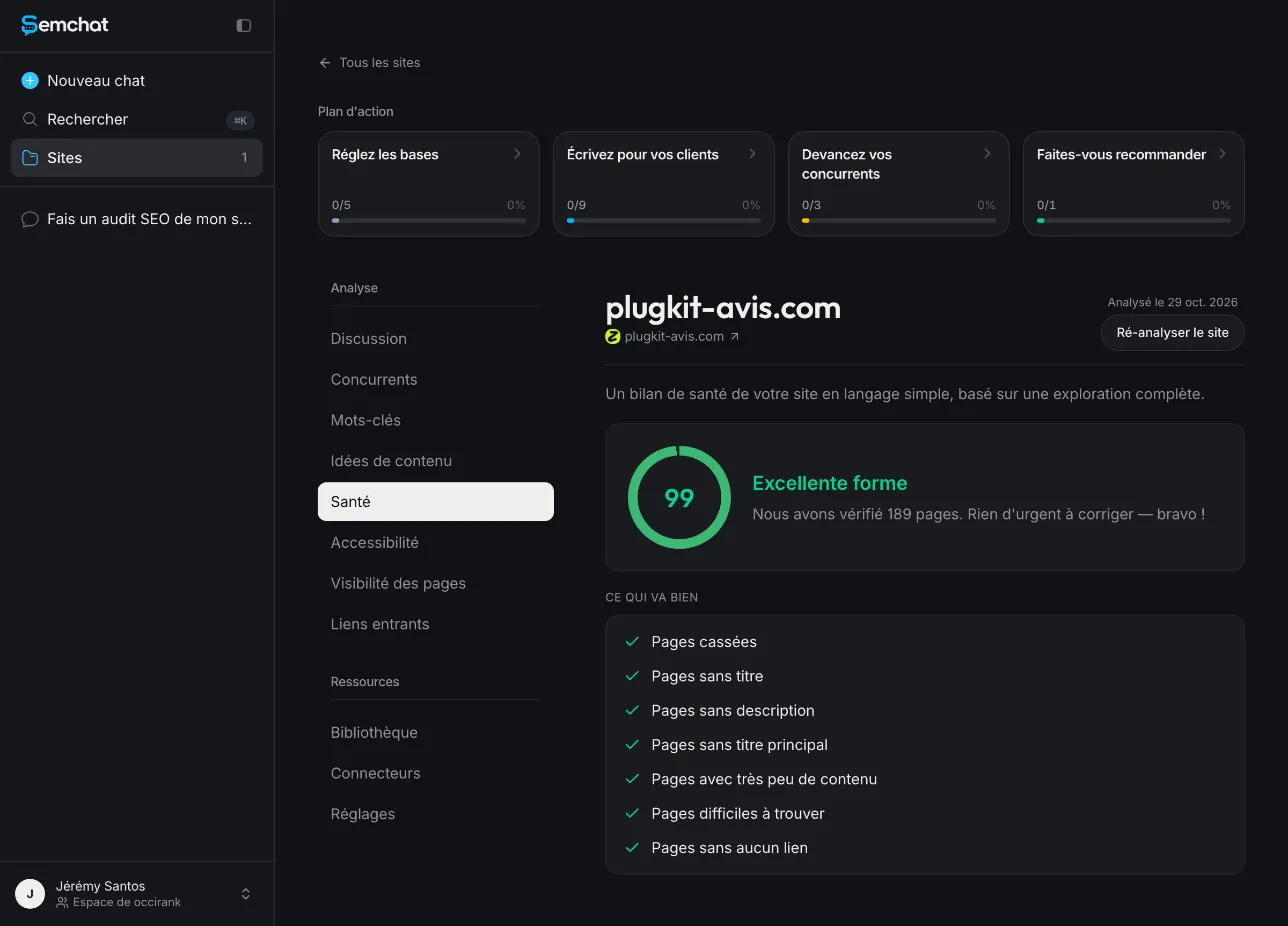
SemChat’s Health tab rates the site in excellent shape. Screenshot of the SemChat app, Jérémy Santos’s account, October 29, 2026 (French interface).
Yet the same audit found duplicate titles on 100 pages (53% of the site) and duplicate H1s on 102 pages (54%). It even called that the number one technical problem.
There’s no contradiction. The Health tab’s list, visible in the screenshot, looks for pages with no title, no description or no main heading. It doesn’t count duplicate titles. A 99 means “nothing broken,” not “nothing to do.”
What was true, and what was overstated
I checked each finding with direct requests to my site on October 29, 2026:
- True: /fr/contact/ returned a 404. My site had no contact page; my details were in the legal notice.
- True: duplicate titles existed between the US English and UK English pages. /plugkit-review/ and /en-gb/plugkit-review/ had the same title.
- Overstated: those two pages were variants declared with hreflang, which is what Google asks for. Calling them “mirror pages” went too far. The flag was still useful: two identical titles help nobody pick one.
- Wrong: in another conversation, focused on indexing, SemChat’s first diagnosis missed. When I pushed back, it admitted it had been wrong on three points. Its three new actions were wrong too: add a page to the sitemap that was already there, add two URLs that returned 404, create a sitemap that already existed.
My takeaway: SemChat finds the right leads fast, and every action gets checked before you act on it. I applied the lesson to this site: each UK title here is now different from its US twin. My full test of the tool is in my SemChat review. To read a document like that without drowning, see how a good SEO report template is laid out.
One-time audit or monthly upkeep
Some checks you run once and forget until something big changes. Others drift on their own and deserve a regular look. Here’s the split I use on a small site. It’s my advice, tied to what happens on the site, not a rule from Google.
| Once, and after big changes | Every month | |
|---|---|---|
| Indexing | WordPress visibility box, robots.txt, sitemap submitted | Page indexing report in Search Console |
| Structure | clean URLs, hreflang, canonical pages | new pages linked from older ones |
| Errors | redirects after a move or redesign | new missing pages and broken links |
| Speed | image format, HTTPS set up | Core Web Vitals report |
Run the full list again after a redesign, a domain or URL change, a new section, or a drop in Google visits you can’t explain.
A technical SEO checklist template to copy
Copy this into a document and tick each line:
- Search engine visibility box unchecked (WordPress)
- Page indexing report read, and every important page indexed
- robots.txt blocks nothing you want in Google
- Sitemap submitted and read by Search Console
- Main text present in the page source, not only after JavaScript
- Every important page linked from at least one other page
- Short, readable URLs
- Core Web Vitals within Google’s targets on your key pages
- Readable on a phone without zooming
- HTTPS everywhere, and http sends visitors to https
- No 404 on pages people still link to; permanent moves use 301
- One distinct title and H1 per page
- Canonical page set on true duplicates; hreflang on language versions
- Structured data on articles, products or FAQ
Start at the top: if Google can’t index a page, nothing further down this technical SEO checklist matters yet. Once it’s clean, track whether your pages climb with a keyword rank checker, and run the cheapest test first with a free SEO audit.
Frequently asked questions
What goes into a technical SEO checklist?
The checks that decide whether Google can use your pages: indexing status in Search Console, robots.txt and sitemap, links between pages, speed (Core Web Vitals), mobile display, HTTPS, broken pages and redirects, duplicate titles and canonical pages, language versions and structured data. It leaves your writing and your backlinks to other audits.
How often should you run a technical SEO checklist?
Run the full list once when your site launches, then again before and after a redesign, a domain or URL change, a new section, or a drop in Google visits you can't explain. In between, a quick monthly look at Search Console's Page indexing report catches most surprises on a small site. That rhythm is my advice, not a Google rule.
Is there a technical SEO checklist in PDF?
Not from us. The template near the end of this page is a plain list on purpose: copy it into a document, add your site's address, and save or print it as a PDF.
Can you run a technical SEO checklist for free?
Yes, on a small site. Search Console is free, PageSpeed Insights only needs your page's address, and Screaming Frog's free version crawls 500 URLs ($279 a year per license beyond that, pages read October 30, 2026). SemChat's Free plan costs €0, but one full audit used up its monthly quota in my test of October 29, 2026; Starter is €20 a month, excluding tax.
Let your AI do the chores of getting found online.
10% off your subscription, for life with my link, if you subscribe within 2 weeks of signing up. No code. All about the SemChat promo code
Affiliate link: it costs you nothing extra.
Verified sources
- Google Search Central: how Google Search works (three stages) (10/30/2026)
- Search Console Help: Page indexing report (10/30/2026)
- Google Search Central: introduction to robots.txt (10/30/2026)
- Google Search Central: what is a sitemap (10/30/2026)
- Google Search Central: JavaScript SEO basics (10/30/2026)
- Google Search Central: make your links crawlable (10/30/2026)
- Google Search Central: URL structure best practices (10/30/2026)
- Google Search Central: pagination and incremental page loading (10/30/2026)
- Google Search Central: Core Web Vitals (10/30/2026)
- Google Search Central: page experience (HTTPS) (10/30/2026)
- Google Search Central: redirects and Google Search (10/30/2026)
- Google Search Central: consolidate duplicate URLs (10/30/2026)
- Google Search Central: localized versions of your pages (hreflang) (10/30/2026)
- Google Search Central: mobile-first indexing best practices (10/30/2026)
- Google Search Central: introduction to structured data (10/30/2026)
- Google Search Console overview page (10/30/2026)
- PageSpeed Insights (10/30/2026)
- Screaming Frog SEO Spider overview (10/30/2026)
- Screaming Frog SEO Spider pricing in US dollars (10/30/2026)
- WordPress documentation: Settings Reading Screen (10/30/2026)
- SemChat pricing page (English) (10/30/2026)