SEO content writing: write pages your customers want to read
SEO content writing means writing a page that answers what your customers type into Google: their question, in their words, better than the other results. It isn't stuffing keywords or hitting a word count. Google calls it people-first content, and it comes down to a few steps: know your reader, match the intent, keep your promise, prove what you say.
 By Jérémy Santos Updated on 30 October 2026 Tested on his own SemChat account: first audit on 29 October 2026.
 This page is part of the guide: website optimisation

Write for a person looking for an answer, not for a robot. Illustration by Zéro Corvée.
A florist opens her website. The home page says “Welcome, passion and craft.” Her customers type “sympathy flowers delivered tomorrow.” They never meet. SEO content writing is the bridge: a page that answers the question your customers ask, in their words.
This page is part of our website optimisation guide. Everything I say here about Google comes from its own pages, read 30 October 2026. The SemChat button on this page is an affiliate link.
What is SEO content writing?
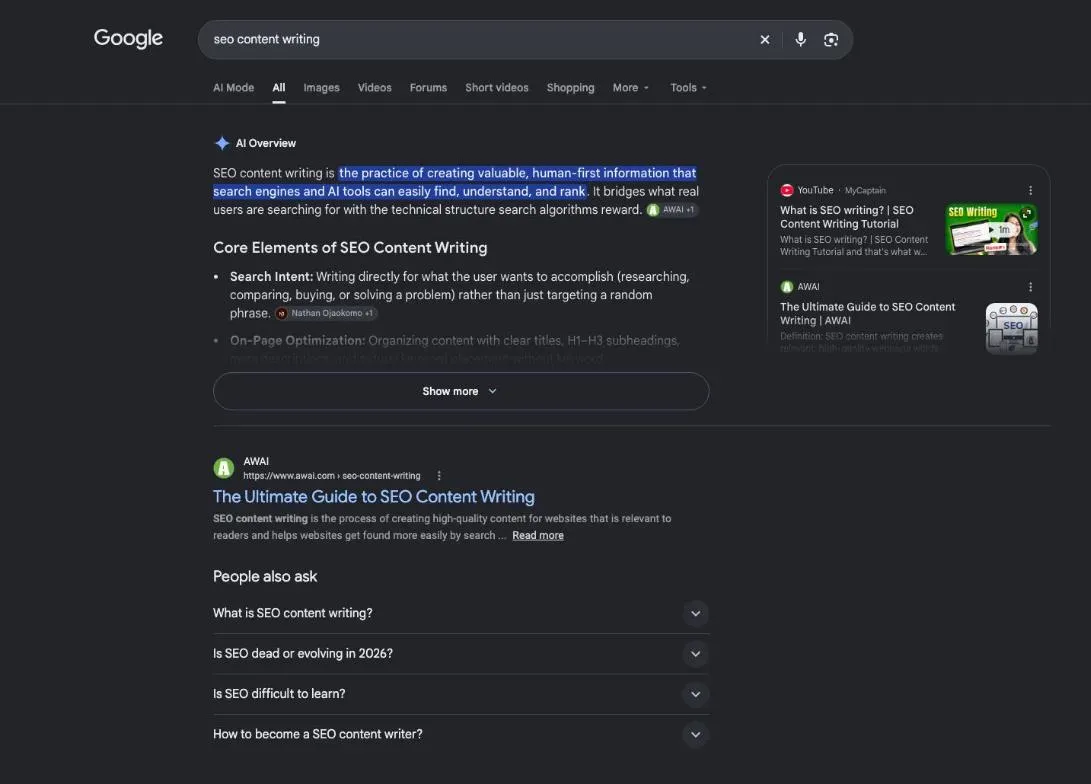
It’s writing pages that people find through Google because they answer a search well. Not pages written for Google’s robots.
SEO writing: pages that answer what people search for
Google has a name for what it wants: people-first content. Its definition: “People-first content means content that’s created primarily for people, and not to manipulate search engine rankings.”
So SEO writing isn’t repeating a keyword. Google’s Starter Guide says repeating the same words over and over “is tiring for users, and keyword stuffing is against Google’s spam policies.” It isn’t a word count either: Google asks whether you’re writing to one “because you’ve heard or read that Google has a preferred word count,” and answers: “(No, we don’t.)”
SEO writing or copywriting: the difference
Copywriting sells: an ad, a sales page, an email that asks for the order. SEO writing answers: someone has a question, your page is the best reply. The two meet on the same page more often than you’d think. A good answer earns trust, and trust makes the sale easier.
Why it matters for a small business
Google is blunt about it. Its Starter Guide says content people find compelling and useful “will likely influence your website’s presence in search results more than any of the other suggestions in this guide.” For a small business, that’s good news: you don’t need a big budget, you need to know your customers’ questions.
Before you write: reader, intent, keyword
Three decisions come before the first sentence.
Step 1: get to know the reader you write for
Start from the questions people ask you at the counter, on the phone, by email. Each question that comes back is a page. Write their words down as they say them.
Step 2: match the search intent
Intent is what the person wants to get from a search. Google’s guidelines for its quality raters group intents into four families.
- Search intent what the person wants to get
- Know learn about a topic or find a fact
- Do buy, download, book, sign up
- Website reach a specific site or page
- Visit in person find a shop or a place nearby
“How to care for a houseplant” wants an explanation. “Buy terracotta pot” wants a shop. A garden center’s name wants that center’s website. “Garden center open Sunday” wants an address and hours. The quickest test: type your keyword into Google and look at the top ten. Guides? Write a guide. Product pages? Your page should let people buy. Our guide to keyword intent shows you how to read it from Google’s results, step by step.
Step 3: choose one main keyword per page
One page, one question, one goal. Your main keyword is how customers phrase that question. Google’s own example: some people search for “charcuterie,” others for “cheese board.” Use your customer’s words, not your supplier’s. Google adds that its systems understand variations, so you don’t need to cram them all in.
Writing the page: a promise, proof, one reader
Write the way you’d talk to one customer across the table. Short sentences, no word they wouldn’t use.
Step 4: a title and an opening that keep their promise
The first two sentences decide whether people stay. Say what the reader will get, then deliver it. Google asks creators: “Does the main heading or page title provide a descriptive, helpful summary of the content?” Your title and your opening should tell the same story.
Step 5: facts with sources, examples you lived
Google asks whether your content provides “original information, reporting, research, or analysis.” What only you have lived makes the difference: your job site, your customer, your mistake.
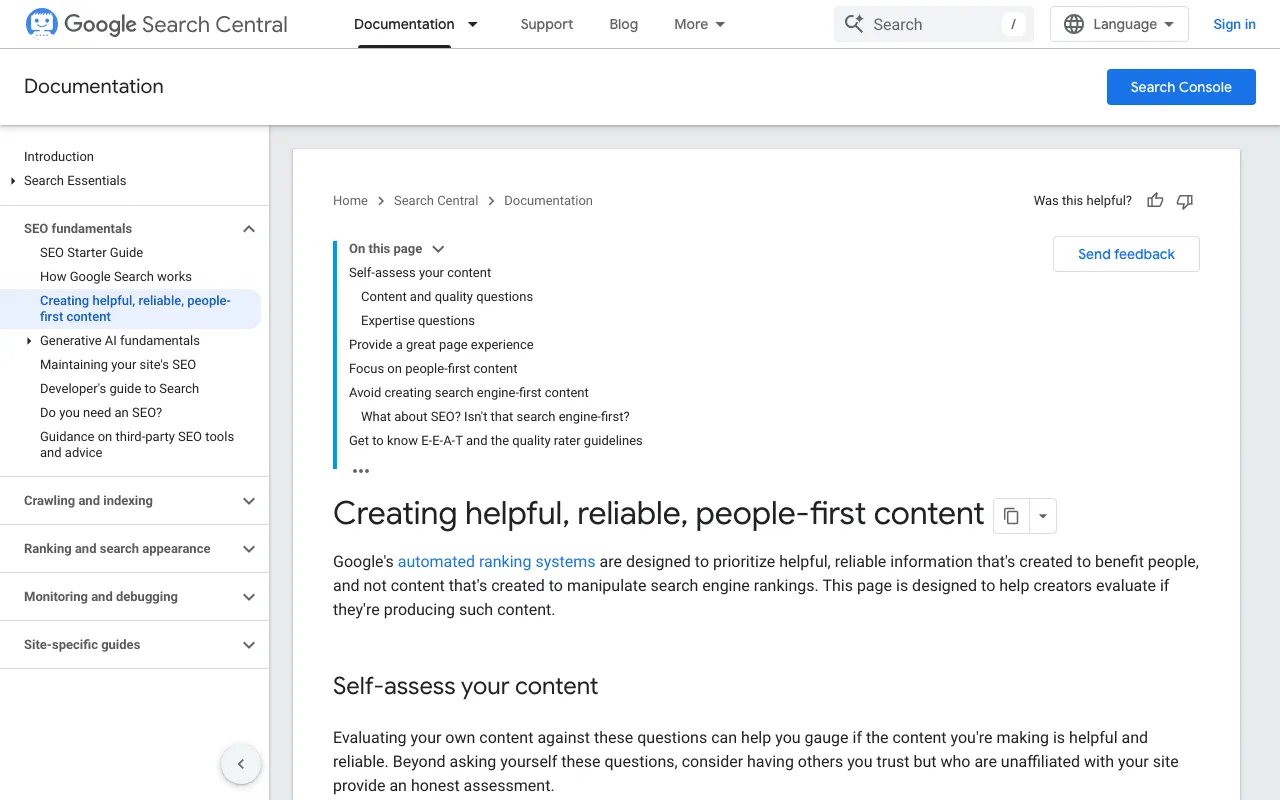
Google is clear that trust comes first: “Of these aspects, trust is most important.” One wrong number is enough to lose it. On this site, the rule is simple: no number without its tool and its date. What Google means by experience, expertise and trust is explained in our guide to the EEAT meaning.
This site’s style as an example: a promise, sourced facts, one reader
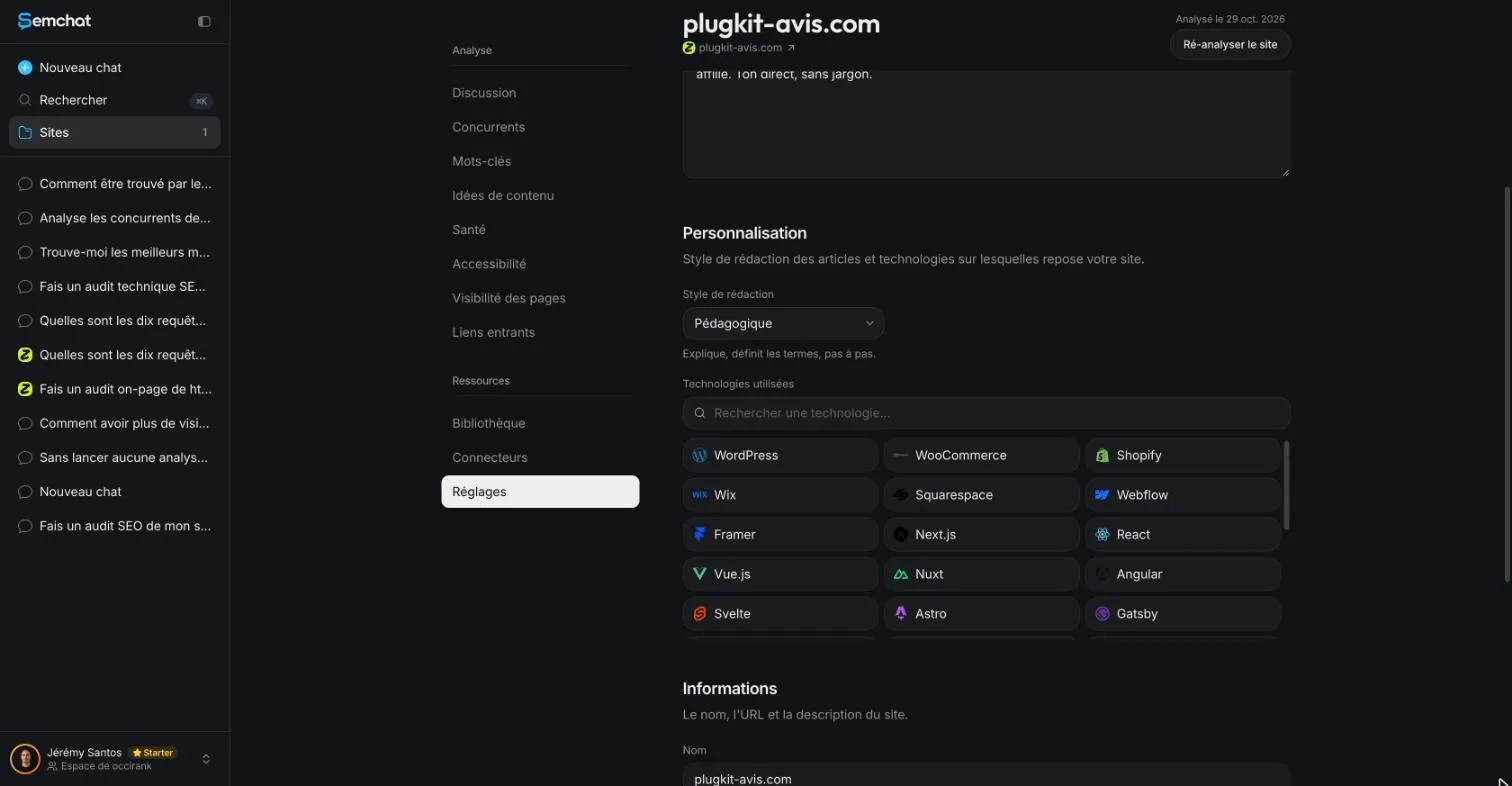
I write with three rules borrowed from two great advertising copywriters, David Ogilvy and Gary Halbert: a clear promise, sourced facts, one person you talk to. SemChat lets you set a tone for a whole site: its site settings offer 11 writing styles (checked 29 October 2026), including one labelled “Pédagogique” (teaching).
Setting up the page: headings, metadata, links, images
Once the text is written, the page still needs its frame. Google recommends that you “Break up long content into paragraphs and sections, and provide headings to help users navigate your pages.” Then check the title shown in Google, your SEO title, and the short summary under it, where the meta description length matters. The rest of the page checks are in our guide on what on-page SEO is.
Links to your other pages
Google calls the clickable text of a link its anchor text, and says it “tells users and Google something about the page you’re linking to.” So write the subject of the page you link to, never “click here.” How to organise those links across your site is covered in our guide to internal linking SEO.
Images and videos that explain
Add images that show what words can’t: your work, a before and after, a screenshot of a step. Google recommends placing high-quality images near relevant text, and giving each one alt text, a short description of what the image shows and how it relates to your content.
After publishing: measure, then update
Good content ages. Google’s Starter Guide says: “Check in on previously published content and update it as needed, or even delete it if it’s not relevant anymore.” But don’t cheat on the date: Google lists changing dates “to make them seem fresh when the content has not substantially changed” as a warning sign.
Google Search Console shows the clicks each page gets. Compare the last four weeks with the four before: a page that clearly drops is the first one to reread.
I asked SemChat’s content refresh skill to find the declining pages of plugkit-avis.com, my other site. It said plainly that it had no access to my Search Console and was giving estimates. Its conclusion, no measurable decline, was right: the site had only just started getting impressions. It also listed what not to touch: the address, the links, the topic.
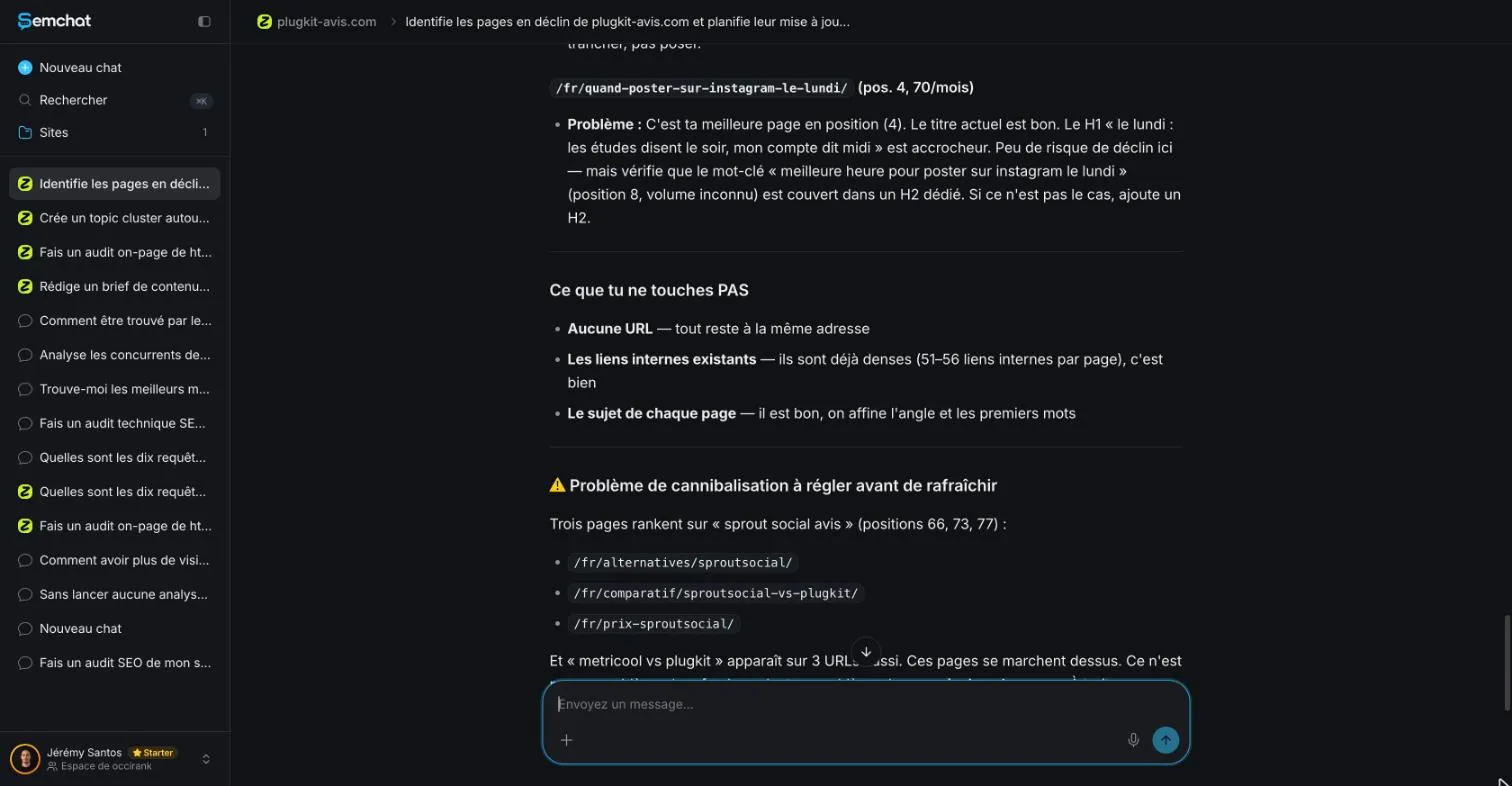
Its numbers needed checking. Search Console partly contradicted its estimated positions: 23 for one keyword, 26.1 in reality. It gave that keyword 655 searches a month; DataForSEO’s Google Ads data showed 210.
SEO content writing tools, AI included
Tools help you plan and check. None of them knows your customers for you.
Semrush’s writing assistant and Surfer
Semrush offers an SEO Writing Assistant for Google Docs and WordPress, and a Content toolkit with a topic finder, a brief generator and an article generator (its knowledge base, read 29 October 2026). Surfer’s Content Editor scores your text in real time, and Surfer AI writes an optimised article in about 3 minutes, in 29 languages (its knowledge base, read 29 October 2026). Surfer has no free plan on its pricing page; Semrush has a $0 Free plan.
Writing with ChatGPT or another AI: what to check
AI can draft fast. Google says using generative AI “to produce large amounts of text without manual oversight or curation represents little to no effort.” So check every fact, every number, every promise. On 29 October 2026, SemChat’s content brief included a “Fact gate” section requiring sources for numbers.
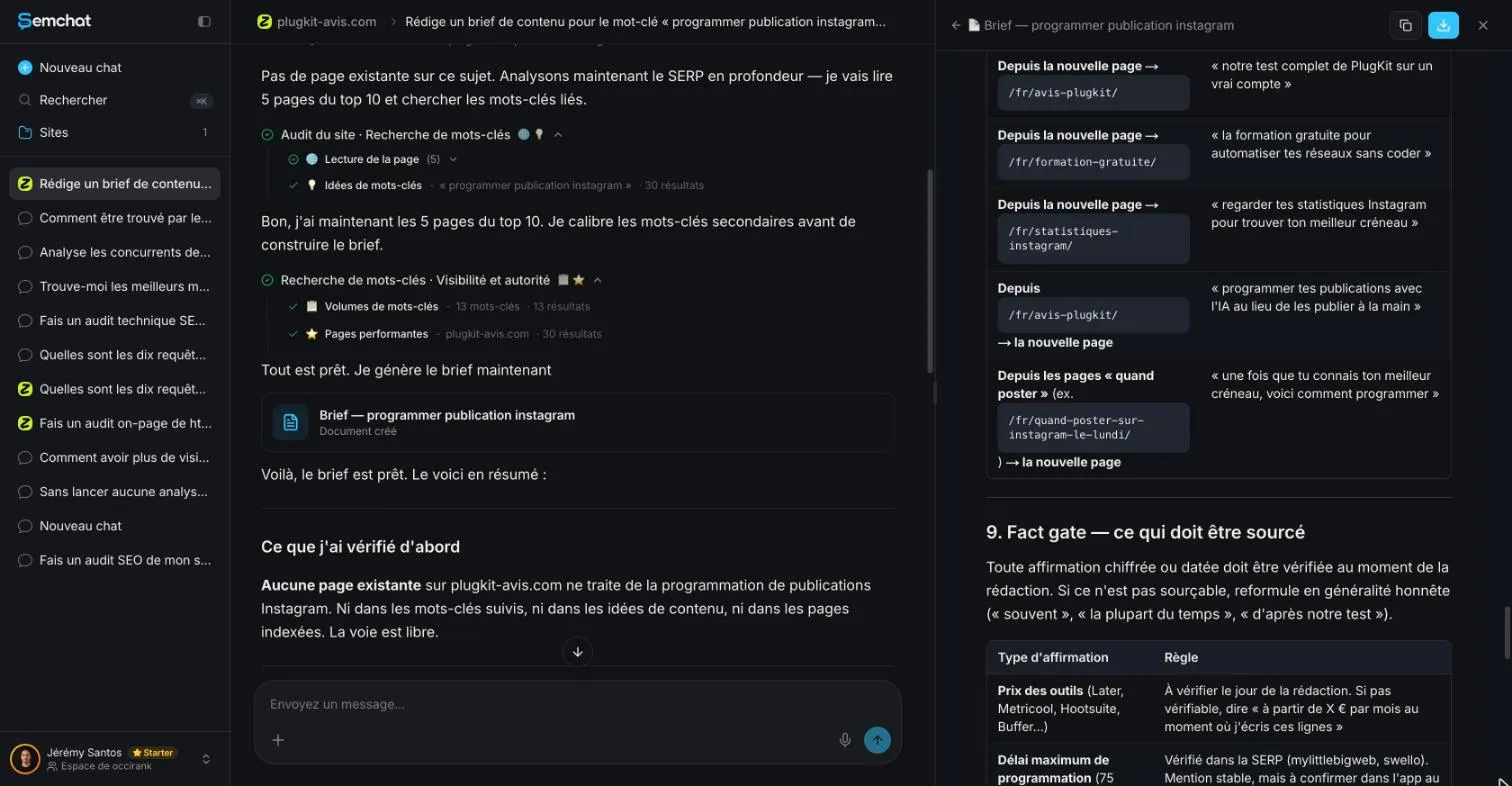
Good rule, poorly kept: in the same brief, the third FAQ answer claimed Instagram had confirmed that scheduled posts get exactly the same reach, with no source. Its search volumes also needed checking: 500 a month for the keyword, where DataForSEO counted 590. My full verdict is in our SemChat review, and the plans are on our SemChat pricing page. To prepare an order for a writer, see our guide to the content brief.
That’s SEO content writing in one line: your customer’s question, its intent, a plan, a page written for that one person with sourced facts, then regular updates. Start with the question you heard most this week, and make it your next page.
Frequently asked questions
How can you learn SEO content writing on your own?
Start with Google's own SEO Starter Guide, which says: “Creating content that people find compelling and useful will likely influence your website's presence in search results more than any of the other suggestions in this guide” (read 30 October 2026). Then write one page, publish it, and watch what people search to find it. Jérémy's free SemChat course (in French) shows the same steps in a real account.
What skills does SEO writing take?
Knowing your customers' questions, writing clearly for one person, checking facts, and organising a page with headings. Google describes good content as easy to read and well organised, unique, up to date, helpful and reliable. Technical SEO skills help, but they come after the writing.
Should you hire an SEO content writer?
Not necessarily. You know your trade and your customers, and Google values first-hand experience. If you hire someone, give them a content brief (topic, intent, outline, sources) and check every fact before you publish. I don't quote any writer's rate here: I haven't read a reliable source for one.
How long should SEO content be?
As long as it takes to answer. Google's Starter Guide says “The length of the content alone doesn't matter for ranking purposes,” and its page on helpful content lists writing to a particular word count as a warning sign (both read 30 October 2026).
Let your AI do the chores of getting found online.
10% off your subscription, for life with my link, if you subscribe within 2 weeks of signing up. No code. All about the SemChat promo code
Affiliate link: it costs you nothing extra.
Verified sources
- Google Search Central: creating helpful, reliable, people-first content (30/10/2026)
- Google Search Central: SEO Starter Guide (30/10/2026)
- Google: Search Quality Evaluator Guidelines (PDF, version of September 11, 2025) (30/10/2026)
- SemChat pricing (Free plan at €0, all features in every plan) (29/10/2026)