Check backlinks: who links to your site, and to your competitors
To check backlinks is to list the links other websites point at yours, then judge what they're worth. Google Search Console does it for free on your own site, free checkers show a sample for any site, and SemChat runs it in one sentence during an audit. Here's what each one shows, with a real site as the example.
 By Jérémy Santos Updated on October 30, 2026 Tested on his own SemChat account: first audit on October 29, 2026.
 This page is part of the guide: website optimization

See who talks about your site, and what those links are worth. Illustration by Zéro Corvée.
Who links to your site, and do those links help you? When you check backlinks, you answer both questions. It’s one of the basic checks of website optimization. I’ll show you three ways: Google Search Console for your own site, SemChat on a real audit of my site plugkit-avis.com (October 29, 2026), and the free checkers for any site. The SemChat button on this page is an affiliate link.
How to check backlinks: what a link report shows
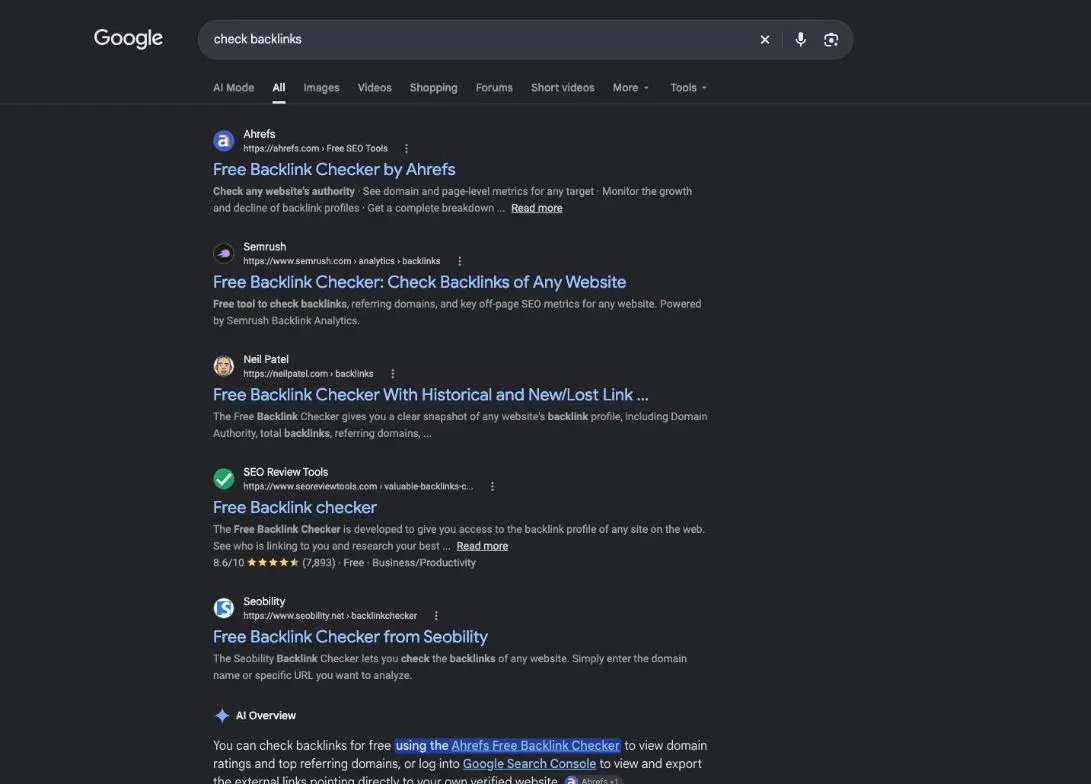
Every backlink report, free or paid, answers the same four questions. Read it from the widest view to the narrowest.
- All links how often other pages cite you
- Referring domains how many different sites
- Anchor text which words they use
- Suspicious links the ones to open and verify
Referring domains, linking pages and anchors
A backlink is a link from another site to yours. Google puts it this way: “A backlink is a link on a page from another site that links to a page on your site.”
A referring domain is a site that links to you. If a blog mentions your shop on three pages, you get three backlinks but only one referring domain. The second number matters more: it tells you how many different sites vouch for you. Search Console groups links this way too: sites “are shown by their root domain.”
The linking page is the exact page that holds the link. The anchor is the clickable text of the link. Natural anchors are mostly your brand name or your web address. Long lists of anchors that all repeat the same search phrase are a warning sign.
Authority and spam scores: hints, not verdicts
Most checkers add a score: Domain Rating at Ahrefs, for example, or a spam score at other tools. Each tool computes its own from its own data. Use a score to sort a list, then open the page. Never compare one tool’s score with another tool’s: they don’t measure the same thing.
A real example: the only site linking to plugkit-avis.com had a spam score of 20 in DataForSEO Backlinks on October 29, 2026. That’s a hint. Opening the page told me much more, as you’ll see in the demo below.
Check your own backlinks for free in Google Search Console
For your own site, start with the free and official option: the Links report in Google Search Console. You need to have verified your site in Search Console first.
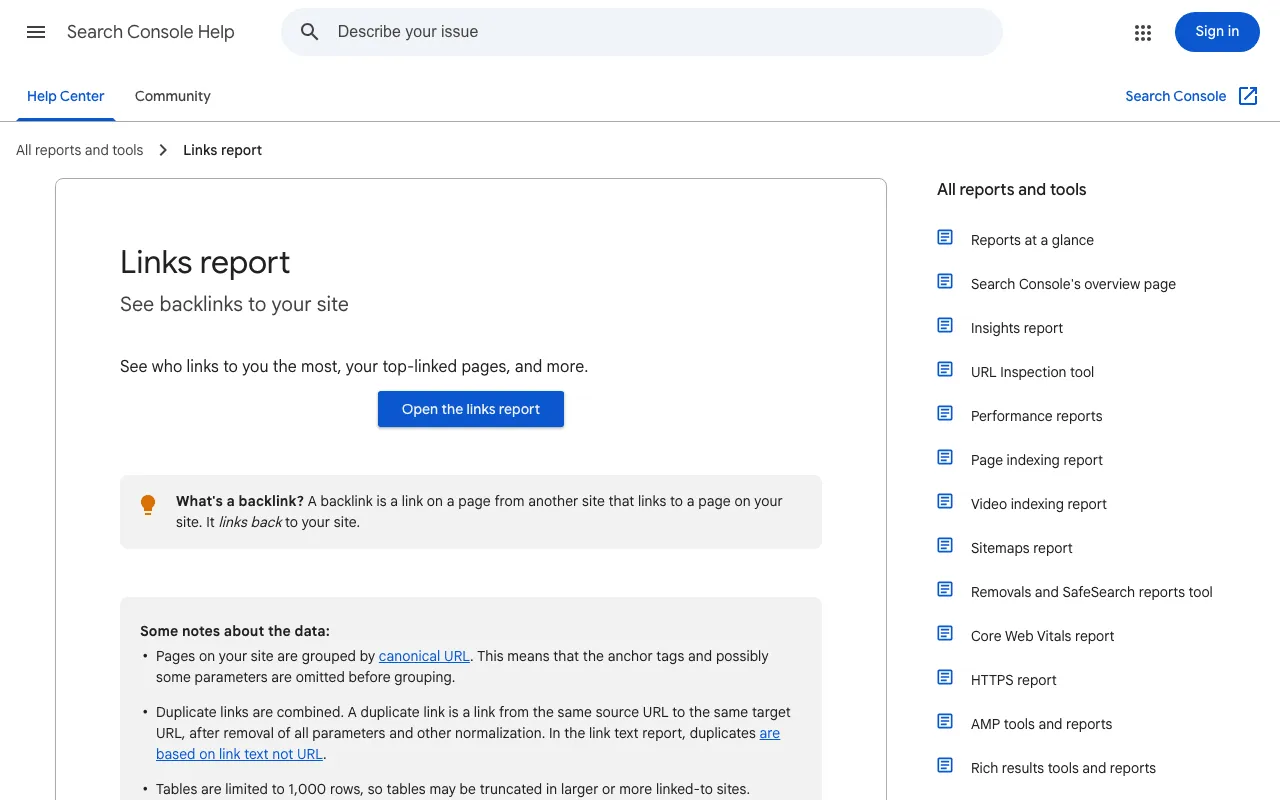
Google describes the main use: “Select a URL in the list to see the top sites linking to that page. Sites are shown by their root domain, with any subdomain omitted.”
Know its limits before you rely on it. They are all on the same help page:
- “This report isn’t a comprehensive list of every link on your site.”
- “The report doesn’t specify if a link is marked as nofollow.”
- “Tables are limited to 1,000 rows.”
A five-minute routine in the Links report
Google’s help page names three tables under External links. Read them in this order:
- Top linking sites (“Sites that link to you the most”): your referring domains. Open any name you don’t recognize.
- Top linking text (“Most common text in links to your site”): your anchors. Mostly your brand or address is a good sign.
- Top linked pages (“Pages most linked to on your site”): the pages other sites cite. Click one to see which sites link to it.
Then use the Export button to keep a copy. Next month, compare the two files: new sites and lost sites stand out at once.
The same report also lists your internal links, the ones between your own pages. That’s handy to check your internal linking SEO: an important page with few internal links is easy to fix the same day.
Demo: a real site’s backlinks checked with SemChat
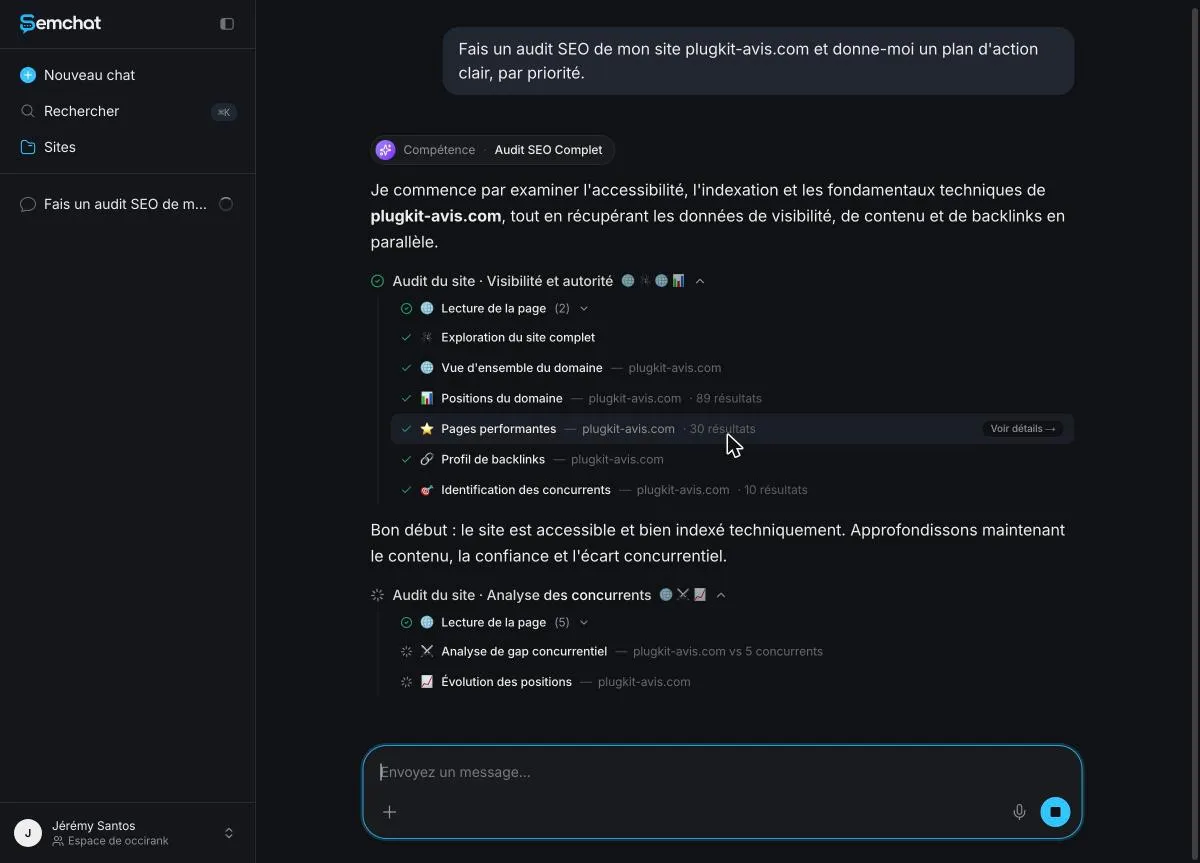
The backlink profile step of the plugkit-avis.com audit
SemChat is a conversational SEO assistant. On October 29, 2026, on the Free plan, I typed one sentence in French: “Fais un audit SEO de mon site plugkit-avis.com et donne-moi un plan d’action clair, par priorité.” (Run an SEO audit of my site plugkit-avis.com and give me a clear action plan, by priority.) It picked its Full SEO Audit skill on its own and ran its tools, including a step called “Profil de backlinks” (backlink profile).
Two limits before you try it. That single audit used 100% of the Free plan’s monthly usage (Usage screen, October 29, 2026): save it for your main site. And SemChat’s Link audit skill, which goes deeper into links, tested on October 30, 2026 on the Starter plan, counted the site’s one link right but called it risk-free without knowing where it came from (5.6 points of the monthly quota, Usage screen). The full test is on our toxic backlink checker page.
One referring domain: what the number means for a new site
Among its key numbers, the audit counted “1 domaine référent” (one referring domain). The diagnosis put it bluntly: “1 seul backlink” (a single backlink), for a site less than two months old.
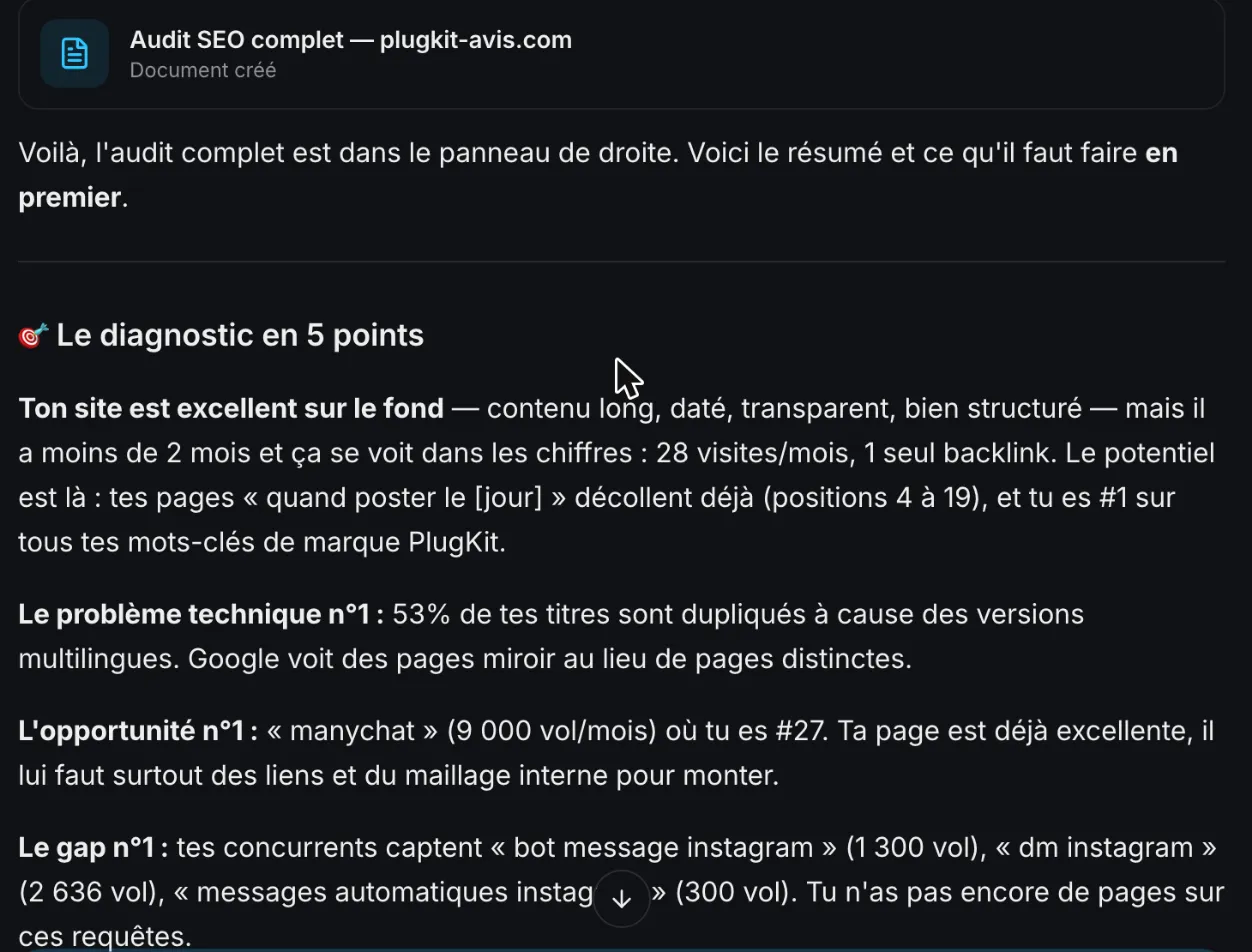
For a new site, one referring domain is normal. It isn’t a penalty, just a starting point. What matters is who that one site is.
The count was right, but the name was missing. The same day, in its Link campaign skill, SemChat admitted: “le nom exact du domaine référent n’est pas renvoyé par mes données” (the exact name of the referring domain isn’t returned by my data). I found it with DataForSEO Backlinks: hub.rankvance.com, a link agency page with 2,341 outbound links and a spam score of 20. In that same conversation, SemChat had still concluded “Profil propre, aucune sur-optimisation à corriger” (clean profile, no over-optimization to fix).
The lesson works for any tool: a number is where you start. Open the page that links to you before you decide anything.
Competitor backlink checker: see who links to them
The sites that link to your competitors are your best list of ideas. If a local blog cites a shop like yours, it might cite you too. To turn those leads into a plan, without buying a single link, see what a link building tool does for you. Free tools are tight here. Semrush’s Free plan allows 10 reports a day. Ahrefs’ FAQ says its free account doesn’t let you study competitors’ sites (fact sheets of October 29, 2026). The free checkers below take any address, but show only a sample.
Ask SemChat for a competitor analysis in one sentence
SemChat’s Competitor analysis skill has been tested (lesson L08, October 2026). Asked to compare plugkit-avis.com with two real competitors, it returned five topics they cover, each with the real address of the competitor’s page. Four of the five were truly missing from my site. One miss: it said it had checked my sitemap, but it had checked the site’s known keywords instead.
Asking SemChat who links to a competitor is a different request, and I haven’t tested it. Treat it as a question worth asking, not a promised result.
Free backlink checker tools: what each one shows
Every free backlink checker shows a slice of its paid data. Here’s what each one says it offers, based on its own pages.
Ahrefs free backlink checker
Ahrefs’ Backlink Checker works without an account: type a domain or a URL, then click “Check backlinks.” Its page says: “Try the free version of Ahrefs’ Backlink Checker. Get a glimpse into the power of our premium tool.”
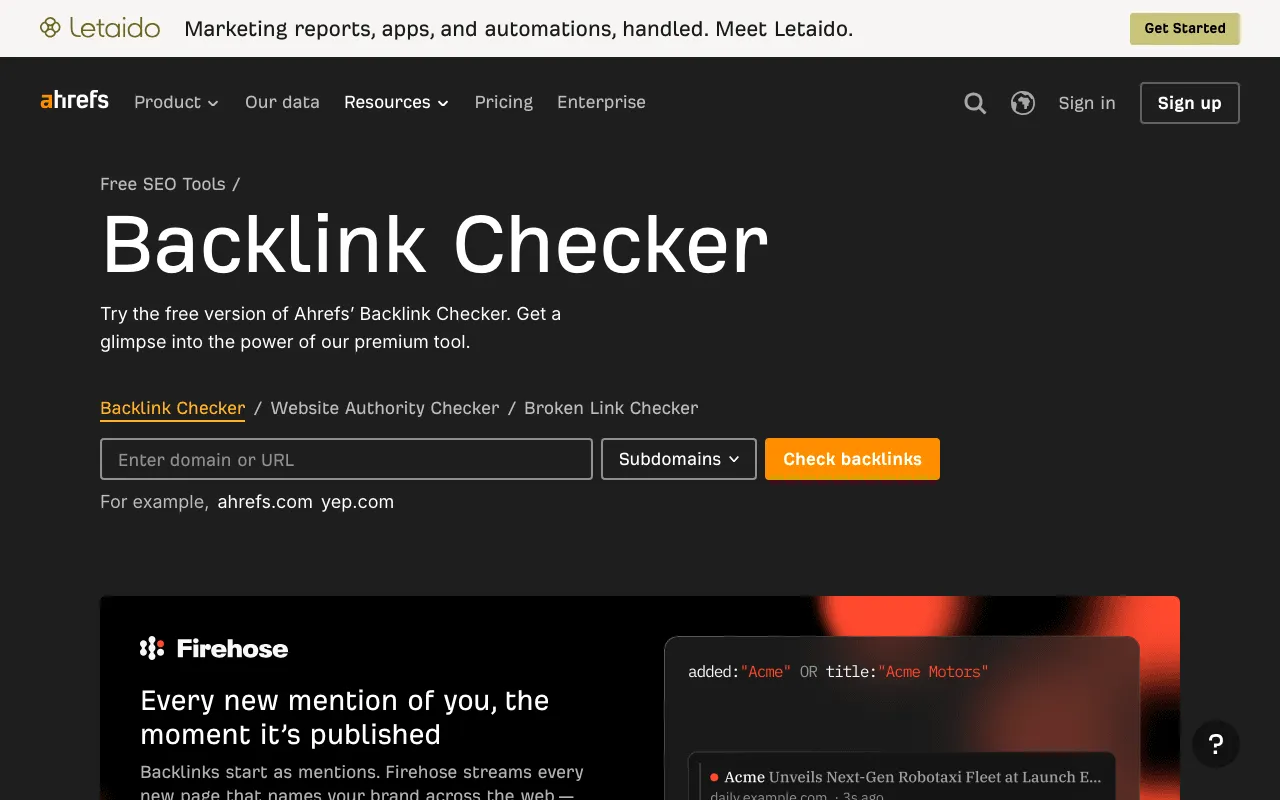
How many links do you see? Ahrefs’ FAQ says the first 20 backlinks (fact sheet, October 29, 2026). Its French page says the first 100 (screenshot of October 30, 2026). The two pages disagree, so expect a short sample. For your own verified sites, Ahrefs also has a free account: Site Explorer shows 1,000 backlinks and keywords at a time, with no credit card.
Semrush free backlink checker
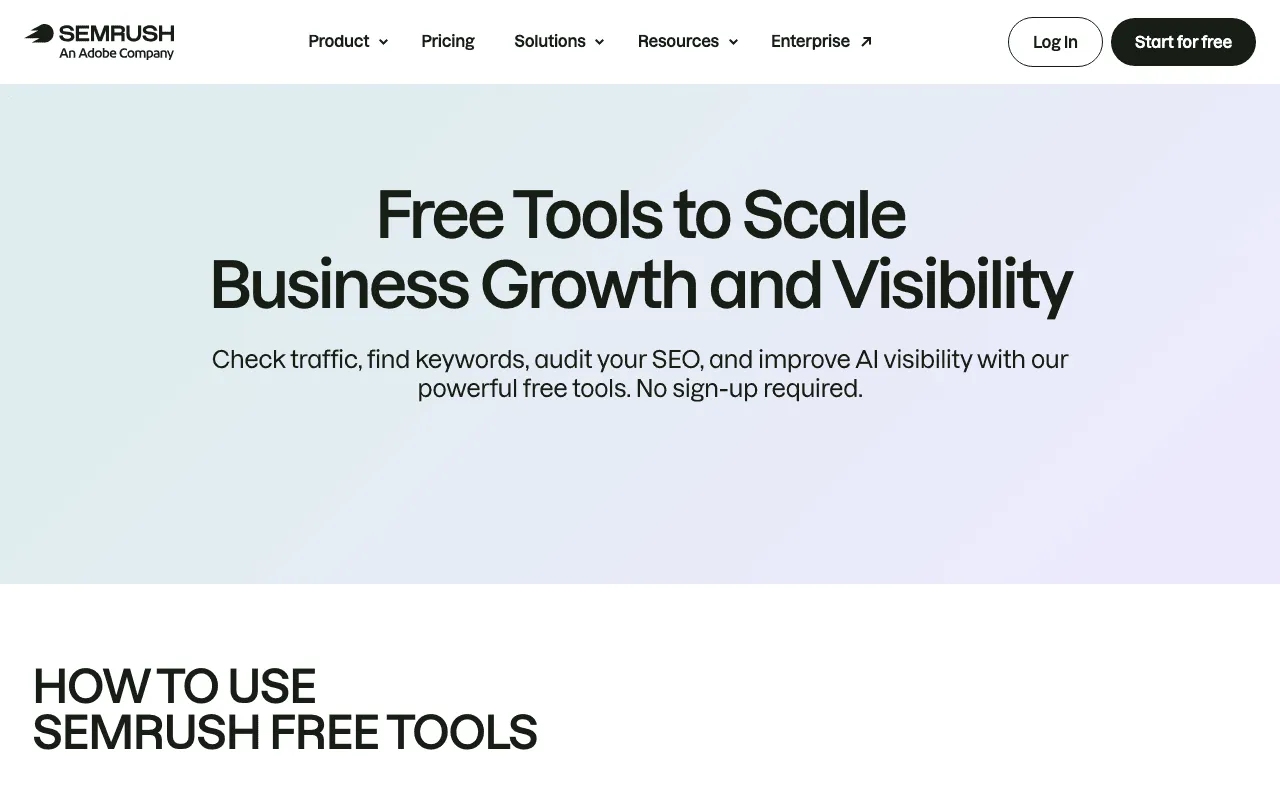
Semrush lists a Backlink Checker among free tools that need no sign-up. These tools show “a sample of Semrush’s actual data,” and its Free plan adds 10 reports a day, with no credit card (fact sheet, October 29, 2026).
Seobility, SE Ranking and Ubersuggest: what their free plans allow
Other options, from each tool’s fact sheet:
- Seobility (October 29, 2026): a Backlink Checker among 9 free tools with no sign-up, and a Basic plan that stays free with no time limit. Ongoing backlink monitoring is in the paid plans.
- SE Ranking (October 29, 2026): a Backlink Checker covering referring domains, anchors and toxic links. No permanent free plan, but a 14-day trial with no credit card.
- Ubersuggest (October 29, 2026): a free account with 3 searches a day and 100 backlinks per site; its link data comes from Moz’s API.
- Majestic (October 30, 2026): a free account with “a few Site Explorer clicks each day.”
- Moz (October 30, 2026): a free account with limited access to Link Explorer.
- SEO Review Tools (October 30, 2026): a free Backlink Checker, with backlink data from Ahrefs according to its partners page.
Website backlink checker results: what to do next
Whatever the website backlink checker you use, the results lead to one of three moves:
- Few sites link to you. That’s normal for a new site. The clean ways to earn more are on our page about backlinks. The surest one stays a page worth citing: a guide, a comparison, a free tool, written with our method for SEO content writing.
- An unknown or shady site links to you. Open its page first. Google writes that “most sites will not need to use” the disavow tool, and calls it “an advanced feature” to use “with caution.” Sorting good links from bad ones is the job of a link audit.
- Links point to a page you deleted. Redirect the old address to the closest live page, so visitors from that link still land somewhere useful.
Our full test of SemChat, what it got right and what it missed, is in our SemChat review. What a full audit costs beyond the Free plan is on our SemChat pricing page.
Check backlinks once a month, in the same tool each time. It’s the only way to see a new link arrive, good or bad, before it surprises you.
Frequently asked questions
Can Google Analytics show your backlinks?
Not as a list of links. Google Analytics shows visits that came from other sites: Google defines Referral as “the channel by which users arrive at your site via non-ad links on other sites/apps (e.g., blogs, news sites).” A link nobody clicks never shows up there. The list of sites linking to you comes from the Links report in Google Search Console.
Can you check the backlinks of any website?
Yes, with a third-party tool: Ahrefs' Backlink Checker takes any domain or URL without an account, and Semrush lists a Backlink Checker among free tools that need no sign-up (fact sheets of October 29, 2026). Free versions show a sample. Google Search Console only shows the links of sites you own.
Why do two backlink checkers show different counts?
Each tool crawls the web with its own robot and keeps its own index. Ahrefs claims 35 trillion external backlinks in its history (while its About page says “3 T”), Semrush “43T”, SE Ranking “2.7T backlinks”, Moz “over 40 trillion links” (fact sheets of October 29 and 30, 2026). These are claims, not measurements: compare one site over time in the same tool, never two tools with each other.
Does Google Search Console show all my backlinks?
No. Google says so on the Links report help page: “This report isn't a comprehensive list of every link on your site.” It groups sites by root domain, caps tables at 1,000 rows, and doesn't say whether a link is nofollow. It's still the best free place to start for your own site.
Let your AI do the chores of getting found online.
10% off your subscription, for life with my link, if you subscribe within 2 weeks of signing up. No code. All about the SemChat promo code
Affiliate link: it costs you nothing extra.
Verified sources
- Search Console Help: Links report (30/10/2026)
- Google Analytics Help: default channel group (Referral) (30/10/2026)
- Search Console Help: Disavow links to your site (30/10/2026)
- Google Search Central: Spam policies for Google web search (link spam) (30/10/2026)
- Ahrefs: free Backlink Checker (screenshot) (30/10/2026)
- Semrush: free tools (screenshot) (30/10/2026)
- SemChat pricing (Free plan, every feature in every plan) (29/10/2026)