Website optimization: improve each page for Google, one by one
Website optimization for SEO means helping Google understand each of your pages, and helping searchers pick yours. The work covers four areas: the page itself, the links between your pages, links from other sites, and the content. Google is blunt about it: there are no secrets that put a site first. So you work page by page, and you check every change.
 By Jérémy Santos Updated on October 30, 2026 Tested on his own SemChat account: first audit on October 29, 2026.
One page after another, starting with what matters most. Illustration by Zéro Corvée.
Your site is live, it looks fine, and Google barely shows it. Website optimization for SEO is how you fix that: tune each page so Google understands it, then earn its trust. This page gives you the big picture and an order of work, based on Google’s documentation (read October 30, 2026) and a real site audit. The eleven guides in this section then cover each step in detail. The SemChat buttons on this page are affiliate links; they change neither prices nor our verdict.
Website optimization for SEO: what it covers, and what it doesn’t
It covers what you control: what you write, how you connect your pages, who talks about your site. It does not cover ads, and it is not a trick.
Optimizing for Google, not testing conversion rates
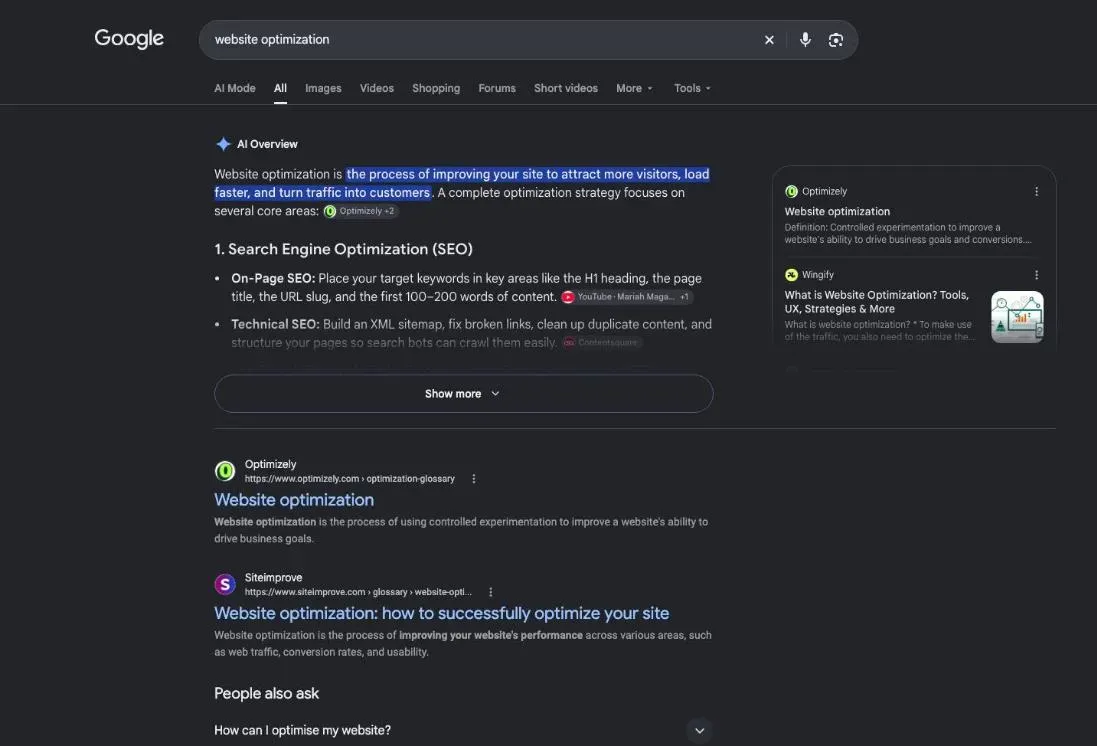
Search for “website optimization” and some results talk about testing page designs to raise sales. That is conversion rate optimization, a different job. This page is about search.
Google defines that job in its SEO Starter Guide: SEO “is about helping search engines understand your content, and helping users find your site and make a decision about whether they should visit your site through a search engine.”
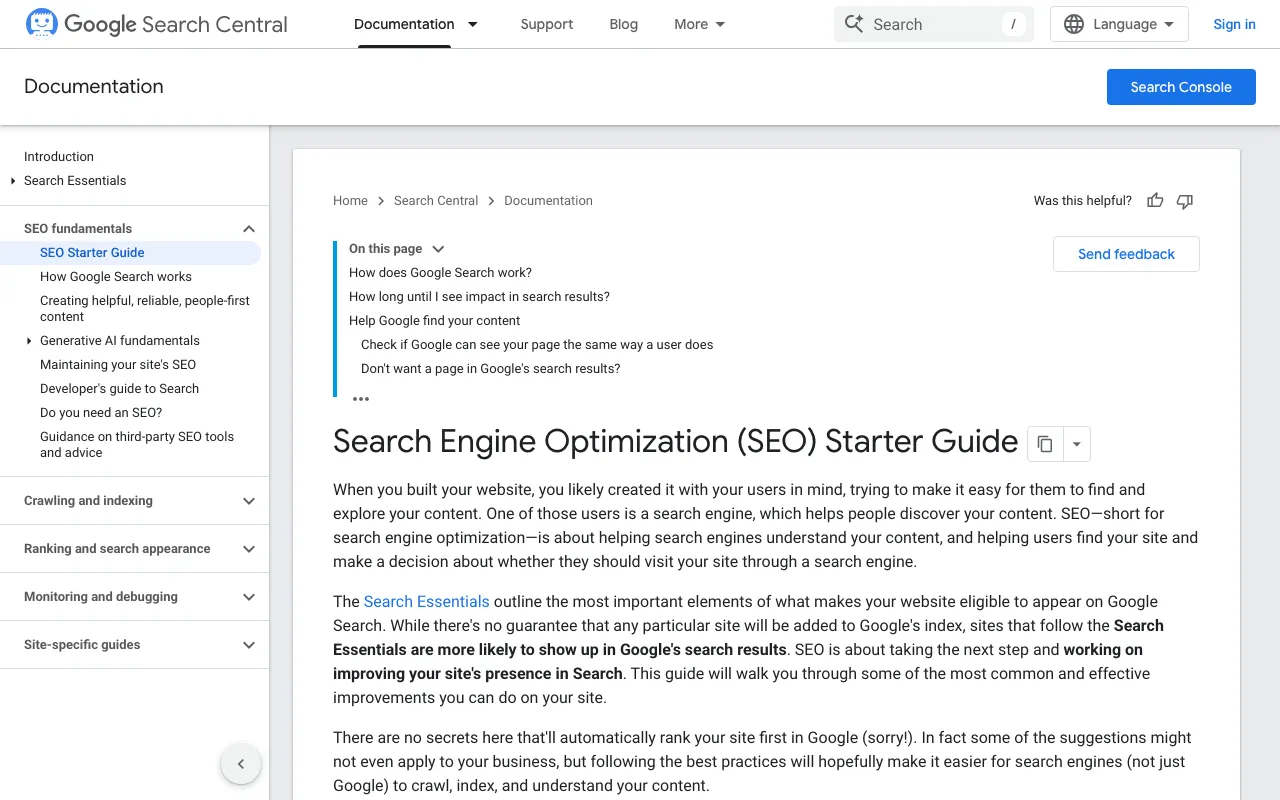
Two readers, then: the crawler that reads your page, and the person choosing between ten results. The same guide adds: “There are no secrets here that’ll automatically rank your site first in Google (sorry!).” Be wary of anyone who promises the top spot.
Four areas: the page, the links between pages, links from other sites, the content
Every website optimization task falls into one of four areas, and each one supports the others.
- Website optimization
- The page Title, description, headings, images.
- Internal links How your pages link to each other.
- Links from other sites What the web says about you.
- The content The right answer, with proof.
The first takes about an hour per page. The second is a decision you make once for the whole site. The third takes months and doesn’t depend only on you. The fourth never ends: a useful page stays up to date.
Where to start on a small site: check before you change
Don’t change anything yet. First, look at where you stand, with free tools, then pick one page.
Free website optimization tools: speed tests and SEO checkers
Two free tools from Google cover the basics:
- Google Search Console. Google describes it this way: “Search Console tools and reports help you measure your site’s Search traffic and performance, fix issues, and make your site shine in Google Search results.” It shows which searches bring people to each page.
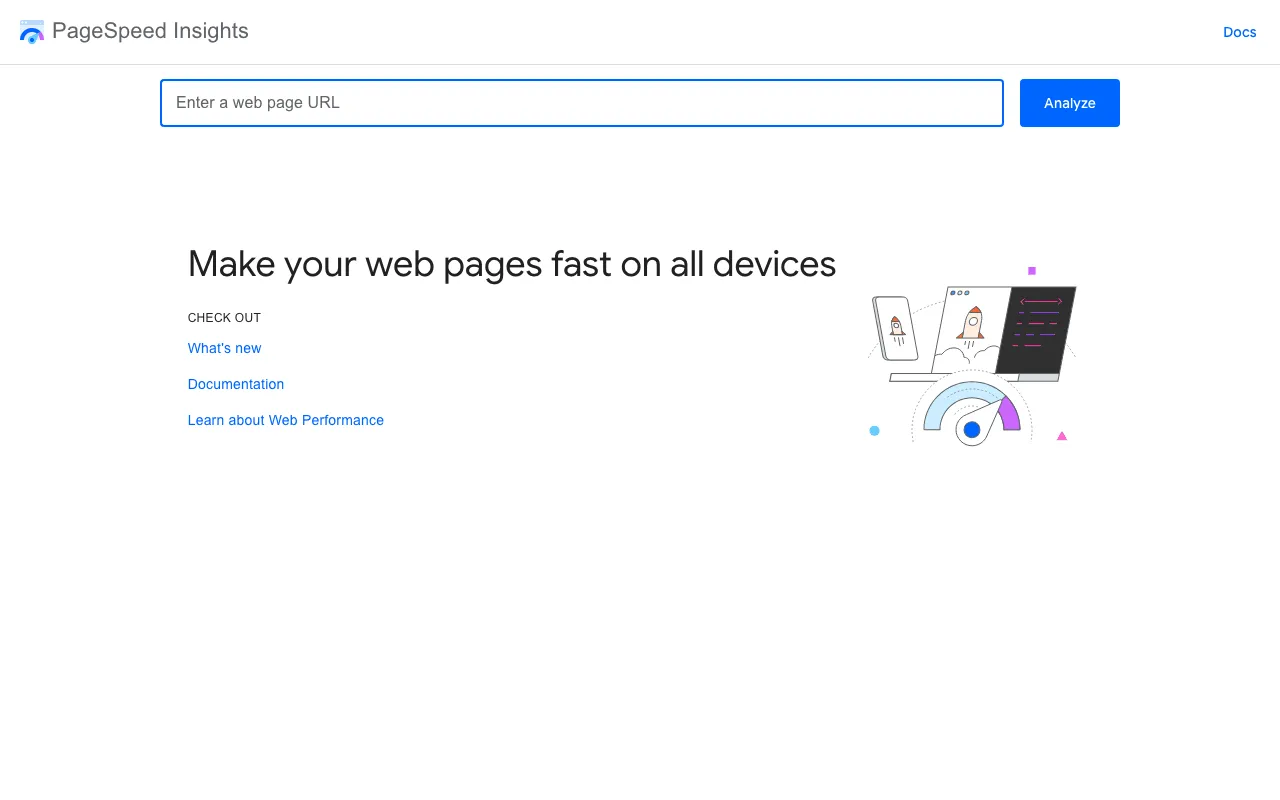
- PageSpeed Insights (pagespeed.web.dev). Paste a page address, and it tests how fast that page loads.
Speed and mobile display: the technical basics
Google gives three targets in its Core Web Vitals page. Show the largest visible element “within the first 2.5 seconds of the page starting to load”. Keep responsiveness (INP) at “less than 200 milliseconds”. Keep visual stability (CLS) at “less than 0.1”.
Then two simple checks from Google’s page experience questions: “Are your pages served in a secure fashion?” (your address starts with https) and “Does your content display well on mobile devices?” (open your pages on your phone). Don’t obsess over one number, though. Google answers its own question plainly: “There is no single signal.”
A real audit: what SemChat found on plugkit-avis.com
On October 29, 2026, we asked SemChat, in one French sentence, for an SEO audit of plugkit-avis.com, another site by the same author. Its “technical problem no. 1”: 53% of page titles duplicated because of the language versions.
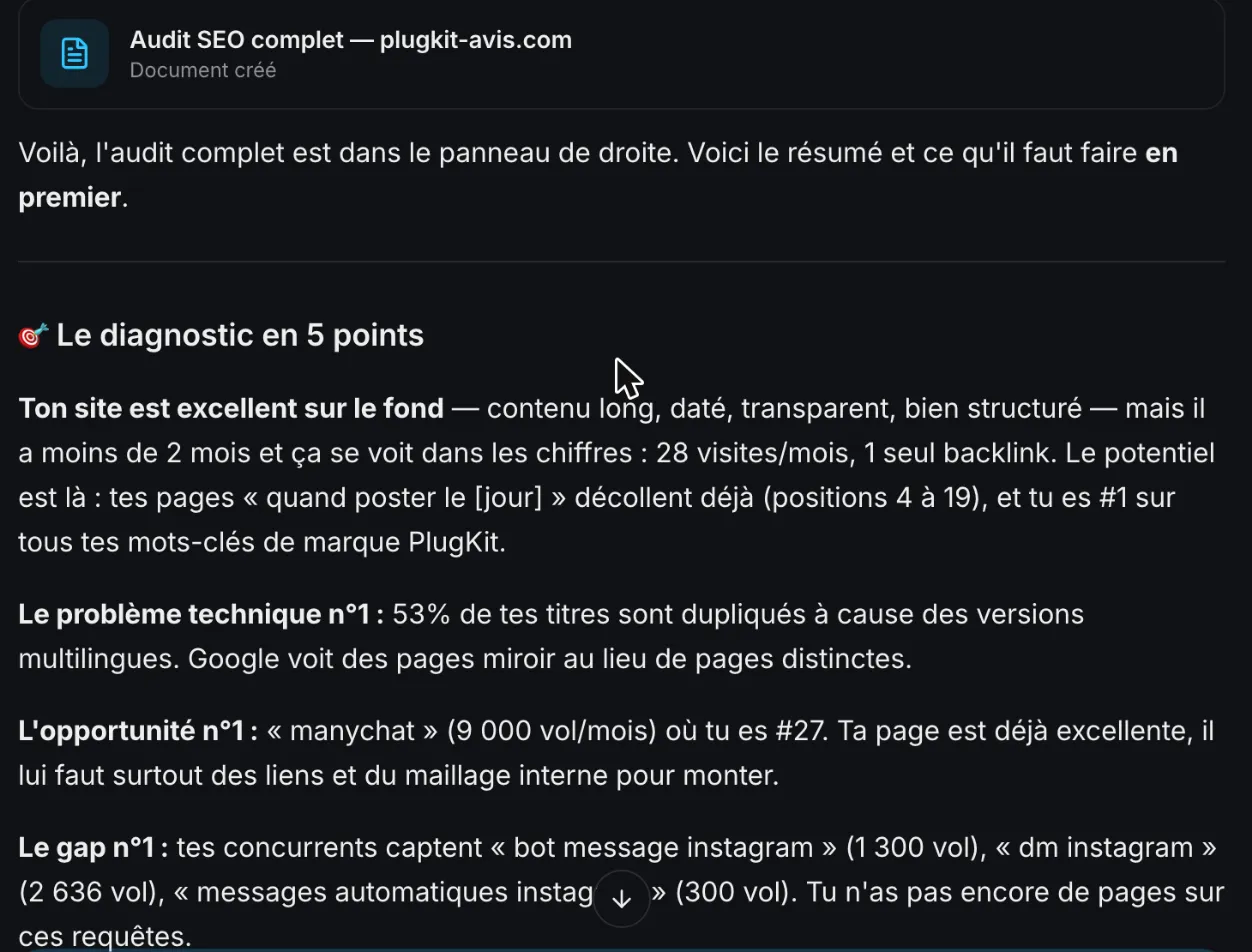
We checked the same day. The finding was right: the US page /plugkit-review/ and its UK version /en-gb/plugkit-review/ had the same title. But SemChat concluded that Google sees « des pages miroir au lieu de pages distinctes » (“mirror pages instead of distinct pages”). That overstates it: these pages are declared as language variants with hreflang tags, so Google knows they belong together. The flag is still useful. Two identical titles are two results nobody can tell apart, and the fix is one extra word in the title: by October 30, 2026, the UK review page carried “UK” in its title, and only one title was still shared across the site’s 194 URLs (details in the SEO title guide).
Measure before and after each change
Write down the date of each change, then wait. Google says some changes “take effect in a few hours, others could take several months,” and that you “likely want to wait a few weeks” before judging. Compare the same period in Search Console, before and after. One change at a time, or you won’t know what worked. The full method, diagnosis first and then fixes by priority, is in our guide on how to improve SEO.
What is on-page SEO? Everything you set on the page itself
Title, description, headings, text, images, address, links: everything you can set on the page itself. A checklist, the duplicate-title case and SemChat’s on-page audit test are in our guide to what is on-page SEO.
SEO title: write the title Google shows, and avoid duplicates
The blue headline of your search result usually comes from this tag. How to write one in five steps, how long to make it, and why Google sometimes rewrites it: see the SEO title guide.
Meta description length: the right length, and a description worth clicking
The short summary under your title helps people choose your page. How long it should be, and how to write one worth clicking, is on the meta description length page.
Internal linking for SEO: which pages to connect, and how
Why Google relies on the links between your pages, which pages to connect, and which words to put in each link, with this site’s own rules as the example: see our guide to internal linking SEO.
Topic cluster: how to build one, with a real site as the example
One pillar page, cluster pages that each answer one question, links in both directions. How to build one step by step, with this site as the example: see the topic cluster guide.
EEAT meaning: what Google means by trust, and how to show it
Experience, expertise, authoritativeness, trust: what each letter means, why trust comes first, and how a small site shows it. The details, with SemChat’s EEAT audit, are on the EEAT meaning page.
Backlinks: what they are, why they count, how to earn them
Links from other sites help Google find and weigh your pages, but buying links to rank is spam to Google. How to earn clean ones: see our guide to backlinks.
Check backlinks: who links to your site, and to your competitors
Search Console shows you, for free, which sites link to you and with what words. A five-minute routine and what each free checker shows are on the page to check backlinks.
Link audit: check the quality of the links pointing to your site
Keep, watch or disavow: a step-by-step audit for a small site, with the real case of a link agency’s link that SemChat called “clean”. See the link audit guide.
SEO content writing: write pages your customers want to read
Not keyword stuffing, not a word count: the decisions before you write, how to write and set up the page, and how to keep it current. See our guide to SEO content writing.
Content brief: prepare a page before anyone writes it
Keyword, intent, title, headings, questions, links: the one-page plan you fill in before writing, with a copyable template. See the content brief guide.
What SemChat’s skills did on a real site, right and wrong
SemChat is a conversational SEO assistant that runs on Haloscan data. On plugkit-avis.com, it ran its own tools (pages, rankings, links, competitors) and returned a three-step plan.
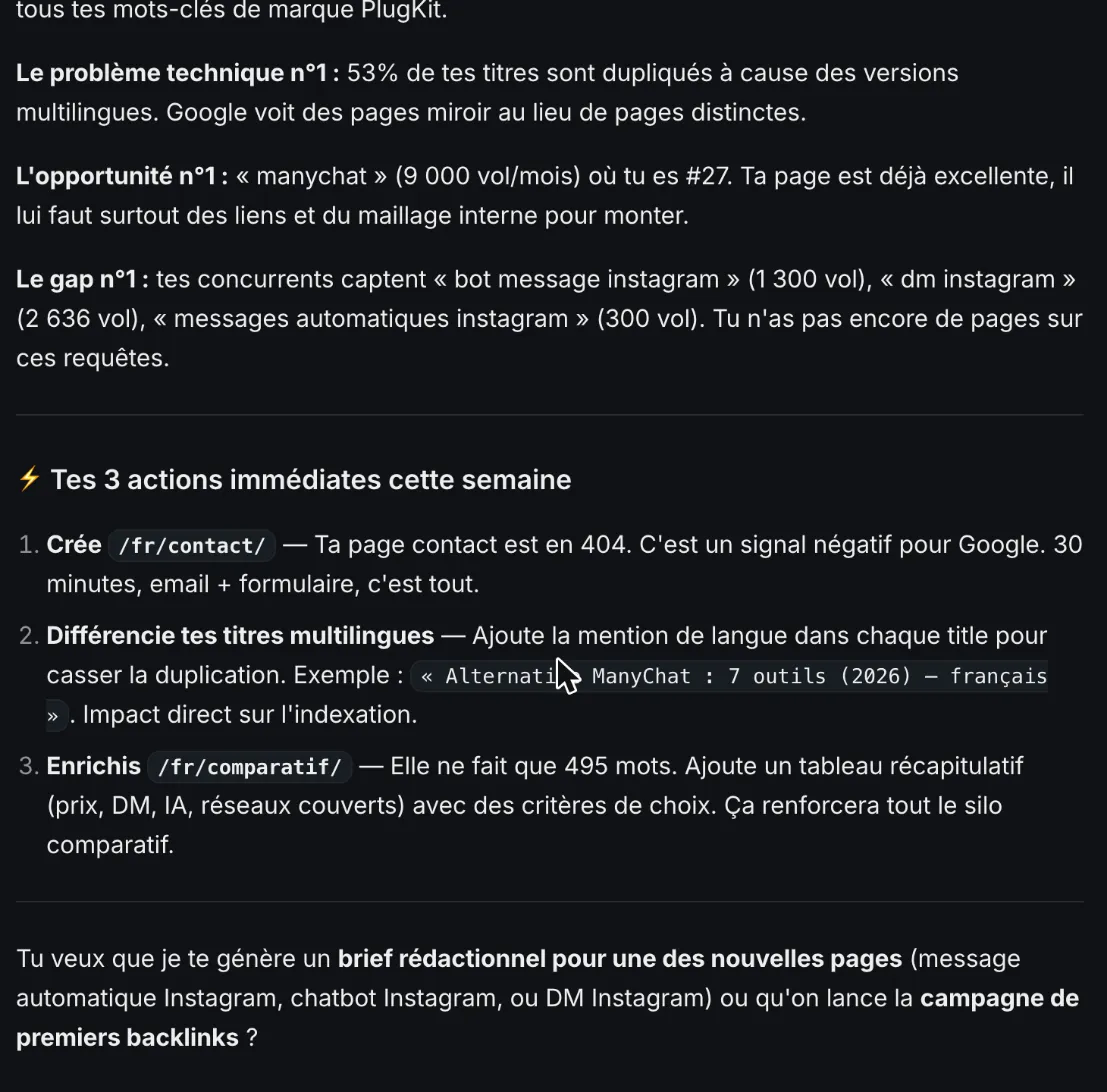
One cost to know: that single full audit used 100% of the Free plan’s monthly quota (usage screen, October 29, 2026).
Tested: on-page audit, content brief, EEAT audit, link campaign, topic cluster
The SemChat course then put its skills to the test on the same site, the same day, with requests typed in French:
- On-page audit: it caught a title tag and a main heading (H1) that contradicted each other, but blamed the page for a banner that sits on every page of the site.
- Content brief: the right search intent, but a heading that duplicated an existing page, and inflated search volumes.
- EEAT audit: a fair verdict on four trust pages, but its top issue, “no photo on the author page”, was wrong: the photo is there.
- Link campaign: the right count (one link), but it called the profile “clean” when that link came from a link agency’s page.
- Topic cluster: the right shape (one pillar, six articles), but three of those articles already existed on the site.
Tested on October 30, 2026: semantic cocoon and link audit
We ran both on October 30, 2026, on the Starter plan. The semantic cocoon skill mapped the site’s links but called a link missing that already existed: see our internal linking tools page. The link audit skill counted the one link right but called it risk-free without knowing its source: see our toxic backlink checker page. The full test is in our SemChat review, and the plans are on the SemChat pricing page.
That is the order for your website optimization: the technical basics first, then each important page (title, description, content), then the links between your pages, and last the links from other sites. One page at a time, a date written down for each change, and a few weeks before you judge.
- what is on-page SEO
- SEO title
- internal linking SEO
- Topic cluster
- EEAT meaning
- Backlinks
- Check backlinks
- Link audit
- SEO content writing
- content brief
Meta description length: how long, and a description worth clicking
Meta description length: how many characters Google shows, the meta title length too, and how to write a description people click. Check yours. Meta description length
Frequently asked questions
What is website optimization?
For search, it is the work that helps Google understand your pages and helps people choose them in the results. Google's SEO Starter Guide puts it this way: SEO is about helping search engines understand your content, and helping users find your site and decide whether to visit it (read October 30, 2026). The same words are also used for conversion rate testing, which is a different job.
Is website optimization free, or do you have to pay?
Mostly. Google Search Console is free, and PageSpeed Insights tests any page from its address alone. SemChat has a Free plan at €0 with every feature, only the monthly quota changes (pricing page, October 29, 2026); note that one full audit of our test site used the whole monthly quota of that plan. The real cost is your time.
How much does website optimization cost?
With your own time and Google's free tools, nothing. An SEO assistant like SemChat costs €0 on its Free plan and €20 a month on Starter (pricing page, October 29, 2026). For a hired specialist in the United States, we have no figure we could verify: missing data, agency rates (planned source: published pricing pages read before quoting).
Is optimizing your site still worth it with AI search?
Yes. Google writes that “the best practices for SEO remain relevant for AI features in Google Search (such as AI Overviews and AI Mode)”, with no additional requirements to appear there (AI features page, read October 30, 2026). A clear, fast, trustworthy page serves both.
Let your AI do the chores of getting found online.
10% off your subscription, for life with my link, if you subscribe within 2 weeks of signing up. No code. All about the SemChat promo code
Affiliate link: it costs you nothing extra.
Verified sources
- Google Search Central: SEO Starter Guide (30/10/2026)
- Google Search Central: Understanding Core Web Vitals and Google search results (30/10/2026)
- Google Search Central: Understanding page experience in Google Search results (30/10/2026)
- Google Search Central: AI features and your website (30/10/2026)
- Google Search Console: about page (30/10/2026)
- PageSpeed Insights, Google's speed test (30/10/2026)
- SemChat pricing (Free plan, Starter plan) (29/10/2026)