Internal linking for SEO: which pages to connect, and how
Internal linking SEO comes down to links from one of your pages to another. Google uses them to find your pages and understand what they're about; your visitors use them to keep reading. Three rules cover most of it: connect pages on the same topic, put the target page's keyword in the link text, and leave no page without a link pointing to it.
 By Jérémy Santos Updated on October 30, 2026 Tested on his own SemChat account: first audit on October 29, 2026.
 This page is part of the guide: website optimization

Links between your pages, like doors between the rooms of a house. Illustration by Zéro Corvée.
You wrote a good page, and nobody finds it. Often, nothing leads to it. Internal linking SEO fixes that: links from one of your pages to another, so Google and your visitors can move from one to the next. It’s part of website optimization, it’s free, and it takes a few minutes per page. Here is what Google says about it (its documentation, read October 30, 2026), which pages to connect, what to write in the link, and how to check your work. The SemChat buttons on this page are affiliate links.
What is internal linking? A link from one of your pages to another
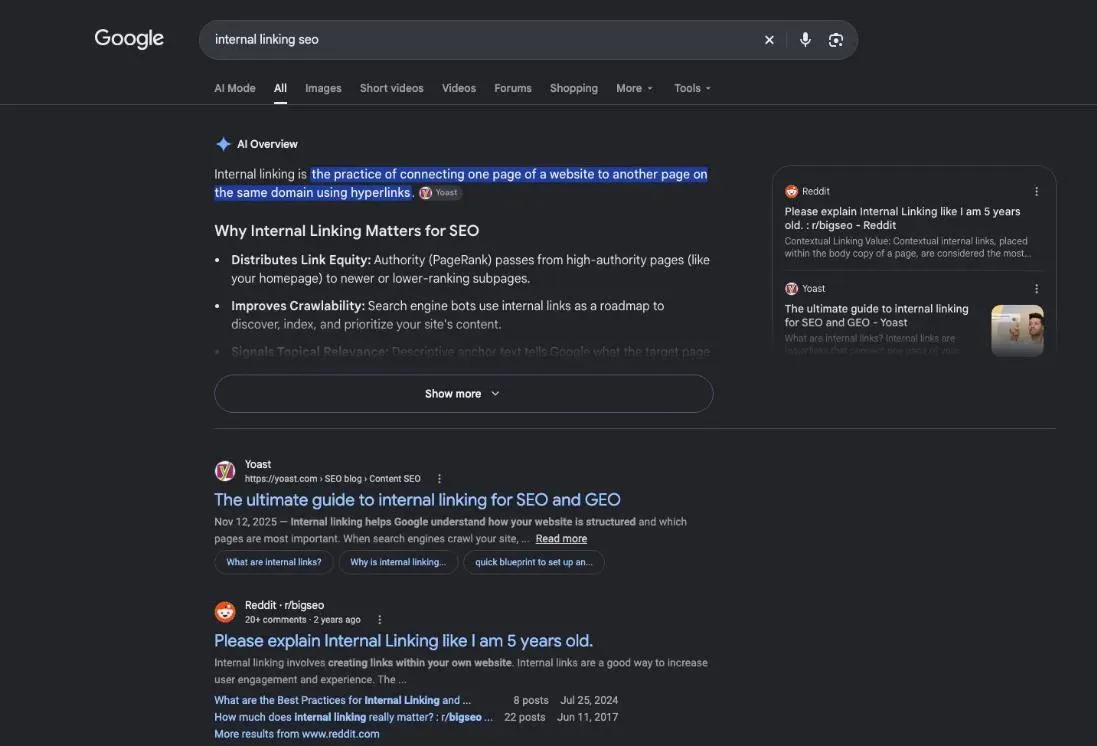
An internal link takes the reader from one page of your site to another page of the same site. All those links together are your internal linking: the network of paths between your pages.
Internal links vs external links
| Internal link | External link | |
|---|---|---|
| Points to | another page on your site | a page on another site |
| Who places it | you, whenever you want | you, to cite a source |
| What it does | guides Google and readers through your site | backs up what you say |
External links aren’t bad. Google says “using external links can help establish trustworthiness (for example, citing your sources).” If you were paid for a link, Google asks you to mark it sponsored or nofollow.
What an internal link looks like on your page
On the page, it’s a few clickable words in a sentence. In the code, Google says that “generally, Google can only crawl your link if it’s an <a> HTML element” with an href attribute. Your editor writes that code for you when you add a link to your text. A button wired up in JavaScript with no real link behind it may stay invisible to Google.
Why internal linking matters for SEO
A page with no links pointing to it is hard to find. Google’s rule is short: “Every page you care about should have a link from at least one other page on your site.”
Internal linking helps Google find and understand your pages
Google discovers most pages by following links. Its starter guide says “the vast majority of the new pages Google finds every day are through links.” And on its link page: “Google uses links as a signal when determining the relevancy of pages and to find new pages to crawl.”
The words in the link help too. Google writes that “paying more attention to the anchor text used for internal links can help both people and Google make sense of your site more easily and find other pages on your site.”
Link text tells Google what the next page is about
The link text is a label. A link that reads “Japanese green tea” announces the page better than a link that reads “here.” Google puts it this way: anchor text “tells people and Google something about the page you’re linking to.”
Visitors find the next page to read
A reader who finishes your brewing guide wants a teapot. If the guide links to it, you keep the reader and maybe make a sale. If not, they go back to Google and click on someone else.
Internal linking structure: menus, breadcrumbs, links in the text
Links in the body of the text
A link inside a sentence carries context: the words around it explain why the reader should click. Google: “the words before and after links matter, so pay attention to the sentence as a whole.” It also warns: “Don’t chain up links next to each other.”
Menu, breadcrumb and footer links
The menu and footer link your main pages across the whole site: home, sections, contact. A breadcrumb shows where the page sits (Home, then Teas, then Green tea) and links back up. These form the frame. Links in the text do the rest: they connect one specific page to another.
Every page a few clicks from the home page
Arrange your pages like a tree: the home page, a few sections, then the pages. Every page should be reachable in a few clicks. Google’s Search Console help suggests the same check: “confirming that users can get from page A to page B with the fewest clicks.”
- Home page first click to the sections
- Teas section
- Japanese green tea
- Black tea
- Teapots section
- Cast-iron teapot
- Glass teapot
- Contact page
- Teas section
When you have many pages on one theme, you can go further and organize them as a family: one parent page on the broad topic, child pages on the details, links both ways. This site is built that way. The method is explained on our topic cluster page.
How to do internal linking, page by page
Pick the pages to connect: same topic, same reader
Link pages that cover the same subject for the same reader. A page about writing a description calls for a page about meta description length; a teapot page calls for a brewing guide. If you have to twist the sentence to fit the link in, the link doesn’t belong there.
Anchor text: the keyword of the page you link to
Anchor text is the clickable text of a link. Google: “Anchor text (also known as link text) is the visible text of a link.” It lists “Click here” as “Bad (too generic).”
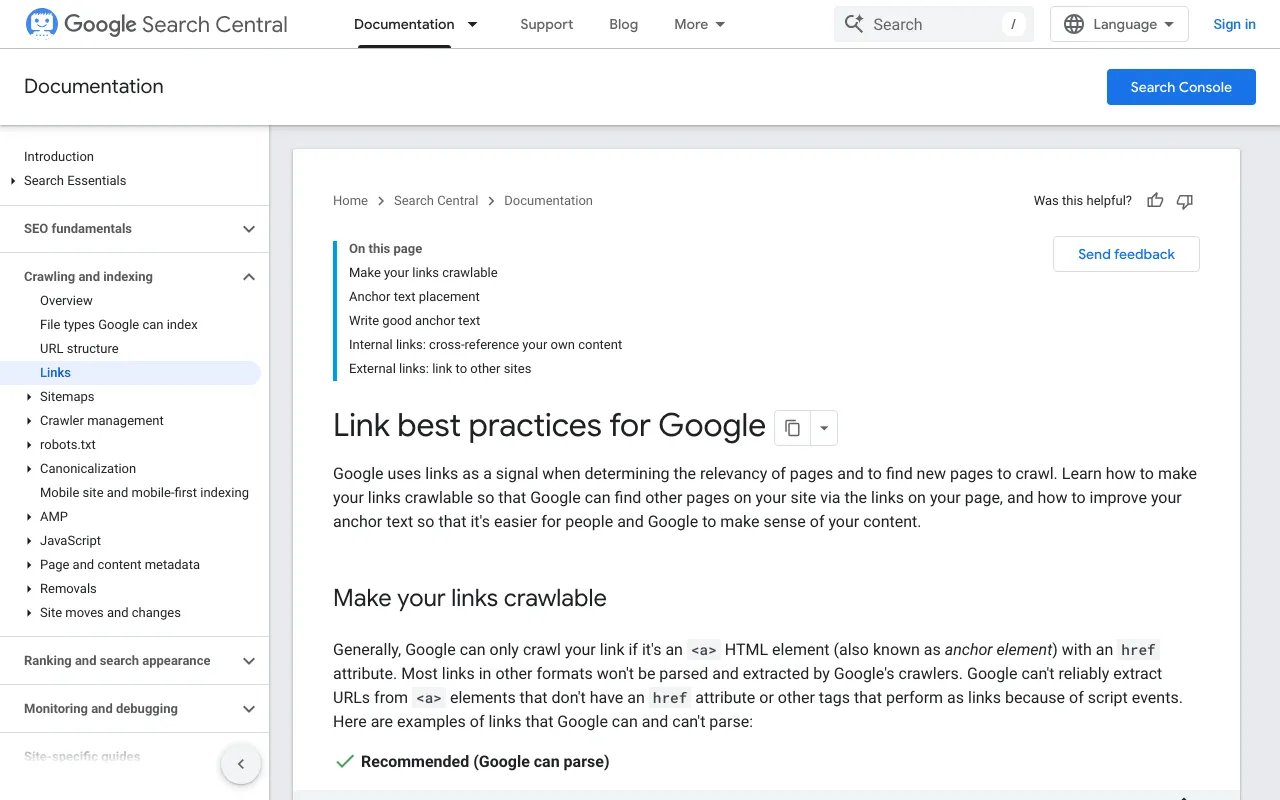
Two more examples on the same page matter. A whole sentence stuffed into the link is “Bad (weirdly long).” And keyword stuffing is out: Google asks you to “resist the urge to cram every keyword that’s related to the page that you’re linking to.”
The rule on this site sits between the two: the anchor is the keyword of the page you link to, or a close variant. Short, descriptive, one topic.
Place the link where the reader needs it
Put the link at the moment the reader wants the next page: right after you mention the teapot, not three paragraphs later. Google doesn’t publish a rule on where in the page a link should go, so let the sentence decide.
Find link ideas with a site: search on Google
Type site:yoursite.com followed by a topic into Google. The site: operator shows pages from your site that are relevant to that term; Google’s own example is site:https://www.example.com/ramen tsukemen. It isn’t guaranteed to be complete, but it’s a quick list of pages that could link to each other.
Internal linking strategy: send visitors from busy pages to the pages that sell
Your pages that already get traffic are the best place to start a link. I tested the on-page audit of SemChat, an SEO assistant you talk to, on October 29, 2026, on a French page of my site plugkit-avis.com that Google barely showed. I pasted its Search Console data in. SemChat’s advice: before fixing the title, add internal links from the pages that already rank.
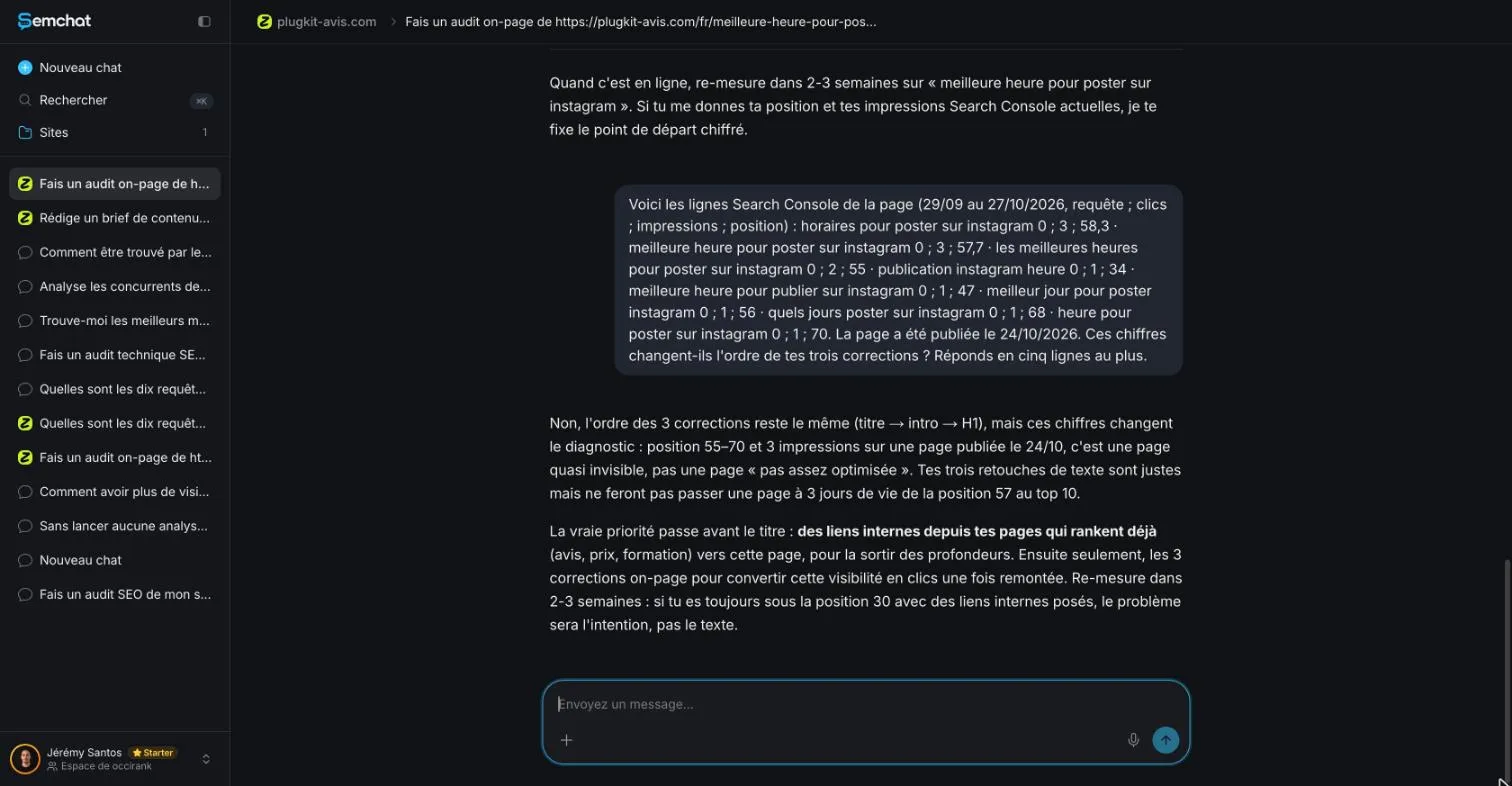
It was right: my two best-placed pages (positions 5 and 3 in Search Console, September 29 to October 27, 2026) didn’t link to the audited page. I haven’t added those links yet, so the effect isn’t measured.
Another test went the other way. In its link campaign skill, SemChat said a page was already linked from three strong pages. True for one only; the other two didn’t mention it (I checked the HTML of the site’s 51 French pages). Whatever a tool says about your existing links, check it. The full test is in our SemChat review.
Give old articles a second life
Each time you publish a page, go back to two or three older pages on the same topic and add a link to the new one. An older page may already get visits; the link sends those readers forward. Planning those links before you write saves time: put them in your content brief, with the target page and its anchor.
Common mistakes: orphan pages, too many links, automatic linking
Orphan pages. An orphan page has no link pointing to it. It exists, but neither readers nor Google stumble on it while browsing. Before you publish, ask: which page will link to this one?
Too many links. Google: “There’s no magical ideal number of links a given page should contain. However, if you think it’s too much, then it probably is.”
Automatic linking left unchecked. Tools suggest links; you decide. Some WordPress SEO plugins do it, according to their files: Rank Math offers internal link suggestions in its free version (pricing grid, October 29, 2026), and AIOSEO’s Link Assistant adds suggestions and automatic links from its Pro plan (October 29, 2026). In my SemChat test, a content brief suggested three links to pages that do exist on my site, but with long sentences as anchors, not the keyword of the target page.
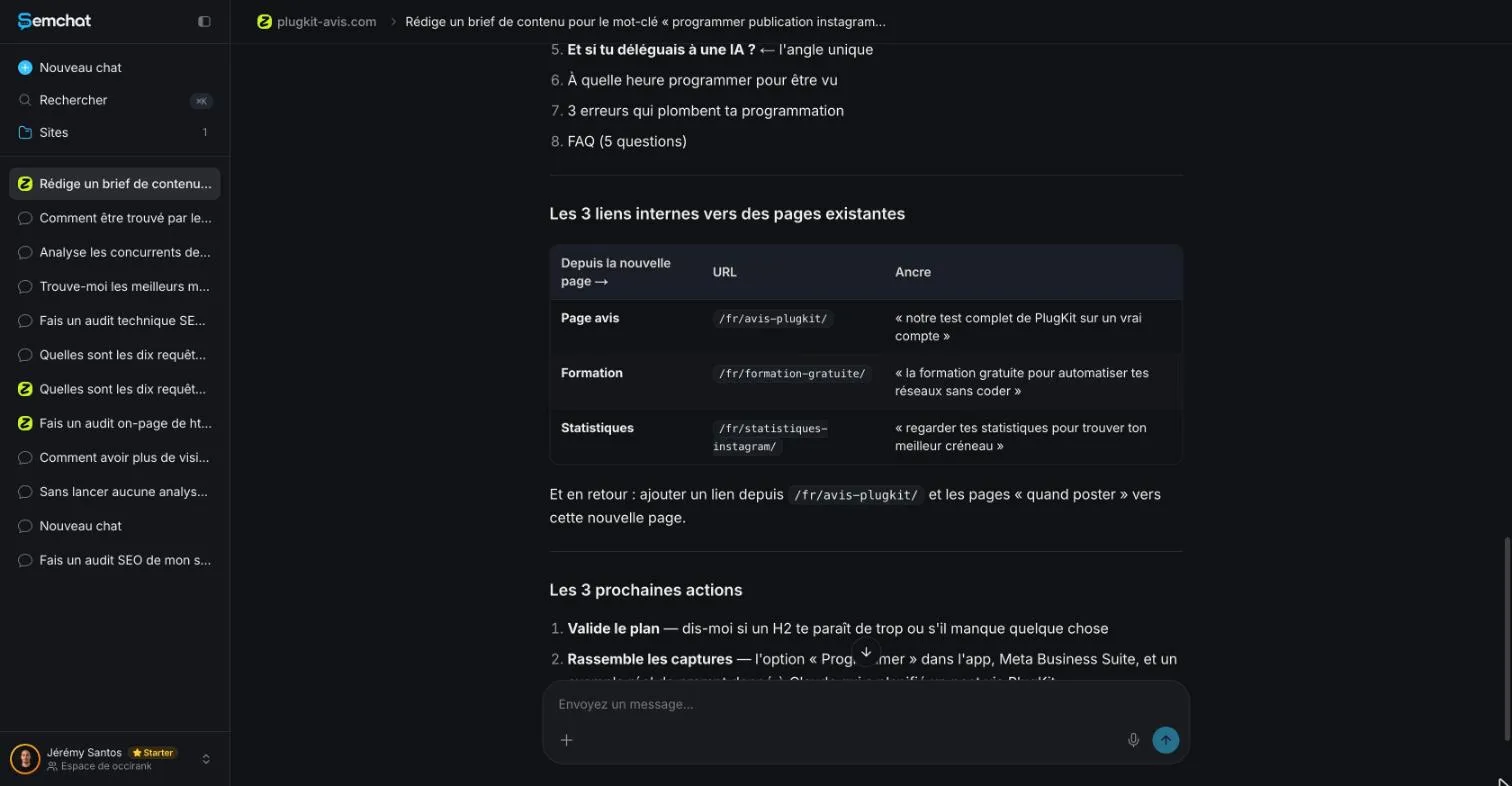
One of them, translated: “notre test complet de PlugKit sur un vrai compte” (“our full test of PlugKit on a real account”). Its topic cluster skill did the same: six different sentences as link text to the pillar page, none with the pillar’s keyword.
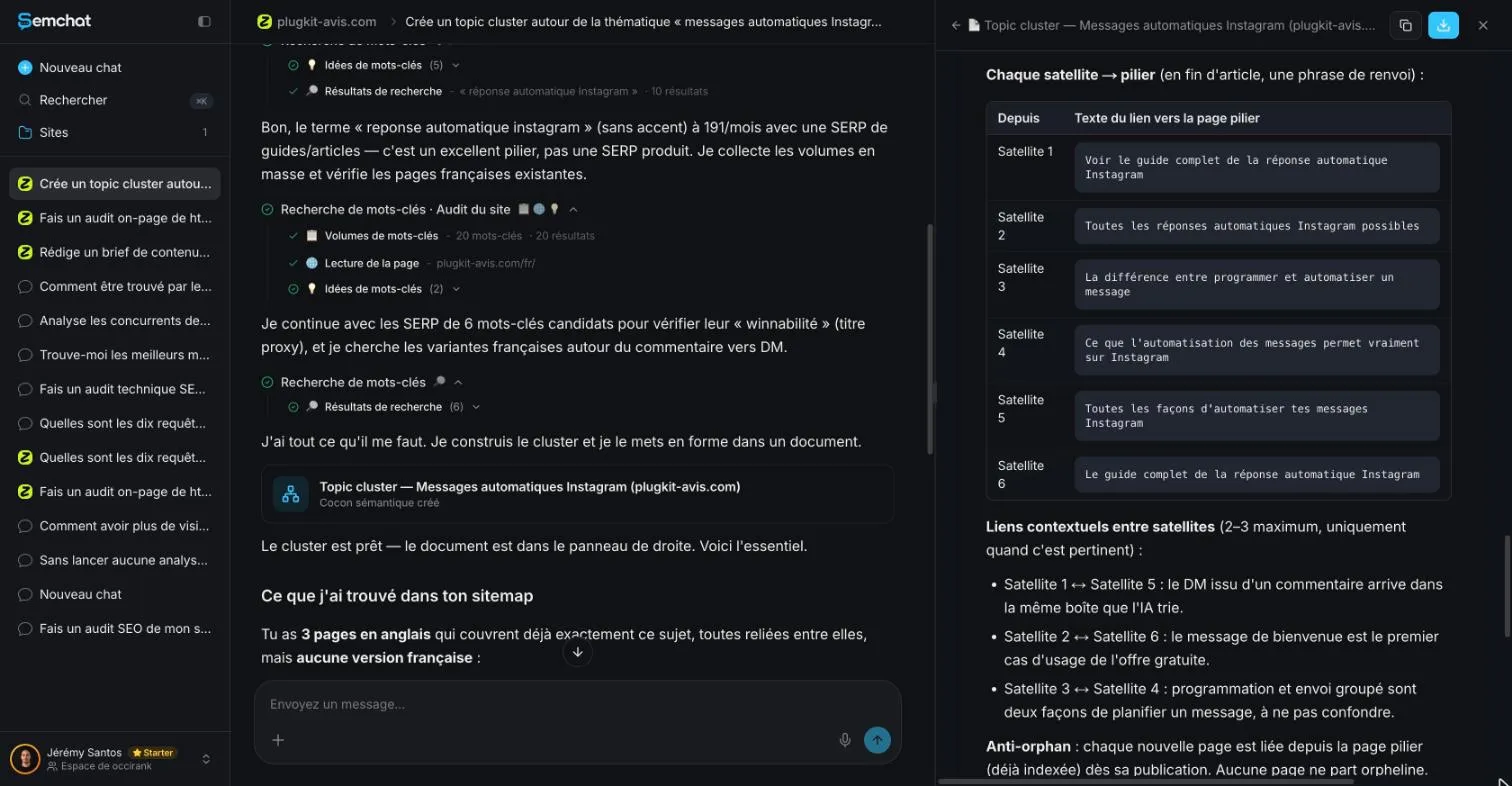
The structure was sound; the anchors needed rewriting. Keep the target page, replace the sentence with its keyword.
Check your internal links with a tool
Search Console, Google’s free tool, has a Links report. Its help page says it “shows a sample of internal and external links to help you understand your site’s overall link profile.” A sample, not a full list: tables stop at 1,000 rows.
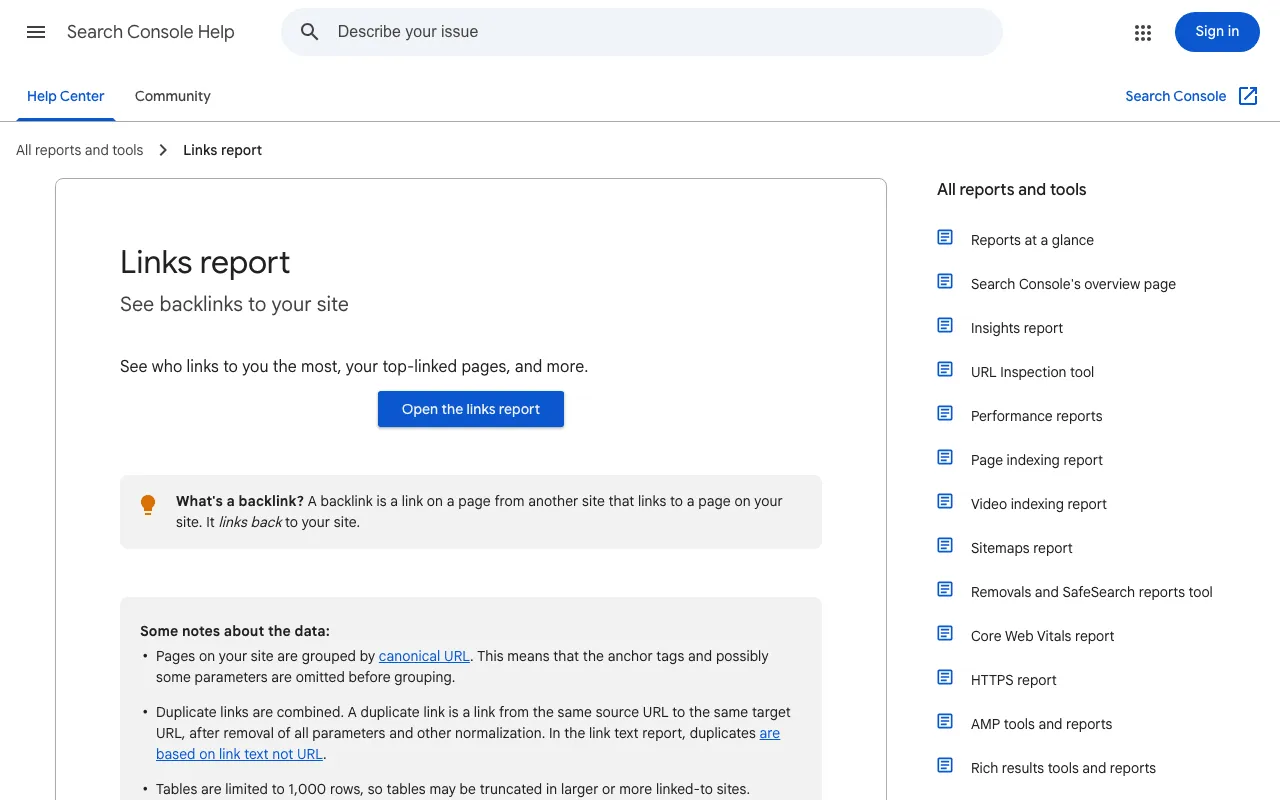
The path: Links report, Internal links, Top linked pages. You see which pages get the most links from your own site, and which get few. Google suggests you use it to “confirm that the core site pages (home page, contact page) are properly linked within your site.”
Internal link checkers built into SEO suites
For a whole site, a crawler walks through every link. Screaming Frog SEO Spider has a free version for up to 500 URLs; its home page lists “Internal Linking – Analyse internal links, link counts, crawl depth and calculate internal Link Score” among its features (our tool file, October 30, 2026). Ahrefs Free, for your own verified sites, gives access to Site Explorer reports that include internal links (our tool file, October 29, 2026).
The same check applies to links from other sites: that’s how you check backlinks, and earning them is the work of building backlinks.
A real example: the linking rules of this site
This site follows written rules, restated by Jérémy on October 29, 2026:
- every link’s anchor is the keyword of the target page, or a close variant;
- every page sits three clicks or fewer from the home page of its language;
- no orphan page, no broken link, no page that links to itself;
- a family of pages (a cocoon) goes live all at once, so every link works from day one.
Automated tests check these rules on the built site before anything goes live. You don’t need to go that far. Asking “which page links to this one?” before you publish already does most of the job. Then review your links along with the rest of your page: title, headings, description, the checklist we cover in what is on-page SEO.
So internal linking SEO comes down to three habits: connect pages on the same topic, put the target page’s keyword in the link, leave no page alone. Start with your most important page today: find two pages on your site that should link to it, and add those two links.
Frequently asked questions
Is internal linking good for SEO?
Yes. Google says it uses links as a signal when determining the relevancy of pages and to find new pages to crawl, and that every page you care about should have a link from at least one other page on your site (Google Search Central, read October 30, 2026). Internal links are the part of that you fully control.
What is a reciprocal link?
Two pages that link to each other. Inside your own site, that's normal: on this site, a parent page and its child pages link both ways. Between sites, it's a different story: Google lists “Excessive link exchanges (‘Link to me and I'll link to you’)” among its examples of link spam (spam policies, read October 30, 2026).
How does internal linking help an online store?
It leads shoppers from a guide or a category to the product, and from one product to the items that go with it. A tea shop can link its brewing guide to the teapots it sells, and each teapot to the teas that suit it. Google follows the same paths to find each product page.
How many internal links should a page have?
Google gives no number: “There's no magical ideal number of links a given page should contain. However, if you think it's too much, then it probably is” (Google Search Central, read October 30, 2026). Add a link where the reader needs the next page, not to hit a quota.
Let your AI do the chores of getting found online.
10% off your subscription, for life with my link, if you subscribe within 2 weeks of signing up. No code. All about the SemChat promo code
Affiliate link: it costs you nothing extra.
Verified sources
- Google Search Central: Link best practices for Google (crawlable links, anchor text, internal links) (30/10/2026)
- Search Console Help: Links report (30/10/2026)
- Google Search Central: SEO Starter Guide (30/10/2026)
- Google Search Central: site: search operator (30/10/2026)
- Google Search Central: Spam policies for Google web search (link spam) (30/10/2026)
- Screaming Frog SEO Spider: product home page (Internal Linking, free version up to 500 URLs) (30/10/2026)
- Ahrefs Free: free account for your own verified sites (29/10/2026)
- Rank Math: pricing grid (internal link suggestions in the free version) (29/10/2026)
- AIOSEO: Lite vs Pro comparison (Link Assistant from Pro) (29/10/2026)
- SemChat pricing (Free plan at €0, all features in every plan) (29/10/2026)