What is Google Search Console? The free tool, explained simply
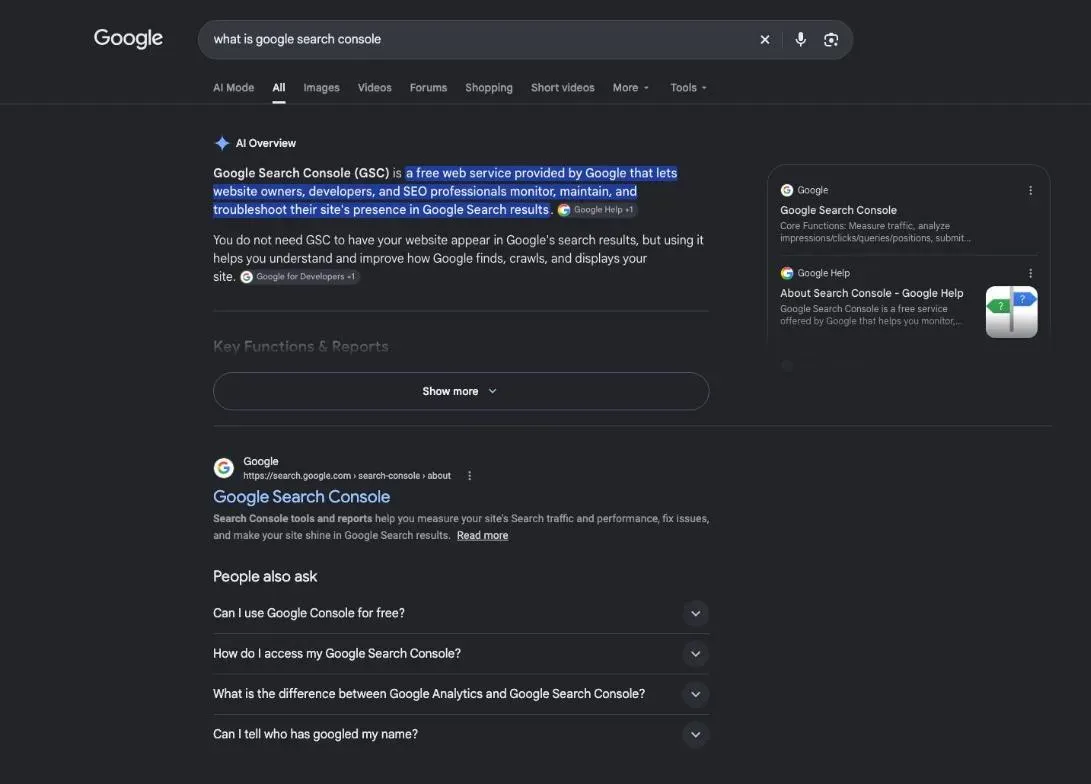
What is Google Search Console? It's Google's free service that shows you your website the way Google sees it: the searches that bring it up, the clicks it gets, the pages Google keeps in its index, and what's going wrong. You don't need it to appear on Google. You need it to know what happens there, before a visitor ever reaches your site.
 By Jérémy Santos Updated on 30 October 2026 Tested on his own SemChat account: first audit on 29 October 2026.
What Google sees of your site, gathered in one free tool. Illustration by Zéro Corvée.
You have a website and you wonder what Google makes of it. What is Google Search Console? It’s the free tool where Google tells you, with its own numbers. This page explains it without jargon, based on Google’s help pages read on 30 October 2026, then points you to the six guides in this section: indexing, sitemaps, GA4 and traffic. The SemChat buttons on this page are affiliate links.
What is Google Search Console? What happens before the click
Search Console covers everything that happens inside Google before someone clicks through to your site: whether Google can find your pages, which ones it keeps, which searches show them, and how often people click.
What is Search Console, in one sentence
In Google’s words: “Google Search Console is a free service offered by Google that helps you monitor, maintain, and troubleshoot your site’s presence in Google Search results.”
Who should use it: any site owner, no technical skills needed
Google lists business owners, SEO specialists or marketers, site administrators and web developers. One sentence settles the usual worry: “You don’t have to sign up for Search Console to be included in Google Search results, but Search Console helps you understand and improve how Google sees your site.” It doesn’t put you on Google. It shows you what’s going on there.
Search Console or Google Analytics: before the click, after the click
Search Console stops at the click. Google Analytics picks up from there: visits on your site, where they come from, what people do. You’ll find the difference explained in our guide what is GA4. Both are free, and they answer different questions.
What Search Console shows about your site
Search performance: queries, impressions, clicks
The Performance report shows the past three months of your site in Google Search by default. Four words to know, as Google defines them:
- 1 Impressions How many times your site appeared in Search results.
- 2 Clicks How many times someone clicked your site from Google Search.
- 3 CTR Clicks divided by impressions.
- 4 Average position Average position of the topmost result from your site.
You also see the actual queries, the pages that get clicks, countries and devices. It’s the only place that gives you the real searches leading to your site.
Indexing: the pages Google keeps
The Page indexing report splits your pages into indexed and not indexed, with a reason for each group. Don’t panic at the second list. Asked “Is it OK if a page isn’t indexed?”, Google answers: “Absolutely. Google doesn’t index pages that are blocked by a robots.txt rule or noindex tag, or pages that are duplicates of other pages on your site.”
Sitemaps and security alerts
The Sitemaps report lets you send Google the list of your pages. Google says submitting one “might speed up your site’s discovery”, though it can find your site without it. The Security Issues report warns you when Google finds your site “might have been hacked”. And if Google spots a new issue, “you’ll receive an email from Search Console alerting you.”
Getting started with Search Console
Google Search Console tutorial: sign in, add and verify your site
Sign in with your Google Account, then add your site as a property. There are two kinds:
- Domain property (example.com): the whole site, all subdomains and both http and https;
- URL-prefix property: only the addresses that start exactly with what you enter, protocol included.
Then prove the site is yours. A domain property is verified only by a DNS record at your domain name provider. A URL-prefix property accepts other methods: an uploaded HTML file, an HTML tag, or a Google Analytics or Google Tag Manager code already on your pages. Google suggests keeping more than one, in case a theme change removes a tag.
Google Search Console for beginners: the reports to open first
Start with three: Performance (what people search and click), Page indexing (what Google keeps), and Sitemaps (what you sent it). The Core Web Vitals report can wait a little: it rates your pages “Good”, “Need improvement” or “Poor” from “real world usage data”, so a brand-new site may not have enough visits yet.
How to use Google Search Console each month: a short routine
Google itself says there’s “no need to sign in to the tool every day”, but suggests checking “around once every month, or when you make changes to the site’s content”. A simple routine:
- Performance: compare this month’s clicks and impressions with last month’s.
- Page indexing: look for a group of pages that suddenly dropped out.
- Read any email Search Console sent you since last time.
Google Search Console guide: its limits, and what it won’t tell you
The click total at the top of the report doesn’t always match the sum of the table rows. That’s on purpose. Some queries are anonymized to protect searchers’ privacy: Google says these are queries “that aren’t issued by more than a few dozen users over a two-to-three month period”. They count in the totals but never show up as rows.
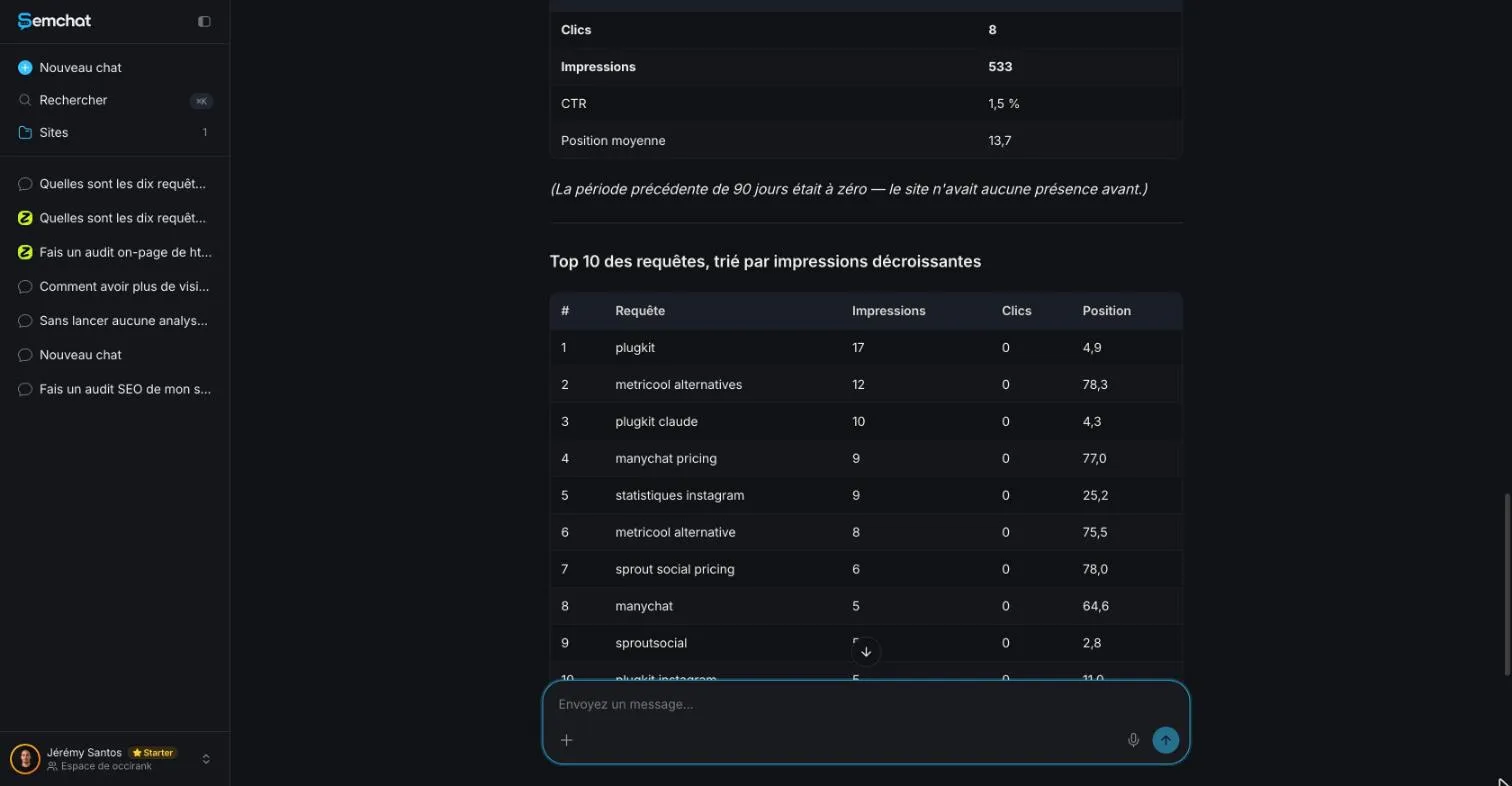
I checked this on plugkit-avis.com, one of my sites: 8 clicks in total, every query row at 0. Positions need the same care. A third-party tool’s dated reading, Search Console’s average position and your own search on your phone are three different numbers; for your own site, Search Console is the reference. Our guide to the keyword rank checker shows why your own search misleads you and which free tools to use.
Bing Webmaster Tools, the same idea for Bing
Bing has its own free equivalent, Bing Webmaster Tools. If some of your visitors use Bing, it’s worth adding your site there too. SemChat has a Bing connector, connected on my account but not tested yet, so I won’t tell you what it reads.
How to index a website on Google, step by step
Google finds most pages on its own, but you can help: a crawlable site, Search Console, a sitemap, an indexing request for key pages, links between your pages, and patience. The steps, in Google’s own words, are in our guide on how to index a website on Google.
Indexing in SEO: how Google stores your pages, and how to check it
An indexed page is stored in Google’s database; a page that isn’t can’t appear in results. And indexed doesn’t mean well ranked. How to check with the URL Inspection tool, and what each status means: see indexing in SEO.
Crawled, currently not indexed: what it means and what to fix
This status means Google read your page, then left it out. Google’s help points to weak content, duplicates or poor internal links, and sometimes the right move is to wait. Causes and the order of fixes are on our page about crawled currently not indexed.
What is GA4? Google Analytics explained for a small site
Search Console ends at the click; GA4 counts what happens next: visits, where they come from, what people do. What it measures and how to set it up: read what is GA4.
What is a sitemap? The plan of your site, made for Google
A sitemap lists your pages so Google can find them. You submit it in Search Console’s Sitemaps report. It helps, but it never guarantees indexing. Definition, formats and common mistakes: see what is a sitemap.
Website traffic checker: your real numbers first, then estimates
Your own numbers come first: GA4 for visits, Search Console for clicks from Google. Anyone else’s traffic can only be estimated from the outside, and the two kinds of numbers don’t compare. Our website traffic checker guide keeps them apart.
Connect Search Console to SemChat
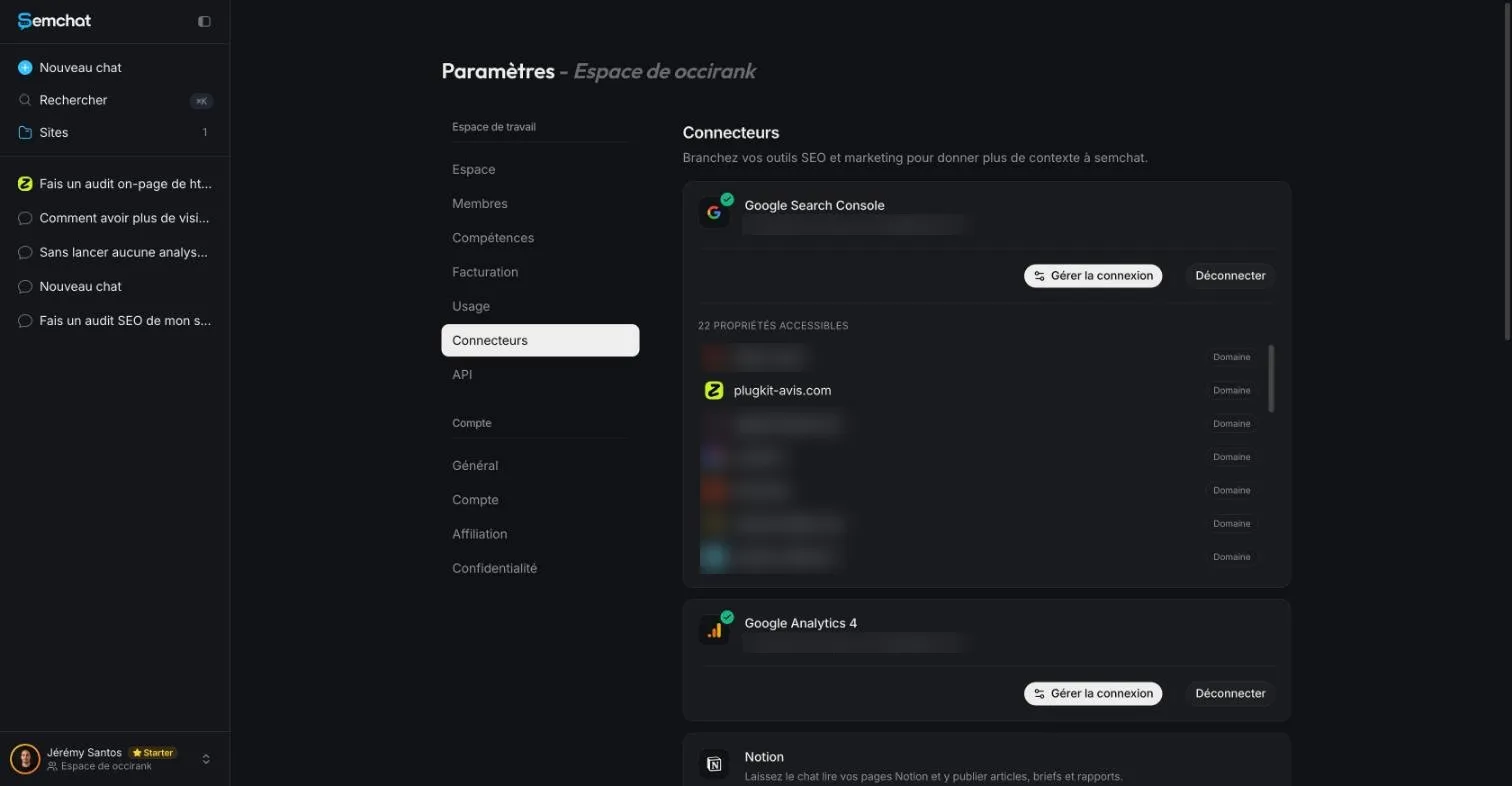
SemChat is a conversational SEO assistant. It has a Google Search Console connector: once it’s connected, you ask your question in plain words and it fetches the numbers.
What the connector showed in our test, and where it stumbled
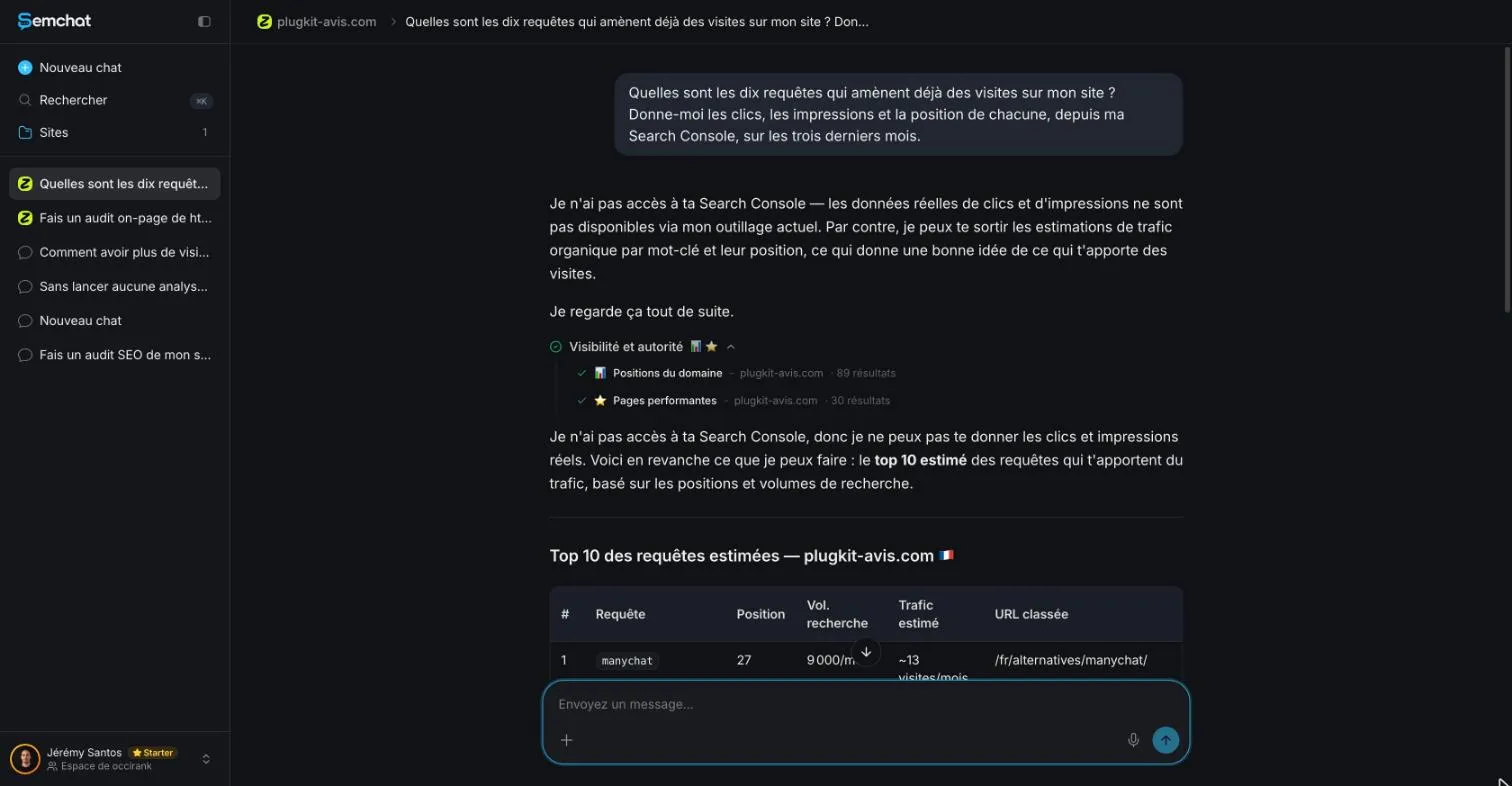
I tested it on 29 October 2026, on plugkit-avis.com, with the Starter plan. The answers came in French; I translate them here. First surprise: the chat linked to the site replied « Je n’ai pas accès à ta Search Console » (“I don’t have access to your Search Console”), then fell back on estimates.
From a new workspace chat, it did read Search Console. But its first total was wrong: it had added up ten rows (0 clicks, 25 impressions). When I pushed back, it admitted it had limited the table to 10 rows, then gave the real total: 8 clicks, 533 impressions, 1.5% CTR, average position 13.7. I confirmed it in Search Console. Two habits, then: ask from a new chat, and always ask for the real total.
Its Google Analytics 4 connector is connected on my account, but I haven’t tested it, so I can’t tell you what it reads. The full test is in our SemChat review, and the plans are on the SemChat pricing page.
So, what is Google Search Console, in one line? Google’s view of your site, free, worth opening once a month. Add your site, verify it, then start with the Performance report.
Frequently asked questions
Is Google Search Console free?
Yes. Google calls it “a free service offered by Google that helps you monitor, maintain, and troubleshoot your site's presence in Google Search results” (About Search Console, read 30 October 2026). You need a Google Account, a recent browser, and proof that you own the site.
What is a good average position in Search Console?
There's no universal target. Google defines average position as the average position of the topmost result from your site, and warns that your own search “might be different than the average” because of your search history and location. Compare the same queries over the same length of time, month after month, rather than chasing one number.
What does CTR mean in Search Console?
Click-through rate. Google defines it as “the click count divided by the impression count” (Performance report help, read 30 October 2026). A page shown 200 times that got 4 clicks has a CTR of 2%. Google gives no “normal” CTR, so compare your own pages and periods.
What is Discover in Search Console?
Discover is Google's scrollable feed of topic cards on mobile, shown to people based on their interests. Search Console has a separate Performance report for Discover, but Google says it “is visible only if your property has reached a minimum number of impressions in Discover” (help pages read 30 October 2026).
Let your AI do the chores of getting found online.
10% off your subscription, for life with my link, if you subscribe within 2 weeks of signing up. No code. All about the SemChat promo code
Affiliate link: it costs you nothing extra.
Verified sources
- Search Console Help: About Search Console (30/10/2026)
- Google Search Central: Get started with Search Console (30/10/2026)
- Search Console Help: Performance report (Search results) (30/10/2026)
- Search Console Help: What are impressions, position, and clicks? (30/10/2026)
- Google Search Central Blog: A deep dive into Search Console performance data filtering and limits (October 19, 2022) (30/10/2026)
- Search Console Help: Add a website or platform property to Search Console (30/10/2026)
- Search Console Help: Verify your site ownership (30/10/2026)
- Search Console Help: Page indexing report (30/10/2026)
- Search Console Help: Performance report (Discover) (30/10/2026)
- Search Console Help: Core Web Vitals report (30/10/2026)
- Google Search Central Blog: Announcing Google Search Console, the new Webmaster Tools (May 20, 2015) (30/10/2026)
- Bing Webmaster Tools (public page) (30/10/2026)
- SemChat pricing (Free plan, Starter plan) (29/10/2026)