Crawled, currently not indexed: what it means and what to fix
Crawled, currently not indexed means Google visited your page, read it, then left it out of its index. So the page can't show up in Google Search. Google doesn't tell you why, page by page. Its help pages point to likely reasons: low-quality content, duplicates, weak internal links. And sometimes the right move is to wait.
 By Jérémy Santos Updated on 30 October 2026 Tested on his own SemChat account: first audit on 29 October 2026.
 This page is part of the guide: What is Google Search Console

Google came by your page, then set it aside. Illustration by Zéro Corvée.
You open Search Console and one of your pages says “Crawled - currently not indexed.” Google came by, read the page, and moved on without filing it. This guide is part of our series on what is Google Search Console: it explains the status, its likely causes, what to fix first, and when to leave things alone. It follows Google’s own help pages, read on 30 October 2026, plus a real test of SemChat. The SemChat buttons on this page are affiliate links.
Crawled not indexed: what the status means
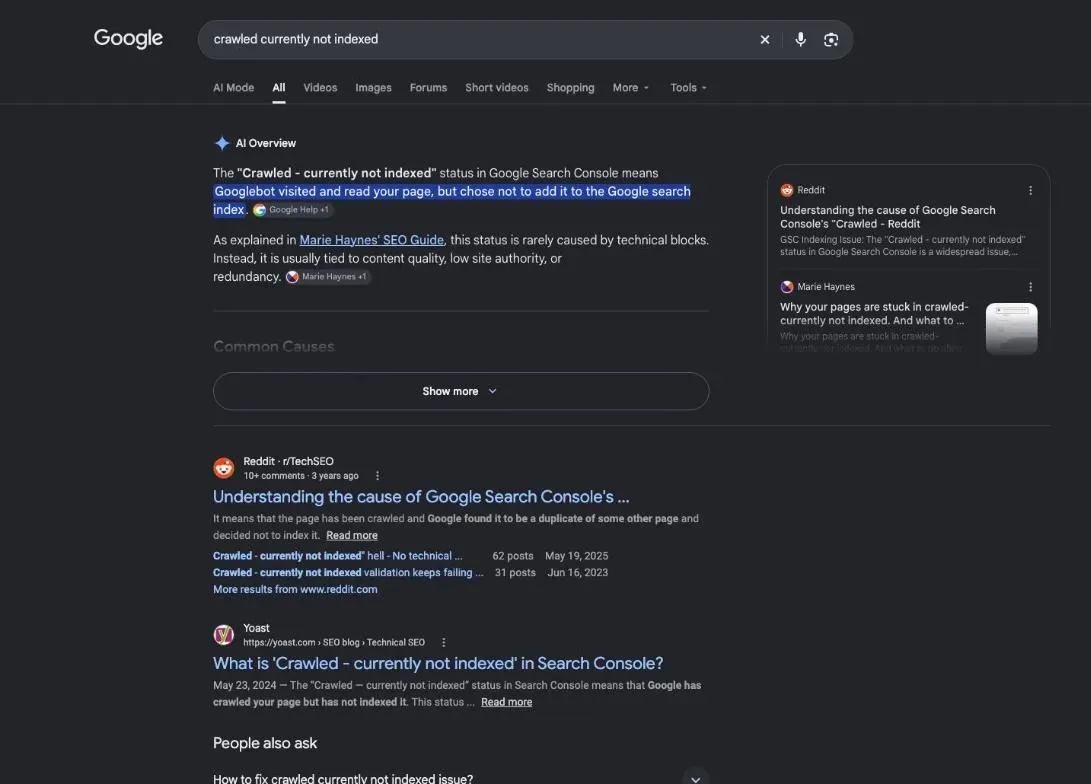
Search Console’s help gives a short definition: “Crawled - currently not indexed: The page was crawled by Google but not indexed. It may or may not be indexed in the future; no need to resubmit this URL for crawling.”
Three things follow from that sentence:
- Google did read your page. It isn’t missing or blocked.
- Google didn’t add it to its index. So it can’t appear in search results.
- Nothing is final. The page “may or may not be indexed in the future,” and Google says there’s no need to resubmit it.
You’ll find it in the Page indexing report, in the table of reasons why pages aren’t indexed.
Crawled or discovered: where your page stopped
A neighbouring status often gets mixed up with this one. Google defines it this way: “Discovered - currently not indexed: The page was found by Google, but not crawled yet. Typically, Google wanted to crawl the URL but this was expected to overload the site; therefore Google rescheduled the crawl.”
The difference comes down to one question: has Google read the page yet?
| Discovered - currently not indexed | Crawled - currently not indexed | |
|---|---|---|
| Google knows the URL | yes | yes |
| Google read the page | not yet | yes |
| What the help says | crawl rescheduled to avoid overloading your site | may be indexed later, no need to resubmit |
For a discovered page, the question is about crawling. For a crawled page, Google has seen your content, so the content, or the page’s place in your site, is what you check first. Google describes three stages, crawling, indexing and serving, and notes that “not all pages make it through each stage.” For the full picture, see our page on indexing in SEO.
Find the affected pages in Search Console
Open Search Console, then the Page indexing report. Below the chart, the “Why pages aren’t indexed” table lists the reasons. Click the “Crawled - currently not indexed” row to see the affected URLs.
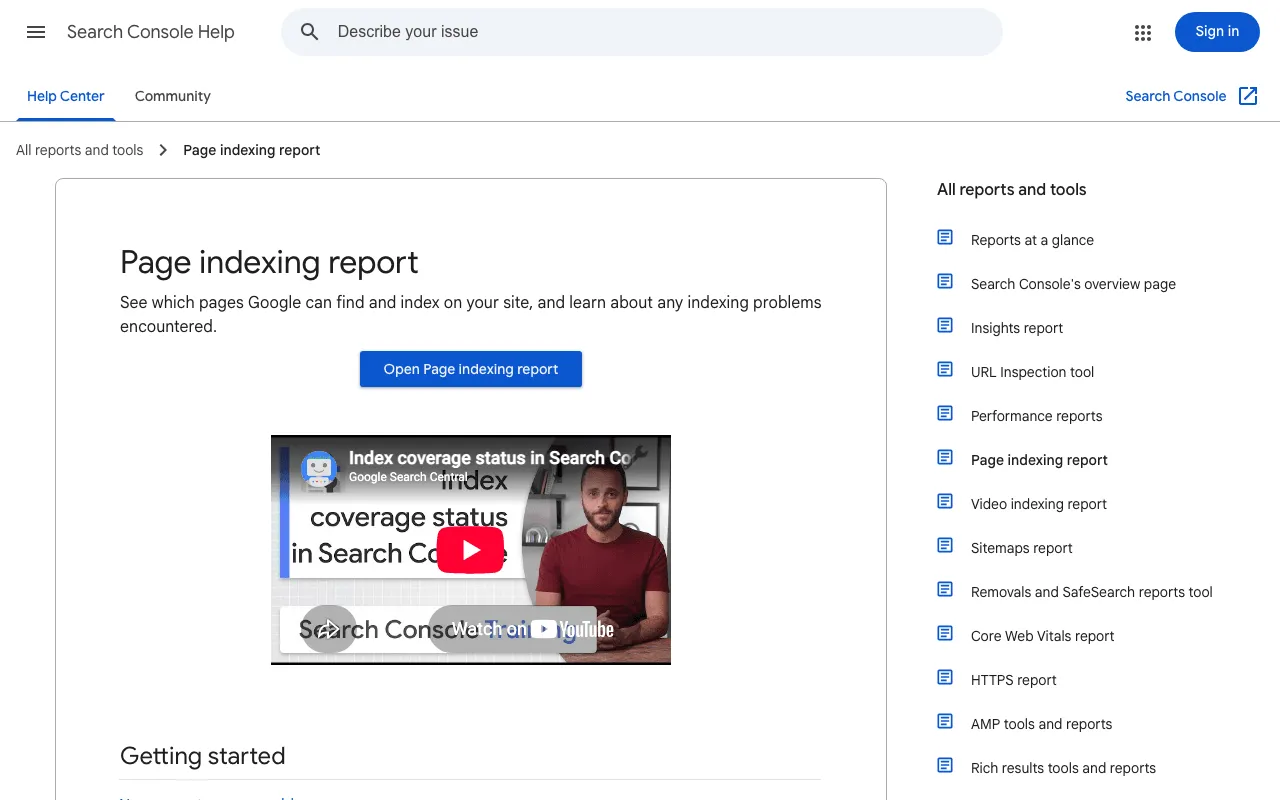
Two details from Google about this list: the example URLs stop at 1,000, and even below that, the list “isn’t guaranteed to show all URLs in a given status.” The Source column tells you whether the issue is probably something you can fix (“Website”) or not.
Check that the page is really missing from Google
The report can’t be searched by URL. For one page, use the URL Inspection tool, which “provides information about Google’s indexed version of a specific page, and also allows you to test whether a URL might be indexable.” Paste the page address into the search bar at the top of Search Console.
For a small site, Google even suggests skipping the report: “If your site has fewer than 500 pages, you probably don’t need to use this report.” Instead, search Google itself:
site:yourdomain.comshows a sample of the pages Google knows;site:followed by the exact URL of a page shows whether that page is indexed.
If the page shows up, it’s indexed, even if you don’t see it in your usual searches. Google reminds you that results are customised by search history, location and other variables.
Decide which pages deserve to be indexed
Before you fix anything, sort your list. Google’s help says it plainly: “It’s fine for a URL not to be indexed for the right reasons.” Your home page, your product pages and your best articles must be indexed. A thank-you page, a cart page or a thin tag archive doesn’t need to be.
The common causes of this status
Google doesn’t rank the causes. Its guide to how Search works lists “some common indexing issues,” and the first one is: “The quality of the content on page is low.” The others are robots meta rules that disallow indexing and a site design that “might make indexing difficult.”
Thin content Google sees as low value
Google read your page and didn’t keep it. Ask what the page adds. Google’s guide to helpful content offers questions like these:
- “Does the content provide original information, reporting, research, or analysis?”
- “If the content draws on other sources, does it avoid simply copying or rewriting those sources, and instead provide substantial additional value and originality?”
- “Does the content provide substantial value when compared to other pages in search results?”
A product page with the manufacturer’s copy, a post that sums up what ten others already say, an empty category page: these pages struggle to answer yes.
Duplicate or overlapping pages
During indexing, Google groups pages with similar content and picks the most representative one, the canonical. Its report says “duplicate URLs shouldn’t be indexed.” On a store, that can be one product reachable through two categories, or filter pages (size, colour) that barely differ.
The URL Inspection tool shows both the “User-declared canonical” and the “Google-selected canonical.” If Google picked a different page than yours, you’ve found a lead.
Pages buried too deep or poorly linked
Google finds pages through links. Its help says a page “must be linked from a known page, or from a sitemap,” and that for missing parts of a site, you should “make sure they are linked properly.” Google can find a page through your sitemap alone. My take: if none of your own pages link to it, nothing tells Google the page matters to you.
Technical signals: noindex, robots.txt, slow loading
Clear blocks get their own row in the report: “URL blocked by robots.txt,” “URL marked ‘noindex’,” “Server error (5xx),” “Not found (404),” “Soft 404.” So a blocked page normally doesn’t land in “Crawled - currently not indexed.”
A slow or struggling server mostly affects crawling. Google says its crawlers “try not to crawl the site too fast to avoid overloading it,” and an expected overload is the typical reason it gives for “Discovered - currently not indexed.”
For subtler problems, the URL Inspection tool shows a screenshot of the page as Google sees it, plus the resources it loaded and the JavaScript output. If your text isn’t in that screenshot, Google doesn’t see it either.
A new site that publishes many pages at once
New pages need time. Google’s report help says: “It can take a week or so for Google to start crawling and indexing a new page or site.”
Publishing hundreds of near-identical pages at once raises another question. Google’s spam policies say: “Scaled content abuse is when many pages are generated for the primary purpose of manipulating search rankings and not helping users.” One of its examples is “using generative AI tools or other similar tools to generate many pages without adding value for users.” That’s a possible cause to rule out, not a verdict on your site.
A real example: duplicate titles on plugkit-avis.com, a possible cause
I test tools on my own sites. On 29 October 2026, I asked SemChat, in one sentence (in French), for an SEO audit of plugkit-avis.com, one of my sites, published in several languages. Its key figures included duplicate titles on 100 pages (53%) and duplicate main headings (H1) on 102 pages (54%).
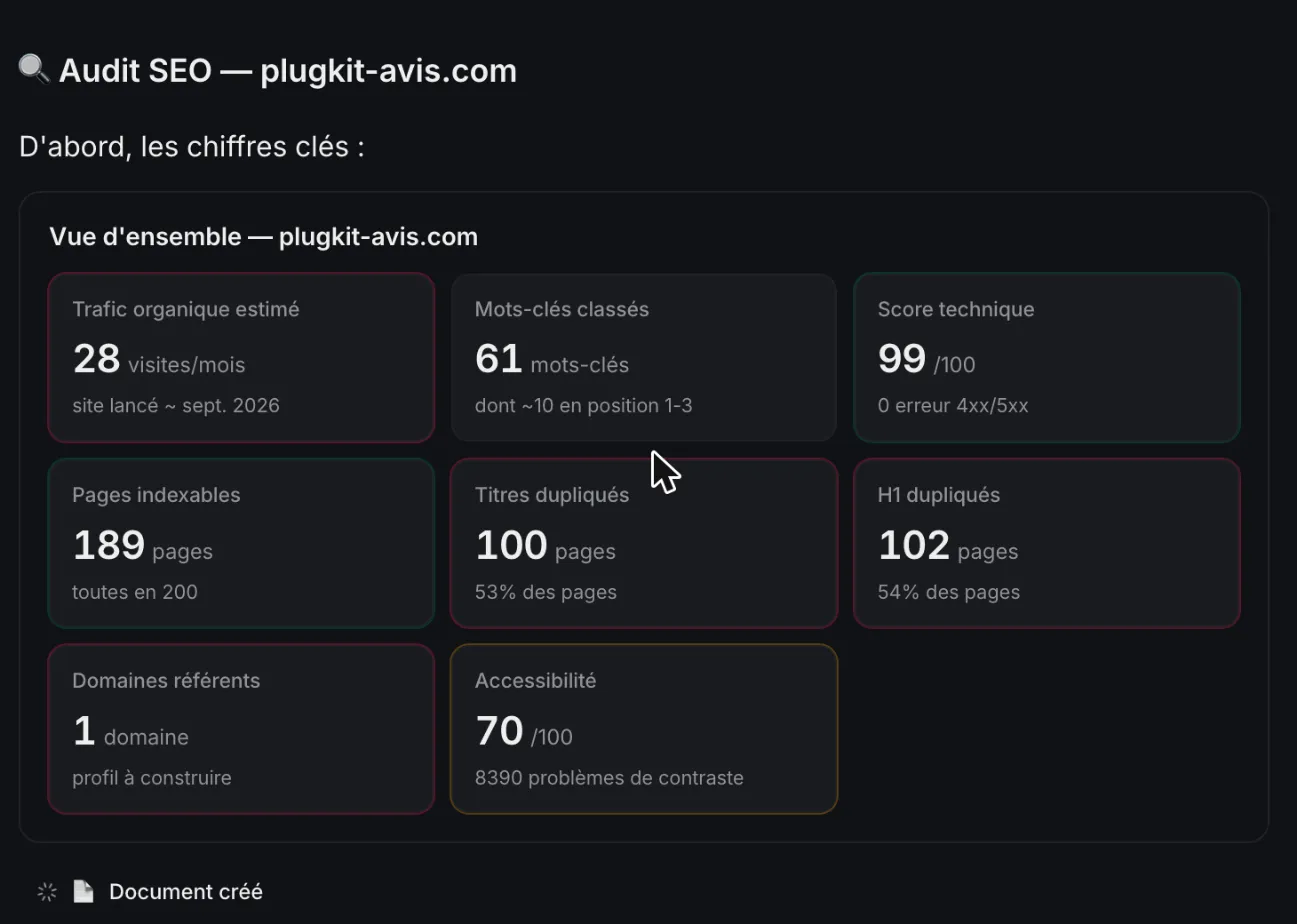
Duplicate titles and main headings: a lead to check, not a proven cause
I checked. The finding is accurate: the US English and UK English versions of the same review share the same title. But those are regional variants declared to Google with hreflang tags. Intended and labelled duplicates, then, not forgotten copies.
And Search Console told its own story. My inspections showed 10 pages “Submitted and indexed.” The duplicates hadn’t kept those pages out. So treat duplicate titles as a possible cause worth checking, never as proof.
SemChat’s indexing check, tested: what it sorted well, what it got wrong
The same day, I ran an indexing-focused audit based on my Search Console. SemChat inspected 5 pages; all 5 were indexed. Its first diagnosis was wrong, though. It saw “~70 pages anglaises, 0 impression” (about 70 English pages, 0 impressions) and considered noindexing them, while one of those pages had about 27 to 30 impressions. It also called the 104 duplicate H1s “contenu générique” (generic content).
When I pushed back, it answered “J’avais tort sur trois points” (I was wrong on three points). Its corrected diagnosis sorted pages into three cases: “bloquées par toi” (blocked by you), “connues mais pas retenues” (known but not kept) and “trop récentes” (too recent). The 104 H1s became 52 pairs of US and UK English pages.
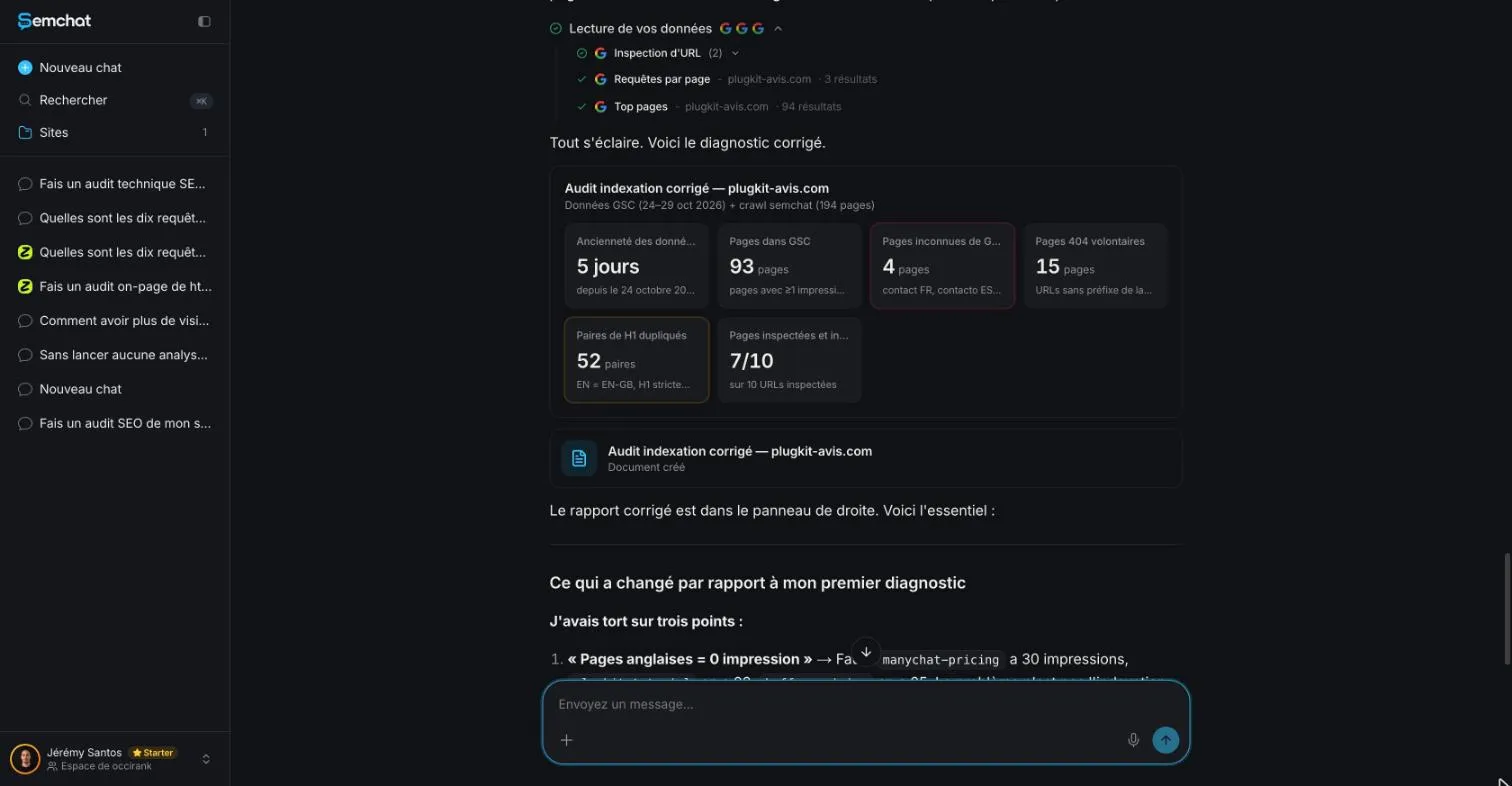
It also found two pages that Search Console reports as “URL is unknown to Google”: /fr/contact/ and /pt-br/contato/, even though both are in my sitemaps. That was right. But its three final actions were wrong: add to the sitemap a page that was already there, add two pages that return a 404, and create a sitemap that already existed. A tool saves you time spotting leads; Search Console stays the judge.
How to fix crawled, currently not indexed, in order
Here’s the order I follow, from what helps most to what helps least.
- 1 Improve the page Add what other pages don't say.
- 2 Link to it From your strongest pages.
- 3 Remove blocks Canonical, noindex, rendering.
- 4 Request indexing Once, after a real change.
Make the page worth indexing
Go back to Google’s helpful content questions. Add what only you can say: your experience, your photos, your prices, a real example, a precise answer to your customer’s question. If the page has nothing to add, ask whether it should exist at all.
Link to it from your strongest pages
Add links to it from pages Google already knows and has indexed: your home page, a category page, a related article. Use link text that describes the page, not “click here.” Keep your sitemap clean too: list only the pages you want indexed. If you’re not sure what that file does, read what is a sitemap.
Remove technical blocks, then request indexing
Inspect the URL, then click Test live URL. Check that the screenshot shows your text, that the Google-selected canonical is your page, and that no stray noindex rule is left.
Once the page has really changed, you can request indexing in the URL Inspection tool. Google sets three limits:
- “You must be an owner or full user of the Search Console property to be able to request indexing”;
- “there’s a quota for submitting individual URLs and requesting a recrawl multiple times for the same URL won’t get it crawled any faster”;
- the request guarantees nothing: inclusion may not happen “instantly or even at all.”
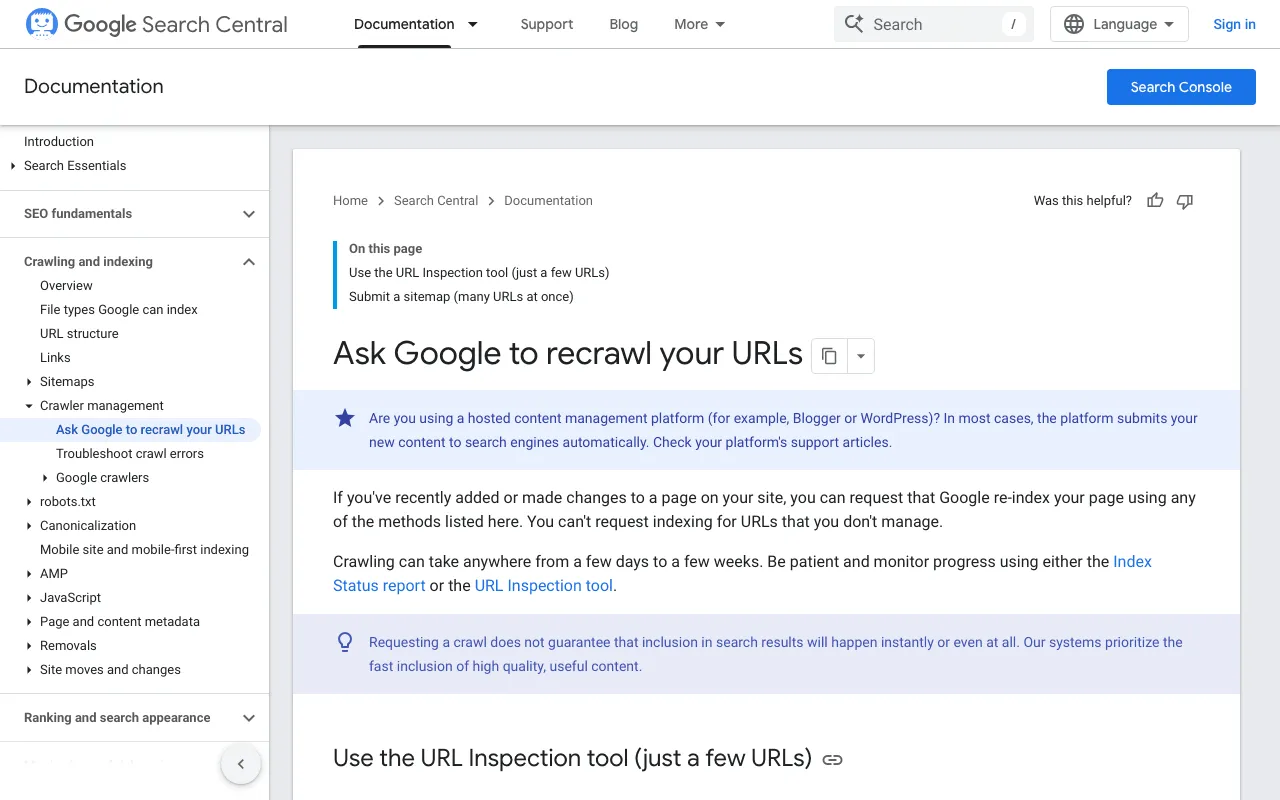
For this status in particular, remember the definition: “no need to resubmit this URL for crawling.” Resubmitting the same unchanged page won’t speed anything up: Google says so about repeated requests. Resubmit it once, after a real change. For a whole new site, the full process is on our page on how to index a website on Google.
When to wait and change nothing
Not every unindexed page is a problem.
Pages that are fine outside the index
Google’s help asks: “Is it OK if a page isn’t indexed? Absolutely.” It adds: “Don’t expect every URL on your site to be indexed. […] Just be sure that the key pages on your site are indexed.” Most sites, Google says, “have at least a few unindexed pages.” It gives no number, and I won’t make one up. The right question isn’t how many, but which ones.
Pages that stay stuck after a fix
Give Google time. Its recrawl page says: “Crawling can take anywhere from a few days to a few weeks,” and “Requesting a crawl does not guarantee that inclusion in search results will happen instantly or even at all.”
In my test, plugkit-avis.com had only 5 days of Search Console data on 29 October 2026. Judging dozens of pages on 5 days was too early, and SemChat admitted as much in its correction.
Once your pages are indexed, the next question is whether they bring visitors. A website traffic checker gives you an outside estimate, and our guide on what is GA4 covers measuring visits on your own site.
A page that’s crawled, currently not indexed isn’t a penalty. It’s Google telling you it read the page and didn’t find it useful enough, for now. Make it better, link to it, then give it time.
Frequently asked questions
Why would Google crawl a page and not index it?
Google doesn't give a reason for each page. Its guide to how Search works says “Indexing isn't guaranteed; not every page that Google processes will be indexed,” and lists common indexing issues: low-quality content, robots meta rules that disallow indexing, and a site design that makes indexing difficult. Duplicate pages aren't indexed either: Google keeps one canonical version (guides read 30 October 2026).
What does “crawled, currently not indexed” mean, in one line?
In Google's words: “The page was crawled by Google but not indexed. It may or may not be indexed in the future; no need to resubmit this URL for crawling” (Page indexing report help, read 30 October 2026).
What does “validation failed” mean after you fix a page?
After you click Validate fix in the Page indexing report, Google rechecks the affected URLs. Failed means “A certain threshold of pages still contain this issue.” Click See details to find the URL that caused it, fix that page, then restart validation. Google says validation typically takes up to about two weeks, sometimes much longer (help page read 30 October 2026).
Does it happen more on WordPress or Shopify sites?
I found no source that compares platforms, so I won't claim one. Google's help doesn't single out a CMS; it notes that hosted platforms such as WordPress usually submit new content to search engines automatically. Yoast and Rank Math, which make SEO plugins, publish their own guides on this status: they're plugin vendors, so read them as such.
Let your AI do the chores of getting found online.
10% off your subscription, for life with my link, if you subscribe within 2 weeks of signing up. No code. All about the SemChat promo code
Affiliate link: it costs you nothing extra.
Verified sources
- Search Console Help: Page indexing report (30/10/2026)
- Search Console Help: URL Inspection tool (30/10/2026)
- Google Search Central: Ask Google to recrawl your URLs (30/10/2026)
- Google Search Central: In-depth guide to how Google Search works (30/10/2026)
- Google Search Central: Creating helpful, reliable, people-first content (30/10/2026)
- Google Search Central: Spam policies for Google web search (30/10/2026)
- Google Search Central: Block search indexing with noindex (30/10/2026)
- SemChat pricing (Free plan, Starter plan) (29/10/2026)